
The best LCD writing tablet depends on what happens after you finish writing. Choose the Boogie Board Jot 8.5 for quick scratch work, VersaBoard for a visible household message board, or Blackboard 2.0 Smart Scan if you want a phone-scanning workflow for keeping selected pages.
These are reusable writing boards, not inexpensive substitutes for an iPad or a connected e-ink notebook. The crucial distinction is between leaving writing visible, photographing a page, and storing an editable digital notebook.
Research checked October 4, 2026 using manufacturer product pages and support information. This is a researched comparison, not hands-on testing. We have not measured writing feel, contrast, erasing reliability, battery life, or app accuracy. Prices, bundles, and availability can change.
Compare three LCD writing boards
| Board | Best use | How you clear it | Keeping your work |
|---|---|---|---|
| Boogie Board Jot 8.5 | Calculations, short lists, and doodles | One-touch erase button | Take a separate photo before erasing |
| Boogie Board VersaBoard | Countertop or refrigerator reminders | Tap the magnetic stylus end to the erase corner | Take a separate photo before erasing |
| Boogie Board Blackboard 2.0 Smart Scan | Longer handwritten pages you want to archive | Tap the stylus eraser end to the designated corner | Scan with the companion phone app before clearing |
This focused shortlist compares three distinct ways to use a board. It does not claim to rank every LCD pad on sale, and all three happen to come from the same manufacturer.
1. Jot 8.5 for everyday scratch work
The Jot 8.5 includes an 8.5-inch writing screen, stylus holder, stylus, magnet, and kickstand feature. Its replaceable CR2016 battery avoids a charging-cable routine. Pressing the erase button clears the page.
It is our starting choice for arithmetic, a quick diagram, or a shopping list that will be rewritten tomorrow. The practical benefit is simplicity: pick it up, write, then clear it when the information is no longer needed.
Limitation: treat it as an erase-only scratchpad with no onboard file archive. A displayed list is not a backed-up document. Photograph anything important before clearing it, and check that the photo is readable.
2. VersaBoard for reminders you leave on display
The VersaBoard has magnets and a stand that supports portrait or landscape placement. The manufacturer lists the board at 5.5 by 7.25 inches; that is a product dimension, not a screen diagonal. The included VersaPencil attaches magnetically.
Instead of pressing an exposed erase button, you tap the magnetic end of the stylus to the designated corner. Choose it when a small message needs to remain visible on a desk or refrigerator.
Limitation: clearing still removes the whole message. The magnetic erase action is a physical control, not password protection or file saving. Consider whether everyone using the board will remember where its stylus belongs.
3. Blackboard 2.0 Smart Scan for photographed notes
The Blackboard 2.0 Smart Scan has a 7.5-by-10.5-inch writing surface inside an 8.5-by-11-inch board. Its main distinction is the companion iOS or Android app: use your phone camera to scan pages and save PDF or JPEG files before erasing.
This is the better fit for someone who wants to reuse a writing surface while occasionally keeping meeting notes or sketches. Check current app compatibility on your phone and confirm exactly which cover and accessories the selected bundle includes.
Limitation: Smart Scan is a camera-capture workflow. It does not mean the board automatically stores every stroke. A separate Smart Pen option exists; do not assume it is included with Smart Scan.
Understand saving before choosing a writing tablet
There are three different promises to look for:
- Erase-only writing: the current page stays visible until cleared. Jot and VersaBoard suit temporary information; neither is a notebook file manager.
- Camera capture: your phone makes the record. Check lighting, focus, page edges, and whether the exported file actually opens before erasing the original.
- Connected digital capture: compatible hardware records strokes or stores notebook files. Verify the exact pen, board, app, and subscription requirements rather than relying on the word “smart.”
Boogie Board’s support FAQ describes its separate Smart Pen using a camera in the pen, a coded template, and Bluetooth syncing. That is different from photographing the board. Neither approach makes these boards general-purpose app tablets.
Buying checklist
- Match the writing area: short reminders need less space than equations or meeting notes. Compare usable surface dimensions, not just the frame or diagonal.
- Check erasing: do you need to correct one word or clear everything? The basic boards here clear a complete page. Do not assume selective erasing from another model’s advertisement.
- Check the room: view sample writing under lighting similar to where you will use it. Product photography cannot establish contrast in your kitchen or office.
- Plan for loss: check stylus replacement options, battery replacement, and a protective sleeve if the board will travel.
- Follow battery and age warnings: keep button batteries away from children and verify that the compartment is secure. A writing board is not automatically suitable for every age.
Frequently asked questions
Can an LCD writing tablet save notes?
Some systems support saving through an app or specialized accessory. The basic scratchpads here do not save files onboard. With Smart Scan, the phone captures the page; scan successfully before erasing.
Can I recover a page after erasing it?
Do not count on recovery from the board. Keep a verified photo or exported file before clearing information you cannot afford to lose.
Can these replace a tablet for school or work?
They can replace scrap paper for some tasks. Choose a connected tablet instead when you need to open PDFs, search a notebook library, type documents, or use work apps on the device itself.
Bottom line: start with Jot for disposable notes, VersaBoard for displayed reminders, and Blackboard 2.0 Smart Scan for a deliberate scan-before-erase routine. Decide how you will keep important information before choosing the board.
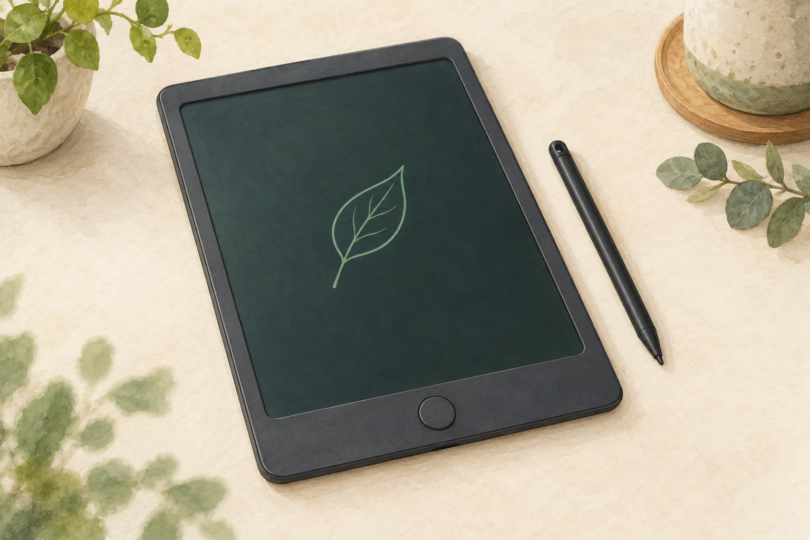
Image note: Generic editorial illustration of an erase-only LCD writing board; no specific product, app, saving function or connectivity is represented.