
For passenger entertainment, start with a rear-seat tablet mount that fits both the device and the vehicle’s headrest. Screen size alone is not enough: measure the tablet with its case, the available headrest posts, and the space left around passengers and restraints.
The Lamicall Foldable Clip holder is worth investigating for a thick case. Arkon’s TABPB-RSHM3 provides a longer extension for shared rear-seat viewing. Macally’s HRMOUNTPROB is another candidate, but its current page contains conflicting attachment descriptions that should be resolved before purchase.
Research checked October 4, 2026. This guide uses manufacturer specifications and road-safety guidance, not hands-on vibration or crash testing. We have not established crash protection for any mount. Check the exact model, device, vehicle manual, and local rules before installation.
Quick comparison
| Mount | Published compatibility | Reason to consider it | Main limitation |
|---|---|---|---|
| Lamicall Foldable Clip, LAM-STCH04-N-Black | 4.7–13-inch devices; up to 26 mm thickness | Defined thick-case allowance | Headrest rod spacing and diameter must also fit |
| Arkon TABPB-RSHM3 | 9–12-inch screens; holder up to 9 inches tall | 15–24-inch extension arm | Requires two-post headrest and clear room for the arm |
| Macally HRMOUNTPROB | Detailed section: 4.5–10-inch device width | Behind-seat or central positioning | Resolve conflicting strap/post descriptions first |
These are separate measurement systems. A 10-inch screen diagonal is not a 10-inch device width, and a thick protective case can change fit substantially.
1. Lamicall Foldable Clip: a candidate for thicker cases
The Lamicall Foldable Clip Car Headrest Tablet Holder, model LAM-STCH04-N-Black, lists support for 4.7–13-inch devices and thickness up to 26 mm. It has an extending arm, a folding tablet clip, and a locking feature on the headrest attachment.
The published headrest-rod distance range is 94–160 mm, with a maximum rod diameter of 13 mm. Check the manufacturer’s measuring method and confirm these dimensions on the actual seat; the headrest’s overall padded width is a different measurement.
Tradeoff: the diagonal range does not establish that every 13-inch tablet and case will fit. Corner bumpers, kickstands, handles, and uneven case thickness can obstruct the clamp. Confirm the exact cased dimensions, weight suitability, and gripping position if the fit is close. A feature called a safety lock is not evidence of a crash-test rating.
2. Arkon TABPB-RSHM3: longer reach for shared viewing
The Arkon Car Headrest Extension Tablet Mount, model TABPB-RSHM3, uses the TAB003 push-button holder. The manufacturer lists 9–12-inch screens and tablets up to 9 inches tall, with compatibility described for landscape orientation.
Its rigid arm extends from 15 to 24 inches and attaches to a two-post headrest. The swivel adjustment can help position a screen toward rear passengers, which is useful when the viewing location needs to move away from directly behind one front seat.
Tradeoff: a long arm needs clear space. It should not intrude into a passenger’s head or body space, interfere with a child restraint, or obstruct access to a buckle. Verify post compatibility, case depth, and device weight before purchase. Keep the extension no longer than needed for a suitable installation; reach is not a reason to put the screen close to a face.
3. Macally HRMOUNTPROB: verify the attachment before buying
The detailed section of the Macally HRMOUNTPROB page describes a cradle for devices 4.5–10 inches wide, a ball head with rotation, and a tool-free mount for headrest posts spaced 2–7.25 inches apart. It also describes placing the tablet behind a seat or toward the center.
However, the summary on that same page calls it a headrest strap mount and lists 7–11-inch tablets. Those descriptions do not give a sufficiently clear installation answer for every car.
Tradeoff: do not buy this model solely because the headline says it fits any headrest. Ask Macally which hardware ships under the selected SKU and request the matching instructions. Until the conflict is resolved for your vehicle, treat it as a model to investigate rather than a confirmed fit.
Five measurements and checks that prevent bad purchases
- Measure the complete device. Record height, width, thickness at the thickest point, and weight with the case attached. Include any handle or folded stand that cannot be removed.
- Identify the headrest construction. Exposed metal posts, integrated headrests, and active head-restraint systems are not interchangeable mounting surfaces. Do not remove, raise, or alter a head restraint against the vehicle manufacturer’s instructions.
- Check controls and ports. The jaws should not continuously press a power or volume button. A charging plug needs clearance without levering against the clamp.
- Check passenger clearance in the real seating position. Adjust the front seat normally and check the rear passenger’s space. Never change seat-belt or child-seat installation just to accommodate a screen.
- Confirm the full kit. Check the model code, holder, headrest attachment, arm, adapters, and instructions. Product photos may show accessories or a configuration that is not included.
Install and adjust while safely parked
Follow the mount and vehicle instructions together. Check every connection with the tablet supported, then verify that the device is fully captured and cannot slide out during ordinary adjustment. A gentle stationary check can reveal an obvious loose clamp, but it does not prove crashworthiness.
Route charging cables so they cannot wrap around a passenger, interfere with restraints, or reach the pedals. Keep seat adjustment mechanisms, buckles, and exits clear. If the installation requires improvised ties, loose adapters, or disabling a head-restraint feature, choose a different solution.
Check for loosening and damage before subsequent trips. If the screen shakes excessively or the mount moves, stop somewhere safe before fixing it. Do not have the driver reach behind a seat while moving.
A mounted screen can still distract the driver
NHTSA’s distracted-driving guidance emphasizes that attention taken away from driving creates risk. Set up passenger media before departure, keep entertainment outside the driver’s view, and leave playback changes to a passenger. The driver should pull over safely before interacting with the tablet.
Consult the vehicle’s airbag diagrams and NHTSA’s airbag guidance. Keep the mount and screen away from airbag deployment areas and do not obstruct mirrors, visibility, or safety equipment. Follow applicable local display and mounting restrictions. This guide’s recommendations are for passenger use, not watching videos or operating a tablet while driving.
Frequently asked questions
Will a mount labeled “universal” fit an integrated headrest?
Not necessarily. A post-clamp model needs the specified accessible posts. Get explicit vehicle compatibility rather than interpreting universal as a guarantee.
Can I leave a thick protective case on?
Only if the entire cased device fits the holder’s published limits and the clamp engages correctly. Diagonal size alone does not answer that question.
Is a headrest mount crash-tested?
Do not assume so. We did not verify crash-test evidence for these models. A firm clamp during normal travel does not establish what happens in a collision.
Bottom line: choose by measured device fit, verified headrest attachment, and passenger clearance. Lamicall and Arkon provide useful starting specifications; resolve Macally’s conflicting description before ordering that model.
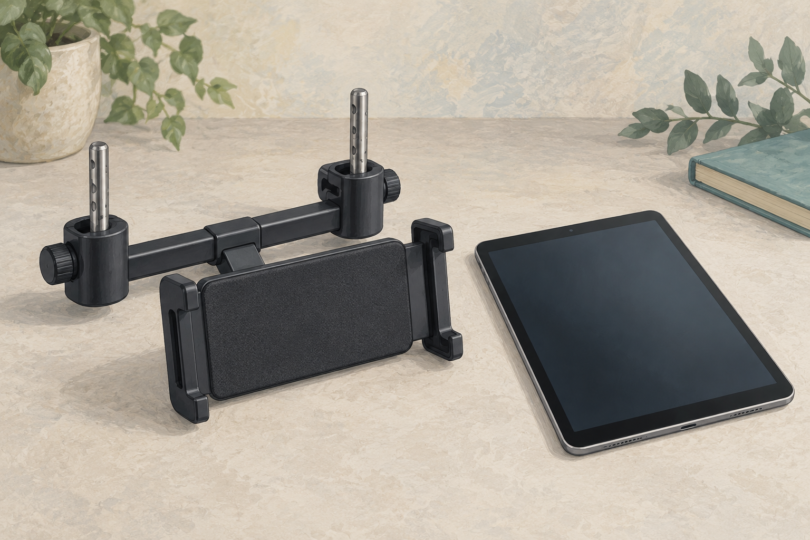
Image note: AI-generated generic editorial illustration; it does not show a particular tablet mount, verify vehicle fit or demonstrate an installed restraint.