
The best tablet keyboard case is a model-specific purchase. Start with Apple’s Magic Keyboard Folio for iPad (A16) or iPad (10th generation), Logitech Combo Touch for a listed iPad Air, or Samsung’s EF-DX825 Book Cover Keyboard for a supported Galaxy Tab Plus model.
These choices serve different tablets. An “11-inch” label, the same brand name or a similar camera cutout is not enough to establish compatibility. Check the tablet model, generation, software and keyboard layout before comparing features.
Research checked October 4, 2026. We compared manufacturer product pages and support information. We have not tested typing feel, trackpad accuracy, durability or lap stability. Prices, bundles and local availability can change.
Compare three keyboard-case options
| Keyboard case | Tablet fit to check | Useful feature | Main tradeoff |
|---|---|---|---|
| Apple Magic Keyboard Folio | iPad (A16, 2025) or iPad (10th generation, 2026) | Detachable keyboard, trackpad and rear stand | Does not fit the similarly sized iPad Air or Pro |
| Logitech Combo Touch for iPad Air | Choose the 11-inch or 13-inch version and match the listed generation | Backlit keys, trackpad and detachable keyboard | Keyboard must remain connected to type |
| Samsung Book Cover Keyboard, EF-DX825 | Galaxy Tab S10+, S9+ or S9 FE+, subject to the exact regional SKU | Trackpad and adjustable back cover | Other Galaxy Tab sizes need different cases |
The keyboard-case accessory does not include the tablet. Treat pens, software, chargers and other pictured accessories as separate unless the selected offer explicitly lists them in the bundle.
1. Apple Magic Keyboard Folio: for the standard iPad
Apple’s Magic Keyboard Folio listing supports iPad (A16) and iPad (10th generation), with iPadOS 18.3 or later listed as the requirement. It has a detachable keyboard, a magnetic back panel with an adjustable stand, a trackpad and a 14-key function row.
Consider it if you want a first-party accessory for one of those two models and prefer removing the keyboard for reading. The listing linked here is US English; choose the language version you actually use.
Fit caution: “Magic Keyboard” is also used for other Apple products. A Magic Keyboard for iPad Air or iPad Pro is not this Folio. Match the complete accessory name and the compatibility list, rather than searching only for a keyboard matching your screen size.
Practical limitation: the rear stand takes desk space. Try the complete arrangement on your usual small table or lap, and check how much support it needs behind the screen.
2. Logitech Combo Touch: for a listed iPad Air
The current Combo Touch for iPad Air selector lists separate 11-inch and 13-inch choices. Both list M2, M3 and M4 support; the 11-inch choice also lists iPad Air (5th generation). Apple’s model identification guide identifies those Air generations as 2024, 2025, 2026 and 2026, respectively.
This is a useful option when backlit keys and the ability to detach the keyboard matter. The case has a trackpad and a kickstand, so it supports a typing setup while letting you remove the keys for reading or drawing.
Connection limitation: Logitech’s Combo Touch documentation explains that the keyboard receives power through the iPad’s Smart Connector. It does not require Bluetooth pairing or separate charging, but it cannot type while detached. If you want the keyboard on your lap and the tablet on a raised stand, choose a different arrangement.
Fit caution: Combo Touch is a family name spanning several iPad generations. Older stock can have a different compatibility list. Verify the seller’s exact part number and tablet model against Logitech’s current specification, especially when buying used.
3. Samsung EF-DX825: for compatible Galaxy Tab Plus models
The US EF-DX825 Book Cover Keyboard is listed for Galaxy Tab S10+, S9+ and S9 FE+ families. One clear example is the 12.4-inch Galaxy Tab S10+ introduced in 2024. Check your exact Wi-Fi or cellular model and regional accessory suffix before purchasing.
Samsung’s EF-DX825 specifications identify a POGO-pin interface, trackpad and adjustable back cover. It is worth considering for someone who wants a matched physical keyboard for their supported Galaxy Tab.
Fit caution: do not substitute a Tab S10 Ultra, a standard S9 or a newer FE model just because the family name looks familiar. Also distinguish this trackpad-equipped model from similarly named Slim keyboard covers.
Software limitation: a keyboard and DeX-style workspace do not turn Android apps into Windows applications. Check shortcuts, text selection, spreadsheet editing and your preferred writing app. Keyboard layout and some features vary by region, model and software.
Five checks before buying
- Identify the tablet: copy the model name and model number from Settings. Record its generation or year and size. Compare these with the exact accessory listing.
- Check software: confirm minimum OS requirements and any firmware-update process. Verify that your essential apps support the keyboard and trackpad workflow you need.
- Check the physical layout: US and UK English keyboards differ, and other languages can use different key arrangements. An OS setting does not change the printed legends.
- Try your work position: assess stand depth, viewing angle, combined weight and key spacing. For long desk sessions, a separate keyboard and stand may be more comfortable.
- Compare the complete cost: include the case, any pen, software and shipping. Check whether a “keyboard bundle” includes the tablet, and whether used stock contains both the keyboard and back cover.
Frequently asked questions
Will a universal Bluetooth keyboard case fit any tablet?
No. Bluetooth compatibility concerns the connection. The holder still needs to fit the tablet without covering its buttons, camera, ports or charging area. Trackpad gestures and shortcut keys also need OS support.
Can a detachable keyboard always work separately?
No. Detachable describes the physical design. Combo Touch requires its Smart Connector connection to type. Check for an independent wireless connection if detached typing is essential.
Does a keyboard case replace a protective case?
It offers the coverage stated by its manufacturer. Do not assume a folio has a verified drop rating or protects every exposed edge. Compare protection, portability and typing convenience separately.
Bottom line: choose among cases made for your exact tablet, then compare the keys, trackpad and working position. A correctly matched accessory is more useful than a longer feature list on the wrong model.
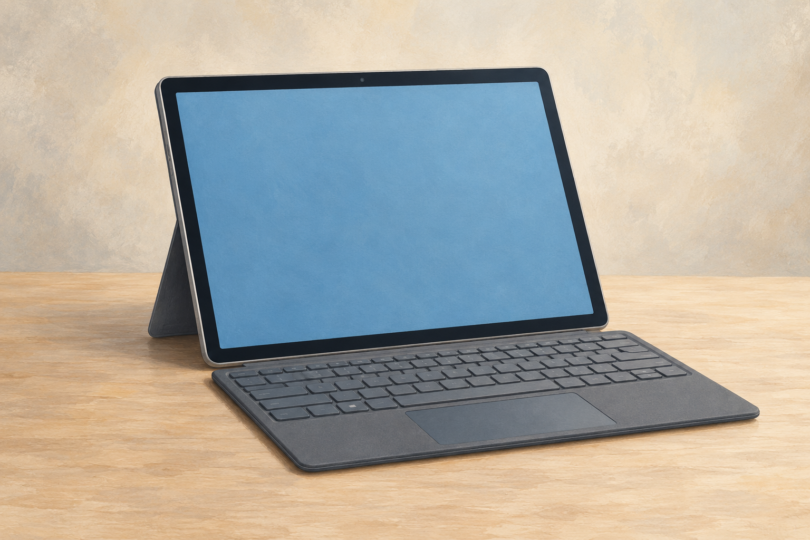
Image note: Generic tablet-and-keyboard illustration; it does not depict a particular keyboard case, tablet model or compatibility match.