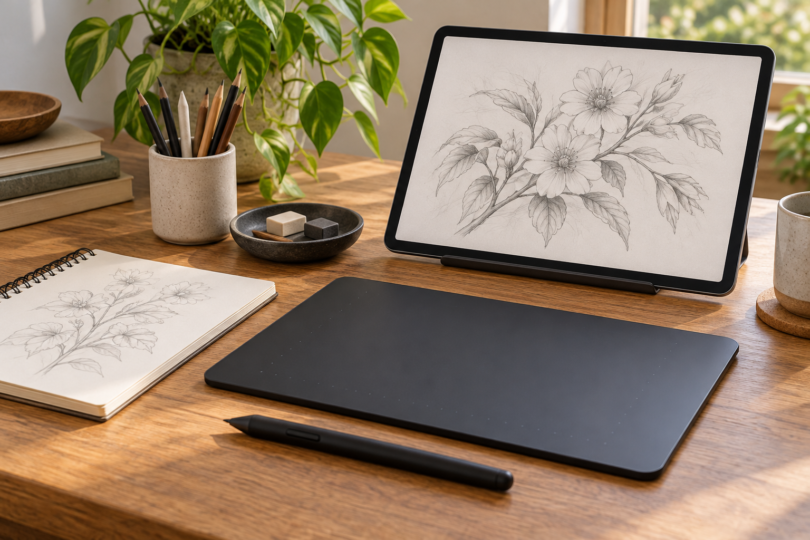

For Sketchbook Pro on a Windows PC or Mac, our starting pick is the Wacom Intuos Small CTL-4100. Choose the Huion Kamvas 13 (Gen 3) if you want to draw on a screen connected to that computer. For drawing without a computer, the iPad Air 11-inch (M4) with Apple Pencil Pro is our mobile alternative.
The distinction matters: Sketchbook Pro is the desktop app; iPad and Android devices use Sketchbook for mobile. A screenless tablet or pen display supplies input to another device and does not itself install the desktop app. These picks compare documented hardware and software requirements; they are not hands-on test results.
Best tablets for Sketchbook: three different setups
| Choice | Best fit | Main limitation |
|---|---|---|
| Wacom Intuos Small CTL-4100 | Compact screenless input for desktop Sketchbook Pro | Needs a computer and its display; this model is wired |
| Huion Kamvas 13 (Gen 3), GS1333 | Drawing directly on a 13.3-inch desktop pen display | Needs a host computer, compatible ports and driver setup |
| iPad Air 11-inch (M4) + Apple Pencil Pro | Self-contained drawing with mobile Sketchbook | Pencil costs extra; it does not run the desktop app |
1. Wacom Intuos Small CTL-4100: best compact desktop starting point
If you already have a suitable computer, the wired Intuos Small is the simplest setup in this shortlist. Its active area is approximately 6.0 × 3.7 inches, and it includes a battery-free Pen 4K with 4,096 pressure levels. Four customizable ExpressKeys provide room for your preferred shortcuts.
You draw on the pad while watching your computer screen, so choose the Huion below if you strongly prefer seeing the image beneath the pen. The CTL-4100 has no multi-touch and should not be confused with the CTL-4100WL Bluetooth model. Install the current Wacom driver and check it against your computer’s operating system.
Check the Wacom Intuos range and select Small, CTL-4100. The standard package includes the pen, USB cable and spare nibs. Budget separately for Sketchbook Pro; a tablet’s promotional software bundle is not evidence that Sketchbook is included.

Wacom Intuos Small CTL-4100 Wired Drawing Tablet
As an Amazon Associate we earn from qualifying purchases.
2. Huion Kamvas 13 (Gen 3): best for drawing on a desktop display
The GS1333 is our choice when direct-on-screen drawing matters more than a small screenless pad. It has a 13.3-inch, 1920 × 1080 display, a PW600L pen, five programmable keys and two dials. These are hardware features, not a promise of better brush control than another tablet.
This is a connected pen display, not a standalone computer. The included 3-in-1 cable uses HDMI and USB connections; the optional full-featured USB-C route requires a port that supports video output and suitable power. The stand and full-featured USB-C cable are optional, so check your selected package.
Use it here with desktop Sketchbook Pro. Sketchbook publishes Huion-specific Windows pressure troubleshooting, while Huion’s manual documents a Windows Ink option. That supports checking this setup, but does not guarantee every computer and driver combination. On Windows, keep Windows Ink enabled and verify pressure in Sketchbook after installation.
Check Huion Kamvas 13 (Gen 3) and match model GS1333, your preferred color and the included accessories. The older Kamvas 13 and Kamvas Pro 13 are different products.
3. iPad Air 11-inch (M4) with Apple Pencil Pro: best mobile option
Choose the iPad Air if you want an independent drawing device rather than another peripheral for your desk. The M4 11-inch model has a fully laminated 2360 × 1640 display and supports Apple Pencil Pro. Sketchbook specifically supports pressure-sensitive drawing with Pencil Pro on compatible iPads.
This recommendation is for mobile Sketchbook, not macOS Sketchbook Pro. Buy the Pencil Pro separately and choose storage for your artwork. Apple Pencil (USB-C) also fits this iPad, but it lacks pressure sensitivity; it is not an equivalent substitute for pressure-controlled drawing.
Compare the iPad Air specifications and check Apple Pencil compatibility. Our comparison baseline is the 11-inch M4 Wi-Fi model with 128GB storage plus one Pencil Pro; select your own color and capacity before purchase.
Check software and pen support before buying
Sketchbook currently lists Windows 10 or 11 and macOS 12 or later for its desktop app, with 8GB memory and OpenGL 2.0 support. Large, multilayer images can need more memory. Check the complete Sketchbook system requirements as well as the tablet driver requirements; meeting one list does not establish the other.
Windows pressure input requires Windows Ink. Keep the pen driver current and test a pressure-responsive brush after setup. If you use an ARM-based Windows computer, confirm that the tablet maker provides an ARM driver before ordering.
For Android, do not assume that a pen tablet’s advertised Android connectivity makes it suitable for Sketchbook: the app’s requirements explicitly exclude peripheral drawing tablets. For this guide, the Intuos and Kamvas recommendations are desktop setups. An older Fire tablet or a generic touchscreen stylus is not an equivalent, verified pressure-sensitive alternative.
Compare the complete setup cost: tablet, pen, any needed cables or stand, software and a host computer where required. Check the seller’s selected model, package, return terms and total at checkout. We do not quote live prices or promise stock.
Frequently asked questions
Where should I get Sketchbook Pro?
For an individual desktop purchase, use the current Windows Store or Mac App Store version linked by Sketchbook’s official apps page. The publisher continues to update these versions. Legacy Autodesk releases cannot receive current updates or bug fixes; an old SketchBook Pro 7 listing is not a current software recommendation.
Can the iPad run desktop Sketchbook Pro?
The iPad uses the mobile Sketchbook app. Choose a Windows or Mac setup if you need the desktop version, and check the features you use before switching platforms.
Is more pen-pressure sensitivity always better?
The published pressure-level count is only one specification. A working driver, supported input method and a size you can use comfortably matter too. We would choose between these setups by desktop versus mobile use and screenless versus on-screen drawing, rather than ranking them by that number alone.