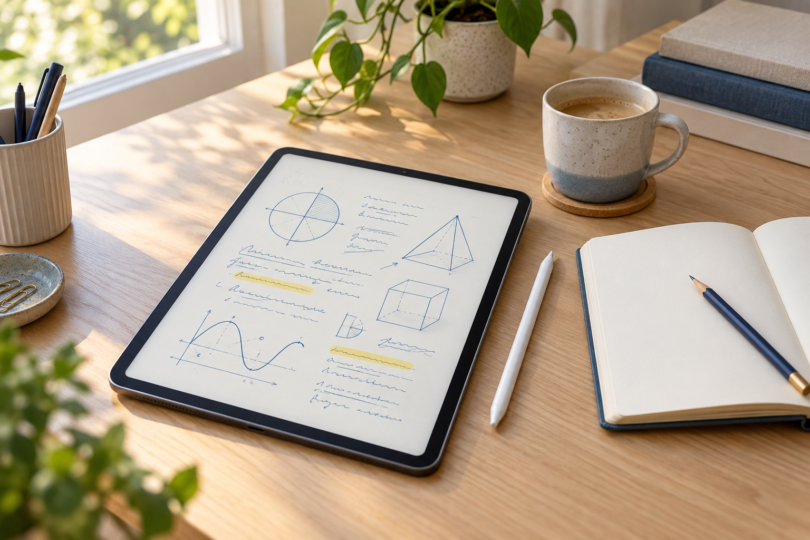

The Apple iPad (A16) is our general-purpose note-taking pick if you want handwritten notes alongside everyday tablet apps. Choose the Samsung Galaxy Tab S10 FE+ when a larger writing area and an included S Pen matter more. The reMarkable Paper Pro with Marker Plus is the specialist choice for a notebook-centered routine. The right purchase depends on how you write, organize and share your notes.
Three tablets worth comparing
| Exact pick | Best fit | Pen situation | Main compromise |
|---|---|---|---|
| iPad A16, Wi-Fi, 128GB, Silver | Handwritten notes and everyday iPad apps | Apple Pencil sold separately; USB-C model is compatible | Include the Pencil in the total purchase cost |
| Galaxy Tab S10 FE+, Wi-Fi, 128GB, Gray; SM-X620NZAAXAR | A larger canvas for notes and documents | S Pen included | The 13.1-inch tablet is larger and heavier than this iPad |
| reMarkable Paper Pro, 64GB, with Marker Plus | A digital notebook and document workflow | Marker Plus included in this bundle | Check file-transfer and subscription requirements |
Best for a versatile note-taking setup: Apple iPad A16

Apple iPad (A16), Wi-Fi, 128GB, Silver
As an Amazon Associate we earn from qualifying purchases.
The selected model is the silver Wi-Fi iPad with A16 chip and 128GB storage, part number MD3Y4LL/A, without AppleCare+. Apple calls this an 11-inch iPad; the display measures 10.86 inches as a rectangle and has a 2360 × 1640 resolution. Its listed Wi-Fi-model weight is 477g, which makes it the lighter choice beside the 664g Samsung below.
Apple Notes supports handwriting and sketches with a compatible Apple Pencil, along with different tools, colors and a ruler. That is a sensible starting point before paying for a separate note-taking app. Try your usual mix of handwriting, diagrams and typed text, then check whether its organization and sharing options meet your needs.
For this setup, consider the separately purchased Apple Pencil (USB-C). It pairs and charges through USB-C and attaches magnetically for storage. It does not offer pressure sensitivity or wireless charging. That can be an acceptable tradeoff for straightforward handwritten notes, but artists who also want pressure-controlled strokes should compare the supported alternatives carefully.
The A16 iPad also supports the first-generation Apple Pencil, with the USB-C to Apple Pencil Adapter needed for pairing and charging. Do not assume the second-generation Pencil or Pencil Pro works simply because the tablet has USB-C. Match the exact Pencil generation to Apple’s compatibility list before buying an accessory.
- Why choose it: an approachable size, Apple Notes handwriting tools and a choice of compatible Pencil options make a flexible everyday setup.
- Why skip it: the tablet-only listing is not a complete handwriting bundle, and the USB-C Pencil’s charging and pressure limitations may matter if drawing is equally important.
Check that the linked listing still selects Wi-Fi, 128GB, Silver and the configuration you want. Review the condition, seller and current total separately from any Pencil, keyboard or protection-plan add-on. The two device views in the product photograph show one iPad, not a two-tablet bundle.
Best larger writing canvas: Samsung Galaxy Tab S10 FE+
The recommended Samsung is the Gray 128GB Wi-Fi Galaxy Tab S10 FE+, model SM-X620NZAAXAR. Its 13.1-inch LCD has a 2880 × 1800 resolution, with up to 90Hz refresh rate. This configuration has 8GB RAM and includes an S Pen. The smaller S10 FE and cellular versions are different products.
Samsung Notes supports handwriting with the S Pen, folders and subfolders, page templates, and a choice between individual pages and an infinite scrolling page. Those tools suit a class-by-class or project-by-project notebook system. You can also import PDFs and export notes as PDFs, which is useful when a handout needs annotation or a colleague needs a copy.
Choose the larger screen when you want more room to arrange notes or view a document without constantly moving around the page. Its 664g listed weight is the tradeoff: this is the bigger device to carry and hold. Check the space on your desk, lecture-table surface or bag before making screen size the deciding factor.
Keep Samsung Notes updated, and check the orientation of imported documents. Samsung warns that a portrait PDF cannot be inserted into a note whose default orientation is landscape, and vice versa. Also, the included FE-series S Pen does not support Bluetooth; do not assume remote-control pen features are part of this package.
- Why choose it: the larger display and included writing pen make a practical pairing for notes and PDF handouts.
- Why skip it: it takes more carrying space than the iPad, and the included S Pen lacks Bluetooth functionality.
Check the exact Gray 128GB Galaxy Tab S10 FE+ at Samsung. Keep SM-X620NZAAXAR selected and review the current purchase options, delivery and included accessories before ordering. Do not substitute a smaller FE, a different storage tier or an unclear marketplace bundle because the name looks similar.
Best for a notebook-centered routine: reMarkable Paper Pro

The selected Paper Pro bundle pairs the 11.8-inch color paper-display tablet with Marker Plus, six spare marker tips and a USB-C cable. It has 64GB storage. A folio is not listed among those included items, so add a cover separately if you need one.
Paper Pro makes the most sense when handwriting, organizing notebooks and reviewing documents are the central job. reMarkable provides folders and tags for organization, and Marker Plus has a built-in eraser. Its adjustable reading light is another practical feature when you move between differently lit rooms.
A Connect subscription is not required for every feature. reMarkable says notes remain stored locally without it, but cloud syncing is limited: only files used and synced online within the last 50 days continue to be stored in the cloud and updated in its apps. Review the current plan if you depend on continuing cloud access to older notebooks.
- Why choose it: the selected bundle includes the writing tool and eraser, with a color paper display and notebook organization.
- Why skip it: file conversion, sharing and cloud retention need more attention than the tablet’s notebook-like appearance suggests.
Match the linked listing to Paper Pro with Marker Plus, model RM81C-1000NW. Check the condition, seller and bundle contents; Paper Pro Move, reMarkable 2, Marker-only bundles and folio bundles are separate choices. Confirm the current price and delivery before ordering.
How to choose a tablet for the way you take notes
Write down your real workflow: take notes, find them later, open them without a connection, and send a readable copy elsewhere. A device that feels pleasant for ten minutes can still be the wrong purchase if exporting a week’s work is awkward. Test one complete example, including diagrams or equations if those are part of your notes.
Compare the full setup cost. Include the tablet, compatible pen, any required charging accessory, protective cover and any app or cloud subscription you intend to use. More storage does not fix a poor filing system, and a larger display is only useful if you are comfortable carrying it.
Choose the iPad for a compact general-purpose tablet setup, the Samsung for a larger writing area with an included pen, or Paper Pro when a dedicated notebook workflow is your priority. Preserve an export or backup of important notes in a form you can open away from the device.
Frequently asked questions
Which tablet includes a writing pen?
The Galaxy Tab S10 FE+ includes an S Pen, and the selected Paper Pro bundle includes Marker Plus. The iPad configuration here requires a separately purchased compatible Apple Pencil.
Does Apple Pencil USB-C have pressure sensitivity?
No. It supports tilt, but Apple lists no pressure sensitivity or wireless charging for this Pencil. It pairs and charges by USB-C.
Is a larger tablet always better for notes?
No. The 13.1-inch Samsung gives you a larger canvas, while the selected iPad weighs less. Choose a size you will actually carry and use comfortably.
Can Samsung Notes work with PDFs?
Yes. Samsung documents PDF import and export. Match the imported PDF’s orientation to the note, and verify the exported result before sharing.
Do I need Connect to keep notes on Paper Pro?
No. reMarkable says notes remain on the tablet without Connect. The separate cloud-sync limit matters if you need older notebooks to keep updating in its companion apps.