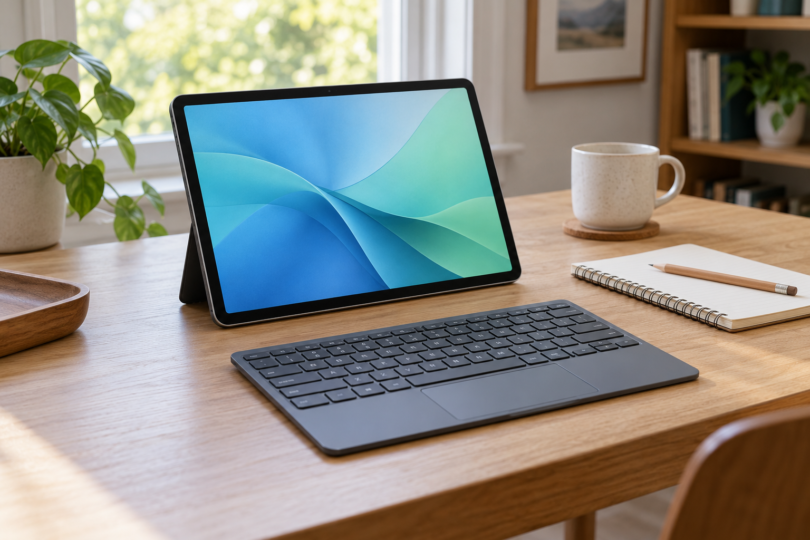

The best tablet with a detachable keyboard depends on the software you need and what the package actually includes. For Windows work, consider the Microsoft Surface Pro 12-inch (1st Edition) with its matching keyboard. For an iPad built around touch, drawing and occasional desk work, choose the 11-inch iPad Air with M4 and the correct Magic Keyboard. For browser-based study and everyday documents with a keyboard already included, the Lenovo Chromebook Duet Gen 9, model 83HH0001US, is the most straightforward package here.
These picks are based on manufacturer specifications and setup documentation. We have not physically tested them. A detachable keyboard can be removed for tablet use; that does not automatically mean it will keep typing wirelessly when detached.
Best tablets with detachable keyboards at a glance
| Setup | Best fit | Configuration covered | Keyboard and main compromise |
|---|---|---|---|
| Surface Pro 12-inch, 1st Edition | Windows applications in a compact tablet | Snapdragon X Plus, 16GB RAM, 256GB UFS; 12-inch screen | Matching 12-inch Surface Pro Keyboard sold separately; check Windows on Arm compatibility |
| iPad Air 11-inch, M4 | iPad apps, notes and creative work | 128GB Wi-Fi; 11-inch Liquid Retina display | Magic Keyboard for iPad Air 11-inch sold separately; runs iPadOS |
| Lenovo Chromebook Duet Gen 9 | Web apps, study and a complete typing kit | 83HH0001US: 8GB RAM, 128GB eMMC; 10.95-inch screen | US folio keyboard and stand included; compact keyboard without backlighting |
1. Microsoft Surface Pro 12-inch: best for Windows work
The Surface is the strongest fit here if you need Windows applications and want to detach the keyboard for reading or handwritten notes. The configuration covered is the 2025 12-inch, 1st Edition model with Snapdragon X Plus, 16GB RAM and 256GB UFS storage. Its built-in kickstand supports the tablet independently of the keyboard. Microsoft specifies a 2196 × 1464 touchscreen with a 3:2 aspect ratio, useful for documents, and a refresh rate up to 90Hz, with 60Hz the default.
Buy the Surface Pro 12-inch Keyboard that Microsoft lists for this model. It attaches magnetically and has backlit keys and a precision touchpad. The 13-inch Surface Pro Keyboard and 13-inch Flex Keyboard do not fit this 12-inch tablet. Microsoft’s model guide and keyboard instructions explain the pairing.
Why choose it: Windows 11, a useful document-shaped display, a built-in kickstand and two USB-C/USB 3.2 ports. It makes sense for someone who wants one portable computer for desktop-style file handling and tablet use.
What to watch: this is an Arm-based Windows PC. Verify essential software, plug-ins and peripherals with their publishers before buying, especially anything that needs a driver. Microsoft supports emulation for many x86 and x64 applications, but that does not establish compatibility with every application or accessory. Read its Surface on Arm guidance.
The linked tablet is device only. Budget separately for the matching 12-inch keyboard, a charger and an optional pen. The standard tablet package includes a USB-C charging cable, but no wall charger. Microsoft recommends at least 27W USB-C Power Delivery for charging and at least 45W for fast charging. The tablet’s quoted 686g weight excludes the keyboard.

Microsoft Surface Pro 12-inch (2025), 16GB RAM, 256GB UFS, Platinum — Tablet Only
As an Amazon Associate we earn from qualifying purchases.
2. Apple iPad Air 11-inch M4: best for an iPad-centered workflow
The iPad Air is a good choice if you want a tablet first, with a keyboard for email, writing and document editing. The 11-inch M4 model has a laminated 2360 × 1640 IPS display, 12GB of unified memory and Touch ID in the top button. The 128GB Wi-Fi configuration is a sensible starting point for documents and streaming; choose more storage if you keep substantial media or project files locally.
Pair it with the Magic Keyboard for iPad Air 11-inch, specifically the version Apple lists as compatible with the M4 Air. The black US-English accessory is MGYX4LL/A. Its cantilever stand, glass trackpad and 14-key function row turn the iPad into a compact desk setup. The iPad lifts off for handheld use. Apple’s keyboard compatibility list includes the 11-inch M4 Air; a similarly named keyboard for an 11-inch iPad Pro is a different purchase.
Why choose it: a light tablet for reading and touch-based work, with a keyboard that does not need separate Bluetooth pairing or charging. The Wi-Fi tablet weighs 464g before accessories. Apple Pencil Pro and Apple Pencil USB-C are supported, but neither is included with the tablet.
What to watch: adding a keyboard does not change iPadOS into macOS or Windows. Check the exact features you need in your iPad apps, including file export, document formatting and external-device support. The keyboard is an additional purchase, so compare the combined cost with a laptop before deciding.
The keyboard’s USB-C socket is for pass-through charging only. Connect drives, display adapters and other data accessories to the iPad’s own USB-C port, which Apple rates for USB 3 transfers up to 10Gb/s. Apple’s Magic Keyboard setup guide explains the charging connection. Check the M4 Air specifications, select the 11-inch, 128GB Wi-Fi tablet at Apple’s iPad Air store, and add the matching black US-English Magic Keyboard separately.
3. Lenovo Chromebook Duet Gen 9: best keyboard-included option
The Duet is the easiest package here to understand: Lenovo’s 83HH0001US configuration combines the tablet, a US-layout detachable folio keyboard and stand, and a Lenovo USI Pen 2. It has a MediaTek Kompanio 838 processor, 8GB of soldered memory and 128GB of eMMC storage. Check that exact part number; other Duet packages can have different memory, storage or accessories.
The 10.95-inch 1920 × 1200 touchscreen is compact enough for reading and travel. The folio keyboard connects through pogo pins, so there is no separate Bluetooth keyboard pairing step. The stand supports the screen when you are typing, while the tablet can be removed from the keyboard for touch use. Lenovo’s exact US product listing identifies the included pen and US keyboard, and its specification sheet describes the detachable folio arrangement.
Why choose it: a complete typing setup for browser work, online classes and everyday documents, without having to match a separately purchased keyboard case. Two USB-C ports and a 3.5mm headset socket are useful for a small study desk.
What to watch: this is a ChromeOS computer. Microsoft provides Word, Excel and other Microsoft 365 apps through the browser on Chromebooks; the Windows and Mac desktop versions cannot be installed. Confirm any school or employer software requirement before committing. The compact keyboard is not backlit, the memory and storage are not upgradeable, and there is no memory-card reader.
Lenovo’s 510g starting weight refers to the tablet, not the full keyboard-and-stand kit. Account for those accessories when comparing carrying weight. For a Microsoft 365 workflow, review Microsoft’s Chromebook instructions before choosing the Duet.
How to choose a detachable tablet you will enjoy using
Start with the applications. List the software, websites and peripherals you cannot do without. Windows on Arm, iPadOS and ChromeOS have different compatibility limits. A keyboard makes typing easier, but it cannot supply a missing desktop feature or an unsupported device driver.
Compare complete setups. Add the tablet, correct keyboard, stand or case, any necessary charger and an optional pen. A photo showing a keyboard does not establish that it is in the box. The Surface and iPad setups above require separate keyboard purchases; the specified Lenovo configuration includes its keyboard and stand.
Check the exact model and keyboard language. Screen size alone is not enough. Surface 12-inch and 13-inch keyboards are different, and Apple’s Air and Pro accessories are not interchangeable just because both tablets are described as 11-inch. Confirm generation, accessory part number and keyboard layout before ordering.
Think about where you type. A kickstand and thin keyboard need enough depth on a desk or tray. If you regularly type on your lap, try the complete setup in person and compare its stability with a conventional laptop. A larger screen is easier for split-screen documents; a smaller bare tablet is easier to hold. Neither advantage tells you the weight or comfort of the assembled kit.
Choose storage for what stays offline. System software takes part of the advertised capacity. Keep room for downloads and working files, and confirm how your apps handle offline work before relying on cloud storage. Do not treat eMMC, UFS and a removable laptop SSD as interchangeable upgrade options.
Which one should you buy?
Choose the Surface Pro 12-inch when verified Windows application compatibility is the deciding factor. Choose the iPad Air M4 with its matching Magic Keyboard when you prefer iPad apps and spend plenty of time using the device as a tablet. Choose the Lenovo Duet 83HH0001US when your work fits a browser and you want the keyboard, stand and pen in one clearly specified package.
Frequently asked questions
Do tablets with detachable keyboards always include the keyboard?
No. The Surface Pro and iPad Air tablets covered here require separate keyboard purchases unless a seller explicitly offers a bundle. Lenovo’s 83HH0001US Duet configuration includes a folio keyboard and stand. Check the exact package contents rather than relying on the product photo.
Will a 13-inch Surface Pro keyboard fit the 12-inch Surface Pro?
No. Microsoft specifies the Surface Pro 12-inch Keyboard for the 12-inch 1st Edition tablet. The 13-inch Surface Pro Keyboard and 13-inch Flex Keyboard are not compatible with that tablet.
Which Magic Keyboard works with the 11-inch M4 iPad Air?
Use the Magic Keyboard for iPad Air 11-inch that Apple lists as compatible with the M4 Air. The black US-English version covered here is MGYX4LL/A. Check Apple’s compatibility list and keyboard language; the similarly named iPad Pro accessory is a different model.
Can a detachable tablet replace a laptop for work?
It can if its operating system supports your required applications and peripherals. Check Windows on Arm compatibility for this Surface, the required iPad app features for the Air, and web-app suitability for the Duet. Also consider keyboard size, lap stability and the complete accessory cost.
Can I type with the keyboard removed from the tablet?
Do not assume so. The matching keyboards discussed here use a physical connection to the tablet for normal typing. Detachable describes removing the keyboard for tablet use. If you need to type with the screen farther away, choose a separately compatible wireless keyboard and a suitable stand.