
The best 7-inch Android tablet depends on what you need it to do. For a conventional color touchscreen, compare the onn 7-inch Tablet Gen 4 (2024) with the Contixo A7 (2026), which is aimed at children. For books and reading apps, the BOOX Go 7 offers a sharper monochrome E Ink screen. These are three different buying choices, not interchangeable performance upgrades.
This shortlist compares documented specifications and practical trade-offs; it is not based on hands-on testing. All three have an actual 7-inch screen and Android. Amazon’s Fire 7 is discussed separately because its Fire OS software and app store differ from Google Play Android tablets.
7-inch Android tablets compared
| Tablet | Best fit | Screen and software | Memory and storage | Main compromise |
|---|---|---|---|---|
| onn 7-inch Gen 4, model 100135924 | Basic browsing and everyday color apps | 7-inch 1024 × 600 LCD; Android 14 Go edition | 3GB RAM; 32GB storage; memory-card slot | Low-resolution display; confirm exact condition, availability and update support |
| Contixo A7, 2026 model | A child’s first tablet with adult setup | 7-inch 1024 × 600 IPS; Android 15 | 3GB RAM; 32GB storage; microSD up to 512GB | Basic hardware; premium learning services include limited trials |
| BOOX Go 7, monochrome | Books and compatible Android reading apps | 7-inch 1680 × 1264 E Ink; Android 13 | 4GB RAM; 64GB storage; microSD slot | Black-and-white screen with refresh trade-offs; not a video-first tablet |
1. onn 7-inch Tablet Gen 4: a basic conventional Android option
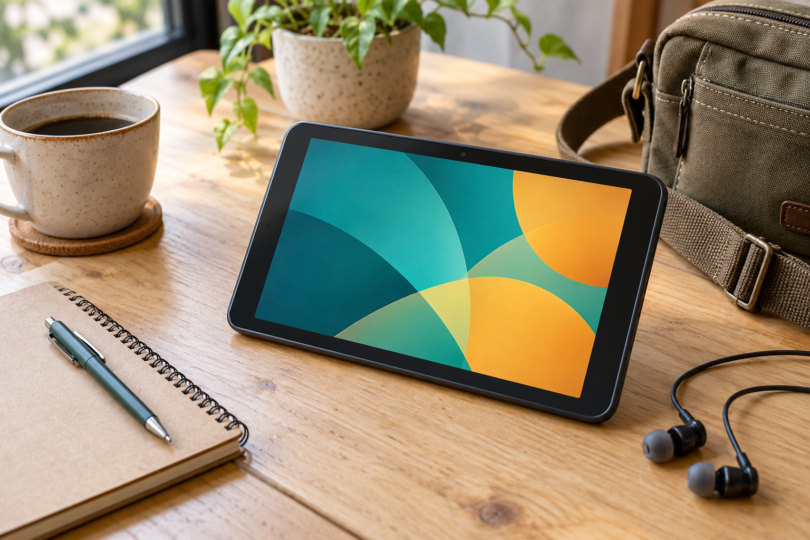
The 2024 onn 7-inch tablet, model 100135924, is the closest fit here for someone who simply wants a small color Android tablet. Walmart lists Android 14 Go edition, a 2.2GHz octa-core processor, 3GB RAM and 32GB storage. Its 1024 × 600 display and front and rear 2MP cameras keep the specification firmly in the entry-level category.
Why choose it: You get a conventional LCD touchscreen, Google software and expandable storage in the requested size. USB-C charging is also more convenient than the Micro-USB connections on many older 7-inch models.
What to watch: A 1024 × 600 screen has limited room for detailed documents and small text. Choose this for modest tasks, not because an eight-core label promises demanding gaming or laptop-like multitasking. The manufacturer’s manual says up to nine hours of battery life while Walmart’s listing says up to ten; neither is a measured result from us, so do not choose it on a guaranteed ten-hour runtime.
The linked Pearl listing identifies the model as TBVAN100135924. Check the exact model, seller, condition and return terms before ordering; other onn sizes and older generations are different products. The manual explains how to check system updates but does not establish a multi-year security-update commitment.
View the exact onn 7-inch 2024 model at Walmart and consult its manufacturer-authored Gen 4 manual.
2. Contixo A7: a 7-inch Android choice for children
The Contixo A7 2026 model pairs Android 15 with 3GB RAM, 32GB storage, a 1.8GHz penta-core processor and a 7-inch 1024 × 600 IPS screen. The official manual confirms these core specifications, Google Play access and microSD expansion up to 512GB. Its protective case and kickstand suit supervised use at home or while traveling.
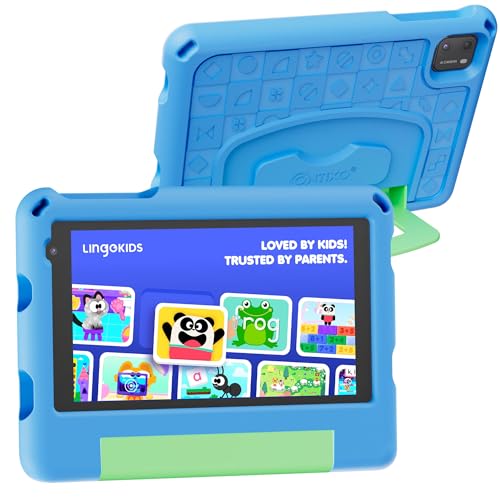
Contixo A7 7-Inch Kids Tablet, Android 15, 3GB/32GB, Blue
As an Amazon Associate we earn from qualifying purchases.
Why choose it: Contixo markets this model for ages 3–12, with 14 educational apps and support for Google Family Link. That makes it the more focused option for a parent who wants to set app access and screen-time rules before handing over the tablet.
What to watch: The manufacturer’s offer includes a seven-day Lingokids trial and a 30-day Epic! trial, not permanent access to every premium service. Review the applicable subscription and cancellation terms before activating either. Parental controls need adult configuration and supervision; a case or a filtered home screen does not make every app appropriate.
This remains a modest tablet with 3GB of physical RAM. One Amazon specification field incorrectly says 32GB of installed RAM; the official product page, manual and the listing’s separate RAM field specify 3GB. The A7 manual also warns against water exposure and describes the cover as impact-resistant, not indestructible. Use its specified charging equipment. A future Android-upgrade or security-support duration is not established by the documents reviewed.
See Contixo’s exact A7 specifications and trial details and the A7 manufacturer’s manual.
3. BOOX Go 7: the reading-first Android pick
The monochrome BOOX Go 7 runs Android 13 with built-in Google Play, 4GB RAM and 64GB storage. Its 7-inch Carta 1300 E Ink screen has a 1680 × 1264 resolution at 300ppi, with an adjustable warm/cool front light, page-turn buttons and a microSD slot.
Why choose it: Pick it when books and reading apps are the main reason for buying an Android tablet. The front light and physical page buttons are useful reading features, and Google Play gives it a different app model from a closed bookstore-only reader. Check compatibility for each app you need.
What to watch: This is black-and-white E Ink, not an LCD entertainment tablet. BOOX’s refresh guide describes a trade-off between display quality and speed, including ghosting and manual refresh. Although apps can display moving content, this would not be our choice for video or fast games. Its optional InkSense pen is separate from the standard box; do not assume a generic EMR stylus will work.
Do not confuse it with the original Go Color 7 or Go Color 7 Gen II. BOOX’s firmware policy promises at least three years of firmware updates from launch; that is not a promise of three major Android upgrades or a stated monthly security-patch schedule.
Check BOOX’s exact Go 7 specifications, its E Ink refresh guidance and firmware-update policy.
Where the Amazon Fire 7 fits
The Fire 7 2022 release is a genuine 7-inch tablet, with 2GB RAM and 16GB or 32GB storage. However, Amazon’s device specifications identify Fire OS 8, based on Android 11. The Fire 7 product information says Google Play is not supported.
Consider it only if Amazon’s supported apps meet your needs. It should not be treated as the same purchase as a Google Play Android tablet, and installing software through unofficial workarounds is not part of this recommendation. The older 2019 Fire 7, Fire HD 8 and Fire 7 Kids packages are also distinct purchases with different hardware or included services.
How to choose without buying the wrong tablet
- Check the diagonal screen size. An 8-inch, 8.7-inch or 9.7-inch product is not a 7-inch tablet, however compact its listing calls it. Compare body dimensions too if it must fit a particular holder or bag.
- Check your essential apps first. Android version, Google Play availability, account restrictions and app-specific requirements all matter. Android Go, ordinary Android and Fire OS do not provide an identical experience.
- Separate RAM from storage. Physical RAM helps run applications; storage holds them. A microSD card expands supported file storage, not physical RAM, and does not guarantee that every app can be moved to the card.
- Ask about security support. A recent-looking listing or a renewed label does not prove ongoing patches. Verify the exact model and its current support position before using it for important accounts or work.
- Compare the whole purchase. Include the case, charger, optional pen, subscriptions and return terms. Do not assume that accessories or premium apps shown in a picture are included.
Which one should you buy?
Start with the onn 7-inch Gen 4 for basic conventional Android use, subject to finding the exact condition and support terms you want. Choose the Contixo A7 for a child when you are willing to configure parental controls and manage trial subscriptions. Choose the BOOX Go 7 when reading is the priority and the E Ink compromises suit you. If you need smooth gaming, a large workspace or a clearly documented long support term, do not buy one merely to satisfy the 7-inch size requirement.
Frequently asked questions
Which 7-inch Android tablet is best for everyday use?
The onn 7-inch Gen 4 is the conventional color-screen option in this shortlist for basic everyday use. Confirm model 100135924, condition, app compatibility and update support. The Contixo A7 is aimed at children, while the BOOX Go 7 is primarily an E Ink reader.
Is the Amazon Fire 7 a Google Play Android tablet?
No. The 2022 Fire 7 uses Fire OS 8, based on Android 11, and Amazon says Google Play is not supported. Check Amazon’s supported apps before choosing it instead of a Google Play Android tablet.
Can a 7-inch Android tablet run games and streaming apps?
Compatibility depends on the exact app, Android version and hardware. The LCD models here have basic specifications, while the BOOX Go 7 has E Ink refresh and ghosting trade-offs. None is presented as a tested high-performance gaming tablet or as compatible with every streaming service.
Does the Contixo A7 include unlimited learning subscriptions?
No. The manufacturer’s A7 offer includes a seven-day Lingokids trial and a 30-day Epic! trial alongside its educational apps. Check the terms, any renewal charges and cancellation process before activating those services.
Will a microSD card make a small tablet faster?
A microSD card adds supported storage for files; it does not increase physical RAM or upgrade the processor. App installation and moving apps to a card depend on the tablet and app. Choose sufficient built-in memory and storage for your needs.