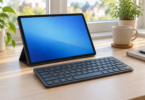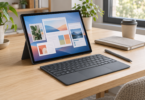

The best business tablet is the one that runs your actual workflow. Reading reports, taking handwritten notes and using a web CRM are different jobs from running desktop Excel add-ins, a Windows-only accounts package or a specialized USB device.
Start with the Surface Pro for Business if you need a Windows PC in a tablet shape. Consider the iPad Air for an established iPadOS workflow, or the Galaxy Tab S11 for Android apps, notes and DeX windowing. The configurations below specify storage, memory and connectivity so you can compare complete purchases rather than family names.
Three business tablets to shortlist
Microsoft Surface Pro for Business, 13-inch, 12th Edition Intel: for desktop Windows work
Configuration to select: Intel Core Ultra 7 366H, 32GB LPDDR5x RAM, 1TB removable SSD, 13-inch OLED display, Wi-Fi, Platinum and Windows 11 Pro. This is the Intel business version, not the Snapdragon model or an older Surface Pro generation.
This is the clearest starting point here when a required application needs desktop Windows. It combines touch and pen input with the Windows software environment, and the 32GB/1TB selection gives a specific capacity to assess against your applications. That is not a guarantee that every legacy program, driver or peripheral will work: verify each vendor’s Windows support and your organization’s requirements.
The Microsoft configuration page lists Wi-Fi 7 and two USB-C/USB4 ports with Thunderbolt 4. A dock can be useful at a desk, but must support the peripherals and displays you plan to connect. The selected Wi-Fi version has no cellular service; 5G is a separate configuration with carrier and plan requirements.
Budget for accessories: the keyboard and Slim Pen are sold separately. For this comparison, the base purchase is one tablet, with no keyboard, pen or dock bundle assumed. Microsoft’s listed 39W Surface Connect power supply is included only in selected markets and configurations, so verify the actual package. The supported 13-inch Keyboard and Flex Keyboard are separate choices.
Tradeoff: the kickstand and detachable keyboard require a different lap and desk setup from a conventional laptop. If you spend most of the day typing and rarely use a tablet, compare a laptop before paying for the full tablet setup. Windows 11 Pro also does not automatically enroll the device into your company’s management system.
Apple iPad Air 11-inch M4, 256GB Wi-Fi: for an iPadOS-based workflow
Configuration: M4 with 8-core CPU and 9-core GPU, 12GB unified memory, 256GB storage, 11-inch Liquid Retina display, Wi-Fi and Space Gray. The 256GB choice is storage, not RAM. This is the Wi-Fi model; cellular connectivity requires a different purchase.
Consider the Air for reviewing documents, video meetings, note-taking and business applications that explicitly support iPadOS. The 11-inch M4 specifications list Wi-Fi 7, USB-C, Apple Pencil Pro and Apple Pencil USB-C support. Check the port and app requirements for any card reader, external drive or display you need.
The M4 chip does not make the iPad a Mac or a Windows PC. You still use iPadOS applications and their available features. For example, Microsoft’s mobile Excel guidance says VBA functions will not run. A spreadsheet opening successfully is not proof that its macros, add-ins or full desktop workflow are supported.
Budget for accessories: Apple’s U.S. box list includes the iPad, a USB-C charge cable and a 20W USB-C power adapter. Apple Pencil and the compatible 11-inch iPad Air Magic Keyboard are separate purchases. The recommendation here is for one tablet with its standard charging accessories, not a keyboard-and-pen bundle.
Tradeoff: 256GB may suit a largely cloud-based workflow, but assess offline files, video and local app data before choosing it. Storage is shared with the operating system and applications. Test your work account, file transfers and any required remote-desktop service on iPadOS before treating it as your only computer.
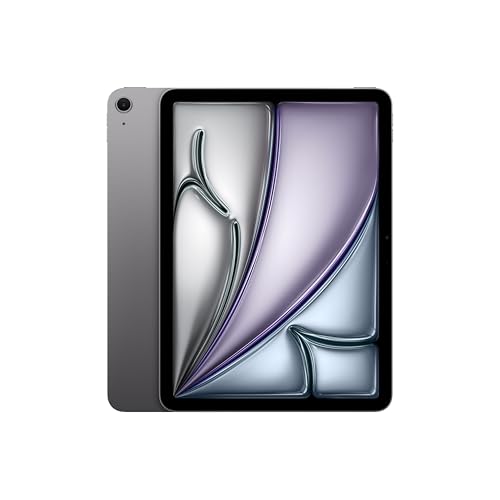
Apple iPad Air 11-inch M4, 256GB, Wi-Fi, Space Gray
As an Amazon Associate we earn from qualifying purchases.
Samsung Galaxy Tab S11 SM-X730NZAEXAR: for Android apps and handwritten work
Configuration: 11-inch Galaxy Tab S11, 12GB RAM, 256GB storage, Gray and Wi-Fi, U.S. model SM-X730NZAEXAR. Use this full model code when shopping; a similar capacity or color does not prove an identical regional package.
The exact Samsung model is a useful candidate for Android business apps and handwritten notes. Samsung’s S11 overview confirms that its S Pen is included and describes DeX for a windowed, desktop-style workspace. DeX changes how supported applications are arranged; it does not install desktop Windows or macOS applications.
Budget for accessories: Samsung lists an S Pen, USB-C data cable, tray-ejection pin and quick-start guide with the tablet. The Book Cover Keyboard Slim is a separate addition, and no keyboard or charging adapter is assumed in this recommendation. Check accessory compatibility specifically for the 11-inch S11. The selected model uses Wi-Fi rather than a built-in mobile-data plan.
Tradeoff: an included pen is useful only if your note-taking or form application supports the functions you need. As with the iPad, Android versions of work apps can differ from their desktop counterparts; mobile Excel’s VBA restriction is one concrete example. Try the actual forms, signature flow and file handoff before replacing a laptop.
Choose the software workflow before the tablet
- Desktop applications: list the precise Windows or Mac software, extensions and peripherals you need. The Intel Surface is the Windows choice here; iPadOS and Android require compatible apps or a separately supported remote-access workflow.
- Mobile and browser work: check whether all required buttons, uploads, downloads, printing and offline steps work in the mobile app or browser. A service’s desktop website does not establish tablet compatibility.
- Typing and notes: price the keyboard, case, pen and charger as a complete setup. Only the Galaxy Tab’s S Pen is included among the pen options described here.
- Connectivity: all three selected configurations use Wi-Fi. For work away from Wi-Fi, assess an approved hotspot or choose a documented cellular configuration and suitable plan.
Management and deployment need their own check
A business-oriented device is not automatically configured for your employer. Check device enrollment, account access, required applications and support ownership before purchasing several tablets.
Microsoft’s Windows Autopilot requirements describe supported Windows editions and the necessary identity and management subscriptions. Apple documents Automated Device Enrollment for organization-owned devices through its business program and a compatible management service. Your IT team or reseller should confirm the intended enrollment route before purchase.
For Samsung, verify the precise device in the Knox supported-device list and confirm the chosen enrollment and management service. Knox Mobile Enrollment and ongoing device management are different parts of deployment. Do not assume that purchasing a retail tablet includes every management service or paid license.
Frequently asked questions
Can a business tablet replace a laptop?
Yes, if it covers the entire workflow, including peripherals, files and offline work. The Intel Surface runs Windows; the iPad and Galaxy Tab use their respective mobile operating systems. Evaluate applications before comparing processor names.
Which is best for Excel?
If your work depends on desktop Excel features such as VBA, start with the Windows Surface and the appropriate Office license, then check your add-ins. The mobile versions on iPadOS and Android can open many workbooks but cannot run VBA functions.
Are the keyboard and pen included?
No keyboard is assumed with any selected model. The Galaxy Tab S11 includes its S Pen. Apple’s Pencil and Microsoft’s Slim Pen are separate purchases, and bundles must be checked item by item.
Is Wi-Fi enough for travel?
It may be if approved Wi-Fi or a hotspot is available and your apps can work offline where necessary. If you need built-in cellular service, choose that exact variant, verify carrier support and include the service plan in your budget.
Which tablet should a small business buy first?
Buy one validated configuration before a wider rollout: the Surface for a Windows-dependent workflow, the iPad Air for proven iPadOS applications, or the Galaxy Tab S11 for an Android workflow that benefits from the included pen. Test the actual work and enrollment process before standardizing on it.