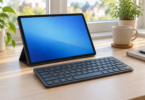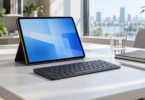

The best Windows tablet depends on what you need to run. The Microsoft Surface Pro 12-inch is our compact pick for everyday work after an app-compatibility check; the ASUS ROG Flow Z13 is the more specialized option for buyers seeking a detachable gaming PC. Both selected configurations run Windows 11 Home, but their processors, accessories and storage differ substantially.
Start with your essential software and peripherals, then compare the complete package. A tablet-only price does not tell you what a keyboard, pen and suitable charger will add. These two choices have specific model numbers so you can distinguish the reviewed configuration from a similarly named bundle.
Our Windows tablet shortlist
| Selected model | Core configuration | Best fit | Main buying consideration |
|---|---|---|---|
| Microsoft Surface Pro 12-inch, first edition; EP2-33670, Platinum | Snapdragon X Plus, 8 cores; 16GB RAM; 256GB UFS; Windows 11 Home | A compact detachable for documents, meetings and portable work, subject to software compatibility | Keyboard, Slim Pen and wall charger are separate purchases in this listing |
| ASUS ROG Flow Z13; GZ302EA-DS96, Off Black | Ryzen AI Max 390, 12 cores; Radeon 8050S; 32GB RAM; 1TB SSD; Windows 11 Home | A detachable with a larger, high-refresh display for gaming and graphics-focused use | Confirm this exact SKU; other Z13 versions have different processors, memory and Windows editions |
The fit recommendations reflect documented specifications and practical tradeoffs. They are not measured speed, battery-life or game-frame-rate rankings.
Microsoft Surface Pro 12-inch: the compact work pick
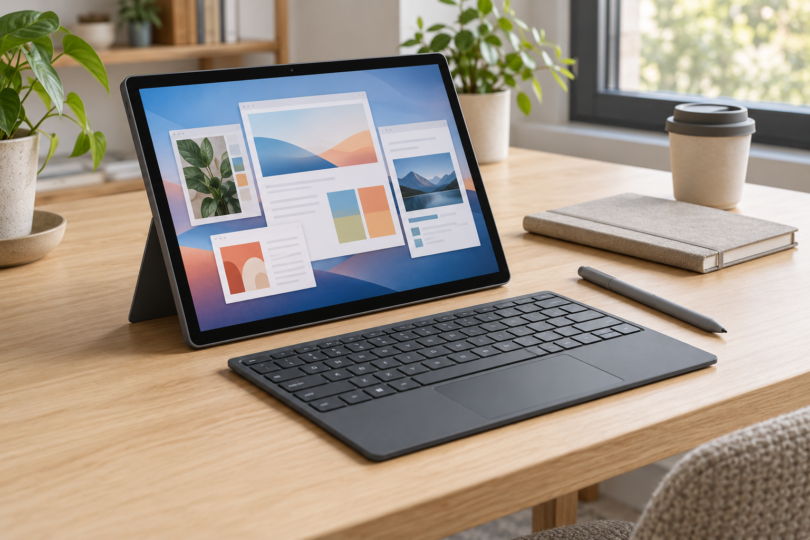
The selected Platinum EP2-33670 combines an eight-core Snapdragon X Plus processor, 16GB of RAM and 256GB of UFS storage. Its 12-inch touchscreen has a 2196 × 1464 resolution, and the built-in kickstand lets you prop it up without a keyboard. This is a sensible shortlist candidate when a compact screen and a tablet-first shape matter more than having the largest local storage capacity.
The important compromise is Windows on Arm. Before choosing it for work, check the publishers of your essential applications and the makers of printers, specialist USB equipment and security software. Microsoft explains that devices relying on drivers need a built-in Windows driver or a compatible Arm64 driver. Some games also depend on anti-cheat drivers that do not work on Arm. A familiar Windows desktop alone does not guarantee compatibility.
This listing is for one tablet with a USB-C charging cable and documentation; it does not include a wall charger. The Surface Pro 12-inch first-edition keyboard and Surface Slim Pen are sold separately. Microsoft specifically says its 13-inch keyboards, including the Flex Keyboard, are incompatible with this 12-inch model. Check the full keyboard name before reusing an older accessory.
Microsoft documents two USB-C/USB 3.2 ports and recommends a USB-C PD charger delivering at least 27W for best charging performance. A charger of at least 45W is required for its fast-charging mode. Budget for a suitable charger and any necessary adapters, especially if this will replace a laptop. The official Surface feature guide explains the accessory fit and charging requirements.

Microsoft Surface Pro 12-inch, Snapdragon X Plus, 16GB RAM, 256GB UFS, Platinum
As an Amazon Associate we earn from qualifying purchases.
ASUS ROG Flow Z13: the gaming-focused detachable
Choose the GZ302EA-DS96 when you specifically want this style of gaming PC with a detachable keyboard. Its Ryzen AI Max 390 has 12 cores and 24 threads, paired with Radeon 8050S graphics. ASUS lists 32GB of onboard LPDDR5X memory, with a 32GB maximum for this configuration, and a 1TB PCIe 4.0 NVMe M.2 SSD. Do not transfer the memory or processor specifications of a different Z13 into this purchase.
The 13.4-inch IPS-level touchscreen offers a 2560 × 1600 resolution, a 16:10 aspect ratio and a refresh rate up to 180Hz. That combination makes it the more relevant shortlist option if a high-refresh display is central to your plans. The panel specification does not promise that a game will run at 180 frames per second. Check your games’ requirements and graphics settings before buying.
The selected model has the detachable backlit keyboard, and its retail package lists the power cord and adapter. Stylus support is specified, but a pen is not listed in the selected package, so treat pen purchase and compatibility as a separate check. This is Windows 11 Home; do not assume a Windows Pro license because another Z13 configuration includes one.
ASUS lists two USB4 Type-C ports with DisplayPort and power delivery, a USB-A port and a microSD card reader for this model. That is useful if you want to connect existing peripherals without choosing every accessory around USB-C. Consult the exact GZ302EA-DS96 column in the official specifications; the page compares multiple configurations side by side.

Checks that matter before checkout
Support is part of the purchase. The Surface Pro 12-inch first edition remains within Microsoft’s published driver-and-firmware servicing period. ASUS maintains a GZ302EA support page with Windows 11 drivers. These are different kinds of evidence: a published Surface servicing window and an active ASUS download page do not establish an identical support commitment. Check Microsoft’s lifecycle table or the ASUS support page for your exact model.
Be particularly careful with inexpensive older Windows tablets. Standard Windows 10 support has ended, so a listing that merely says “Windows 10 installed” does not establish an adequately supported setup. Any applicable extended-security program is a separate question. Verify the device’s supported operating system, battery condition, charger and keyboard before treating a used model as a bargain.
For either choice, think through where you will type. A kickstand and detachable keyboard need usable space behind and in front of the screen; try that layout if you often work on a lap or a small tray. Also price the actual storage and accessory configuration you need, rather than comparing a bare tablet with a complete bundle.
Frequently asked questions
Do these tablets run full Windows?
Both selected configurations run Windows 11 Home. The Surface uses an Arm processor, so verify essential software and driver compatibility using Microsoft’s Windows on Arm guidance. The ASUS uses an AMD Ryzen processor. Neither selection includes a Windows Pro license.
Are a keyboard and pen included?
The selected Surface listing excludes the keyboard, Slim Pen and wall charger. The selected ASUS configuration has the detachable keyboard and lists a power cord and adapter; a pen is not listed. Always recheck the selected seller’s package, because a different bundle can change what is included.
Which Windows tablet should I choose?
Start with the Surface Pro 12-inch if compact everyday work is the goal and your applications and peripherals support Windows on Arm. Start with the ROG Flow Z13 GZ302EA-DS96 if a detachable gaming design, 1TB of storage and a high-refresh screen address a specific need. Choose by your software and complete setup, rather than treating the larger specification sheet as an automatic win.