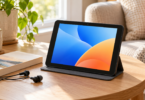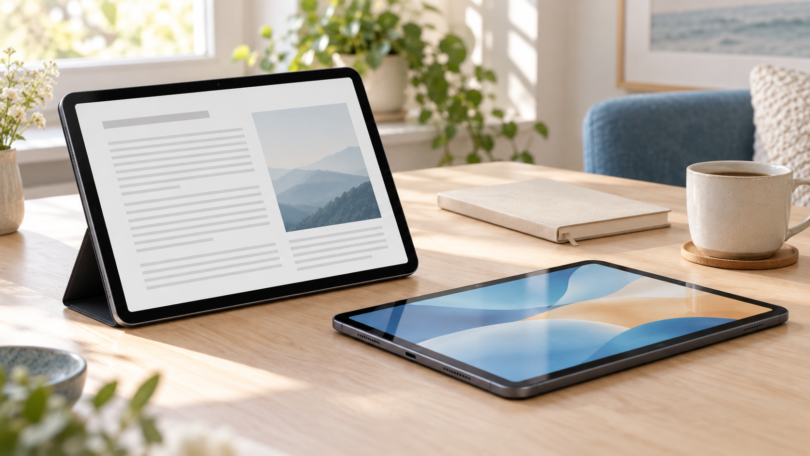

The best 10-inch-class tablet depends on the apps you need and whether you want a pen. Our starting choices are the Apple iPad (A16), 128GB Wi-Fi for an iPadOS app workflow, the Samsung Galaxy Tab S10 Lite, 6GB/128GB Wi-Fi for handwritten notes with an included S Pen, and the Amazon Fire HD 10, 2023 release, 32GB for an Amazon-focused reading and entertainment setup.
Here, “10-inch class” means a rectangular display measurement from 10.0 to 10.9 inches. Apple markets this iPad as 11-inch, but its specification gives a 10.86-inch diagonal when measured as a rectangle; the actual viewable area is smaller. This shortlist compares documented hardware and practical tradeoffs, without claiming hands-on testing or ranking battery life from incompatible manufacturer tests.
Compare the recommended configurations
| Tablet | Configuration to match | Why consider it | Main limit |
|---|---|---|---|
| Apple iPad (A16) | 128GB; Wi-Fi; Silver; iPadOS; marketed 11-inch, measured 10.86-inch rectangle | 2360 × 1640 display; landscape front camera; optional Apple Pencil support | No microSD slot; pen and keyboard cost extra |
| Samsung Galaxy Tab S10 Lite | 6GB RAM; 128GB; Wi-Fi; Gray; 10.9-inch; Android | Included S Pen; 90Hz display; microSD expansion | Charger sold separately; check exact app and accessory support |
| Amazon Fire HD 10 | 2023 release, 13th Gen; 3GB RAM; 32GB; Wi-Fi; 10.1-inch; Fire OS 8 | 1920 × 1200 screen; microSD expansion; Amazon app ecosystem | Older model; Google Mobile Services are not supported |
Apple iPad (A16): for an established iPadOS app workflow
Choose the 128GB Wi-Fi model in Silver. Apple’s iPad (A16) specifications list the 2360 × 1640 display, 500-nit brightness, USB-C connector and landscape 12MP Center Stage camera. The Wi-Fi model weighs 477 grams. Those are useful hardware details for a tablet that moves between reading, video calls and documents.
Why it fits: this is a straightforward choice when your required apps already support iPadOS. The landscape camera is positioned for calls with the tablet held horizontally. Starting with 128GB gives more room for downloaded documents and media than the 32GB Fire configuration here, although usable capacity is lower after software and formatting.
Limits: there is no microSD slot. USB-C uses USB 2 data speeds, so the connector alone does not promise fast transfers from external storage. Apple Pencil (USB-C) and Apple Pencil (1st generation) are supported, but neither is included; the first-generation Pencil also needs the USB-C to Apple Pencil Adapter for pairing and charging. Check the exact app’s current iPadOS requirement, and price the compatible keyboard or pen separately.

Apple iPad (A16), 128GB, Wi-Fi, Silver
As an Amazon Associate we earn from qualifying purchases.
Samsung Galaxy Tab S10 Lite: for notes with an included pen
This pick is the Wi-Fi Galaxy Tab S10 Lite with 6GB of RAM and 128GB of storage in Gray. Samsung’s official model specifications describe a 10.9-inch TFT display with 2112 × 1320 resolution and a 90Hz refresh rate, an Exynos 1380 processor and an included S Pen. It launched with Android 15; the installed version can change with updates.
Why it fits: an included S Pen makes this the clearest starting point here for handwritten notes and marking up compatible documents. The microSD slot supports cards up to 2TB, which can be useful for a local media collection. The 90Hz specification describes the screen’s refresh capability; it is not a promise that every app or game runs at 90 frames per second.
Limits: Samsung sells the 25W charging adapter separately. A memory card is an additional purchase and does not turn all apps or subscriptions into expandable storage. Confirm your preferred note-taking app, export format and any paid features before buying. Check Samsung’s current update scope and install the updates offered for the exact device.
The linked Gray 6GB/128GB offer identifies model SM-X400NZANXAR. Match that configuration when comparing listings; Samsung’s own store can use a different package SKU for the same capacity and color.

Amazon Fire HD 10: for an Amazon-focused media setup
Compare the 2023 release, 13th generation, with 32GB of storage. Amazon’s Fire HD model specifications identify a 10.1-inch 1920 × 1200 display, 3GB of RAM, a microSD slot supporting up to 1TB and Fire OS 8, based on Android 11. These details distinguish it from older Fire HD 10 generations and the larger Fire Max 11.
Why it fits: consider it when the books, video services and other apps you use are supported in Amazon’s ecosystem. A 10.1-inch display offers a smaller screen diagonal than the other two picks, and expandable storage can help with supported downloaded media. Check each service’s download rules; a memory card does not remove subscription requirements.
Limits: Fire OS app compatibility needs separate attention. Amazon explains that Google Mobile Services do not work on Fire tablets, including Google’s in-app billing technology. An Android app’s existence on another store therefore does not establish Fire support. Look for the exact app in Amazon’s Appstore and check the developer’s requirements.
This is an older-generation option, so compare its actual total cost with the iPad and Samsung before choosing it. Use the official model information above to match the generation, then confirm a current 32GB offer’s seller, condition and lock-screen advertising option. The model specifications do not establish a particular retail offer or delivery date.
How to choose a 10-inch-class tablet
Check the apps first. List the apps, websites and subscriptions you will actually use. Check their current iPadOS, Android or Fire OS requirements and whether the tablet version supports the features you need. Browser access may be useful, but it does not guarantee offline downloads, pen tools or the same features as an app.
Choose storage for your downloads. The 128GB Apple and Samsung configurations give more built-in capacity than the 32GB Fire pick. Samsung and Fire add microSD support; Apple does not. Keep room for operating-system updates, and check where each app permits downloads to be stored.
Price the complete setup. Include the case, supported keyboard, charger, memory card and any paid apps. Samsung includes its S Pen; the iPad’s compatible Pencil is extra. Do not assume that an old case or a pen advertised simply as “for tablets” will fit the exact model.
Match the generation and condition. Similar product names can hide older hardware, smaller storage or renewed stock. Check the full model and configuration, seller, return terms and the maker’s current software-support information before paying. None of these checks should be replaced by an impressive-looking headline specification.
Verdict
Start with the iPad (A16), 128GB Wi-Fi if your apps fit iPadOS. Choose the Galaxy Tab S10 Lite, 6GB/128GB Wi-Fi when handwritten notes and an included pen matter. Consider the Fire HD 10, 2023 release, 32GB only after confirming its Amazon app support and a suitable current offer. The app list and complete accessory cost should decide the purchase.
Frequently asked questions
Why is an 11-inch iPad in a 10-inch-class guide?
Apple markets the iPad (A16) as 11-inch, but specifies a 10.86-inch diagonal when measured as a rectangle. It fits this guide’s stated 10.0-to-10.9-inch measurement range. The actual viewable area is smaller because of rounded corners.
Can a Fire tablet run every Android app?
No. Fire OS has its own compatibility requirements, and Amazon says Google Mobile Services do not work on Fire tablets. Check the exact app’s Amazon Appstore listing and developer support instead of assuming a Google Play listing is sufficient.
Which of these tablets includes a pen?
The Galaxy Tab S10 Lite includes an S Pen. The iPad (A16) supports specified Apple Pencil models sold separately. Confirm the exact pen and app combination before buying accessories for any tablet.
Is 32GB enough, or should I choose 128GB?
Choose based on the apps and files you keep offline. We would start with 128GB for a broader mix of apps, documents and downloads. A 32GB device can suit a lighter setup, but software uses some of that capacity and microSD storage cannot replace internal space for every purpose.
Will a 10-inch-class tablet replace a laptop?
It can cover reading, calls, streaming and some document work when the required apps support your workflow. Check file handling, browser features, keyboard support and any specialist desktop software before relying on it as your only computer.