
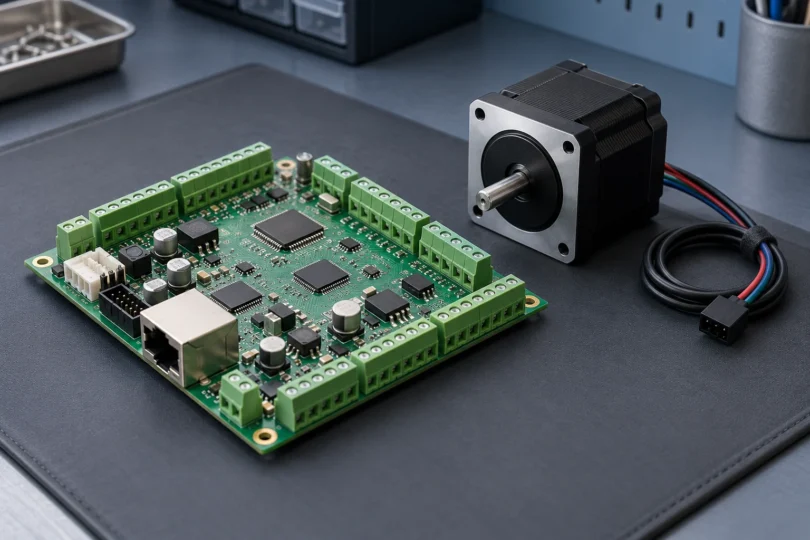

A CNC controller board has to fit the rest of the machine: control software, motor drives, input and output signals, power supplies and safety system. Start with those requirements before comparing axis counts or pulse-rate claims.
For a machine with separate step-and-direction motor drives, two documented options worth comparing are Centroid’s Acorn kit #14455 and Warp9’s Ethernet SmoothStepper, B-ESS. Acorn belongs to the CNC12 system; the Ethernet SmoothStepper belongs to a Mach3 or Mach4 system. Neither is a universal drop-in replacement for a small router’s integrated control board.
Know which kind of board you need
A motion controller produces the control signals that command movement. A motor driver supplies the power that turns the motor. A breakout board provides an interface between control signals and the machine’s connections; it may also add buffering or isolation. Some compact boards combine several of these jobs.
This distinction matters when comparing listings. A board that outputs step-and-direction signals still needs compatible drives. Warp9’s motion-controller explanation explicitly distinguishes its low-level outputs from motor power. A USB or Ethernet connector also does not, by itself, establish software compatibility.
Two options for systems with external motor drives
| Controller | Software system | Motion capability | Main purchasing consideration |
|---|---|---|---|
| Centroid Acorn kit #14455 | Centroid CNC12 | Up to four axes; step-and-direction drive commands | Buy as a CNC12 hardware/software system; check the license features and external drives |
| Warp9 Ethernet SmoothStepper B-ESS | Mach3 or Mach4 with the corresponding ESS plugin | Six-axis external motion controller | Budget for the breakout interface, motor drives, regulated 5 V supply and software |
The axis capabilities come from the Acorn product documentation and Warp9’s product comparison. Actual usable functions also depend on software, licensing, configuration and the rest of the machine. This is a documentation-based comparison, not a measured speed or reliability ranking.
Centroid Acorn #14455: when you want CNC12
Acorn is the relevant choice here if you want to build around Centroid CNC12. Its Ethernet link connects to a suitable Windows CNC PC, and its motion outputs command external step-and-direction drives. Confirm the exact electrical interface for each drive; the phrase “servo compatible” does not cover every type of servo control.
The manufacturer’s kit listing includes the Acorn board, Relay8 module, dual-output 5 V/24 V logic supply, leads, a shielded Ethernet cable and an Acorn cover with mounting hardware. The included CNC12 Free software has a different feature set from the separately sold Pro and Ultimate licenses. Check the functions you need before treating the kit as your complete control-system budget.
Check the exact Acorn #14455 kit and included items at Centroid.
Important fit check: Centroid’s Acorn installation manual distinguishes its 5 V DB25 drive interface from the 24 V drive-header circuitry. Those are not interchangeable simply because both convey step and direction. Have the selected drive’s signal requirements checked against the appropriate Acorn interface. The kit’s logic supply is not a substitute for the motor-drive power supply.
Warp9 Ethernet SmoothStepper B-ESS: when you want Mach
The Ethernet SmoothStepper is a separate motion-control board for a Mach-based system. Warp9 identifies it as B-ESS; the matched Amazon listing names the manufacturer as Warp9 Tech Design and the part as B-ESS-Ethernet SmoothStepper. It is the Ethernet model, distinct from the USB SmoothStepper.

Warp9 Ethernet SmoothStepper B-ESS
As an Amazon Associate we earn from qualifying purchases.
Warp9 supports both Mach3 and Mach4 on the ESS and recommends Mach4 for new users. Its ordering page separates the controller from software and cable options, so check exactly what your chosen package includes.
The ESS documentation calls for the matching Mach release and ESS plugin, a suitable breakout interface and external motor drives. The board itself requires regulated 5 V power; Warp9 recommends a supply rated for at least 1 A for the ESS. Additional equipment can increase the supply requirement.
Important fit check: direct ESS signal interfaces are limited to 5 V. A 24 V machine sensor or output requires a correctly specified interface; it must not be treated as a direct plug-in connection. The ESS does not power motors, and a bare-board listing does not include a completed machine safety system.
Replacing a 3018 board? Match the exact machine generation
A compact router replacement is a different purchase from an Acorn or ESS retrofit. For example, SainSmart’s 101-60-VER-CB board is explicitly described for the original Genmitsu 3018-PROVer and 3018-MX3, with GRBL 1.1f and USB communication. That does not establish compatibility with every “3018” router or with the PROVer V2.
SainSmart now places the original PROVer in a discontinued-product support section. Treat this as a legacy replacement inquiry: give the supplier the machine model, board revision and existing power-supply label, and obtain confirmation of the replacement, motor compatibility and required cables. A matching photograph or connector shape cannot settle all of those questions.
Check these six details before ordering
- Software and firmware. Name the control program, operating system, controller plugin and supported firmware combination. Mach, CNC12 and GRBL are different systems. Keep a backup of the existing machine configuration before any authorized change.
- Independent axes and motor channels. Count separately driven motors as well as motion axes. A two-motor gantry can require an additional channel, especially when independent homing or squaring is needed.
- Motor-drive interface. Record the drive model, supported command type and input signal levels. For an integrated-driver board, obtain its motor current and supply specifications instead of assuming it can replace a separate drive.
- Power. Separate controller logic power, motor-drive power and spindle power in the purchase plan. Match each component’s documented voltage and current requirements; a power-supply voltage printed in one listing does not describe every circuit.
- Machine inputs and outputs. Count the connections you need for limits, homing, probing, drive alarms, spindle commands and other machine functions. Verify signal type and isolation requirements as well as the number of terminals.
- Complete cost and support. Include software licenses, drives, breakout hardware, cables, enclosure, suitable supplies and professional integration. Check that the seller provides documentation for the exact revision being shipped.
For Acorn, use Centroid’s CNC12 download and compatibility information. It specifies the supported controller families, Windows preparation and required shielded Ethernet connection. For the ESS, start with Warp9’s own documentation and the corresponding Mach/plugin combination. Avoid a firmware file chosen only because a different board looks similar.
Safety functions belong in the decision
An emergency-stop input is a signal connection, not proof of a complete emergency-stop system. Warp9’s safety guidance explains that software alone is not a reliable emergency stop and that the machine needs a hardware approach appropriate to its design.
Have a qualified machine-control professional assess how the chosen controller fits the machine’s emergency stop, guards, interlocks and drive-disable functions. Follow the manufacturer’s isolation procedure before accessing the equipment, and have the completed system verified before use. Do not bypass a safety function to make a replacement board appear compatible.
Choosing between these options
Choose Acorn #14455 when the CNC12 workflow and its documented drive interfaces fit your project. Choose Ethernet SmoothStepper B-ESS when a supported Mach setup and a modular breakout-board arrangement fit better. For an existing small router, start with an exact manufacturer-approved replacement inquiry.
The useful comparison is the complete, compatible system you can build and support. More axes or a larger pulse-rate number cannot compensate for the wrong software, drive interface or safety design.


