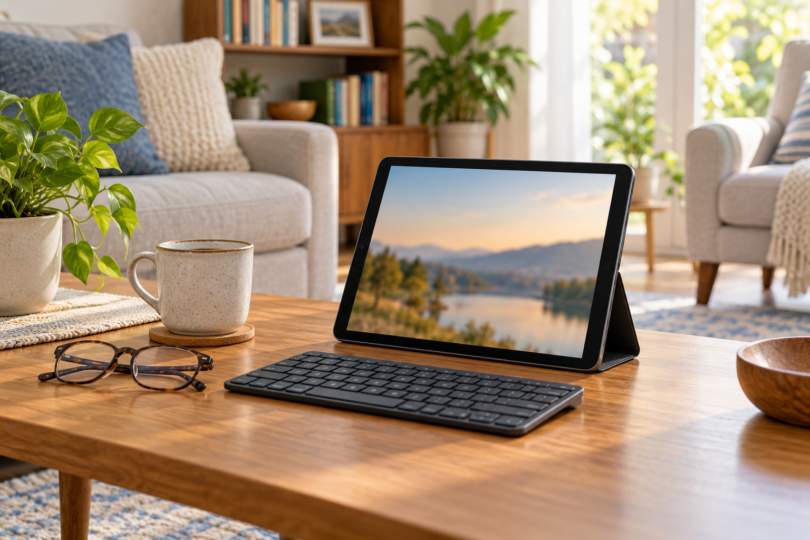

The best tablet for an older adult depends on the apps they use, the controls they prefer and the support they want. The iPad A16 is a useful starting point for someone comfortable with Apple devices; Samsung’s Galaxy Tab A11+ offers an Android option with expandable storage; and the Surface Pro 12-inch first edition suits someone who specifically needs compatible Windows software. Choose with the person who will use it, rather than assuming everyone of the same age needs the same interface.
We compared manufacturer specifications, accessibility documentation and exact retail configurations. We have not run usability trials, speed tests or battery tests on these devices. These are recommendations for different needs, with no claim that one tablet is universally easiest or that an accessibility feature works with every app.
The three tablets at a glance
| Exact configuration | Best fit | Useful feature | Main limitation |
|---|---|---|---|
| iPad A16, 128GB, Wi-Fi, silver; MD3Y4LL/A | A familiar Apple setup | Touch ID plus VoiceOver, Zoom and other accessibility tools | Uses iPadOS apps; keyboard is an additional purchase |
| Galaxy Tab A11+, 6GB/128GB, gray; SM-X230NZANXAR | An Android setup with room for media | MicroSD expansion and a 3.5 mm headphone jack | No S Pen support; check each needed app and accessory |
| Surface Pro 12-inch first edition, 16GB/256GB, platinum; EP2-33670 | Compatible Windows desktop tasks | Built-in kickstand and two USB-C ports | Arm compatibility checks; keyboard and charger not included |
iPad A16: a starting point for a familiar Apple setup
The checked iPad is the silver A16 model with 128GB storage and Wi-Fi, order number MD3Y4LL/A. It has an 11-inch-class display and Touch ID in the top button. Consider it when the reader already likes Apple’s interface or has a willing helper who knows it. Familiarity is the reason for that recommendation, not an assumption about age or technical ability.
Apple lists VoiceOver, Zoom, Voice Control, AssistiveTouch and captions among the built-in options. If a more focused interface would be useful, Assistive Access offers larger items and selected apps; Apple designed it for people with cognitive disabilities. Discuss whether that mode is wanted and try the reader’s actual apps, since third-party apps can retain their original design.
- Pros: Several built-in ways to adjust interaction, and a USB-C cable plus 20W USB-C power adapter in Apple’s listed box contents.
- Cons: This is an iPadOS device. Check that the banking, calling, reading or work apps you need offer the required functions on iPad; a keyboard does not turn it into a Windows or Mac computer.
Budget separately for a stand, case or keyboard if needed. The tablet’s listed box contents do not include a keyboard. The Assistive Access setup guide is also worth reviewing with a trusted supporter before choosing that optional mode.

Apple iPad A16, 128GB Wi-Fi, Silver, MD3Y4LL/A
As an Amazon Associate we earn from qualifying purchases.
Galaxy Tab A11+: an Android choice with expandable storage
The selected gray Galaxy Tab A11+ has 6GB RAM and 128GB storage, model SM-X230NZANXAR. Its 11-inch screen and four speakers make it worth comparing for reading and media, while the 3.5 mm jack offers a straightforward connection for compatible wired headphones. Samsung lists microSD expansion up to 2TB; the card is sold separately.
Samsung documents TalkBack spoken feedback, vision adjustments, and interaction-and-dexterity settings for Galaxy phones and tablets. Available settings can differ with the device and software version. Try the font, magnification and touch controls on the tablet itself instead of assuming a feature shown on another Galaxy model will look or behave identically.
- Pros: Expandable media storage, a headphone jack and a choice of accessibility adjustments for someone who prefers Android.
- Cons: Samsung lists no S Pen support for this model. Do not buy it expecting the same pen experience as a Galaxy Tab S tablet.
Match the 6GB/128GB gray configuration when comparing offers. The checked listing supplies a data cable, ejection pin and quick-start guide; it does not list a wall charger, keyboard or cover. Include any needed accessories in your total budget and verify their compatibility with the exact Tab A11+ model.

Surface Pro 12-inch: for a specific Windows requirement
This selection is the first-edition Surface Pro 12-inch with a Snapdragon X Plus 8-core processor, 16GB RAM, 256GB storage and platinum finish, model EP2-33670. It runs Windows 11 Home and has a built-in kickstand. Consider it when a tablet must also handle the reader’s Windows tasks, after checking the exact software and accessories they rely on.
The Snapdragon processor uses Windows on Arm. Microsoft warns that hardware and software dependent on drivers need compatible drivers; a printer, specialist utility or assistive application may therefore need a separate compatibility check. Contact the relevant vendor before buying if any such tool is essential. The presence of Windows alone does not settle that question.
- Pros: A kickstand for supported use and two USB-C/USB 3.2 ports, with Windows available for compatible desktop workflows.
- Cons: The checked package has no charger or keyboard. Microsoft specifies the matching Surface Pro 12-inch first-edition keyboard and says its 13-inch Surface Pro keyboards are incompatible.
Include a suitable USB-C Power Delivery charger and the correct keyboard in the comparison if you need them. Microsoft recommends at least 27W for charging this Surface, or at least 45W for its fast-charging feature. Check its Windows on Arm compatibility guidance before replacing an existing computer.

What to try before buying
Make a short list of the things the reader actually wants to do, then try those tasks on the proposed platform. Open a book, type a message, start the preferred calling app and check any essential work software. A familiar app name does not establish that all its functions are available on every operating system. Treat a required missing feature as a reason to choose another device.
Try text enlargement, spoken feedback or captions only where the reader finds them useful. Also check the weight in a case, the charging connection, the volume controls and a stable viewing position. A larger display can provide more room, but the comfort of the whole setup is a personal decision, not something established by a screen measurement.
Agree on the amount of setup help the reader wants and who can provide it. Keep the device associated with their own account, and make sure they understand how to unlock it and recover access. For Assistive Access specifically, Apple recommends checking the user’s account and planning the separate mode passcode and recovery option during setup.
Frequently asked questions
Which tablet is easiest for a senior to use?
There is no single answer based on age. Start with the reader’s existing habits, required apps and preferred controls, then try a few ordinary tasks. The three choices here cover Apple, Android and Windows needs; the best fit is the one that works for that person’s routine.
Do I need a special simplified mode?
Only if the person wants it and it helps with their needs. Assistive Access on iPad can provide larger items and a focused app selection, but it is optional and some apps keep their normal design. Text size, magnification or other individual adjustments may be enough.
Can the Surface run every existing Windows program?
Do not assume so. Windows on Arm has driver and app limitations, and Microsoft specifically advises checking assistive-software compatibility. Verify any essential printer, security tool or specialist app with its vendor before buying.
Is a keyboard included with these tablets?
No keyboard is included in the three configurations compared here. The Surface also requires its matching 12-inch first-edition keyboard if you choose Microsoft’s keyboard attachment; the 13-inch versions are not compatible. Verify any third-party keyboard or case by the exact tablet model.
Should I choose more storage?
Consider the apps and media you want to keep on the device before paying for a larger configuration. The selected iPad and Samsung have 128GB; the Surface has 256GB. Samsung additionally supports a separately purchased microSD card. Listed capacity is not the amount of free space remaining after software and files.
Which tablet should you choose?
Start with iPad A16 for a familiar Apple experience, compare Galaxy Tab A11+ for Android and expandable media storage, or choose Surface Pro 12-inch when a verified Windows requirement makes it useful. Include the stand, keyboard, charger and support arrangement you actually need. A successful purchase is a device the reader chooses and can use comfortably for their own tasks.