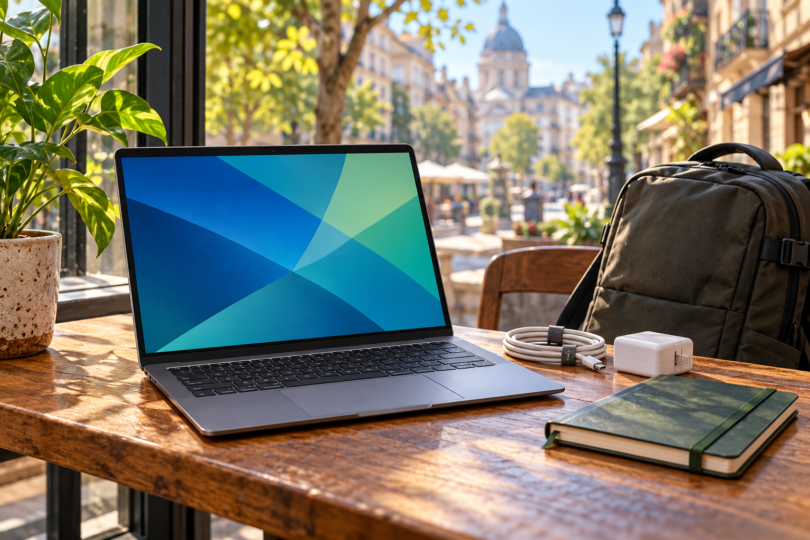

For a digital nomad whose work runs comfortably on macOS, the 13-inch MacBook Air with M5, 16GB memory and 512GB SSD in Sky Blue is our compact travel-work pick. If you prefer Windows and a touchscreen, consider the 13.8-inch Surface Laptop, 7th Edition, with Snapdragon X Plus, 16GB RAM and 256GB SSD. The key decision is software compatibility before you leave home.
These are two specific configurations for portable everyday work, compared using their documented features and practical tradeoffs. There are no hands-on battery measurements or performance rankings here. Neither is a universal answer for heavy 3D work, demanding games or a specialized workflow that requires different hardware.
Two laptops worth comparing
| Pick and configuration | Best fit | Useful connections | Main compromise |
|---|---|---|---|
| MacBook Air 13-inch M5; 16GB/512GB, Sky Blue | A compact macOS setup for travel work | MagSafe 3, two Thunderbolt 4/USB-C ports, headphone jack | No USB-A or HDMI in the documented port list; check macOS compatibility |
| Surface Laptop 13.8-inch, 7th Edition; X Plus 10-core, 16 GB/256 GB, Platinum | Windows users who want touch and have checked Arm compatibility | Two USB-C/USB4 ports, USB-A, headphone jack, Surface Connect | Driver-dependent apps and peripherals need an Arm compatibility check |
Best compact Mac: MacBook Air 13-inch with M5
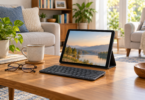
The M5 Air combines a 13.6-inch 2560 × 1664 display, 16GB unified memory and a 512GB SSD in the configuration discussed here. Apple lists a weight of 2.7lb, or 1.23kg, with variation by configuration and manufacturing. That makes it an appealing starting point when the laptop goes in your bag every day.
Choose it when your required applications, browser tools and peripherals support macOS. Do not assume a Windows-only program has a suitable Mac replacement, or that a workaround will behave reliably during a client deadline. Check the exact application versions and accessories before committing to the platform.
MagSafe charging leaves both Thunderbolt 4 ports available for accessories. Apple also lists support for two external displays up to 6K at 60Hz alongside the internal display. If your usual workspaces supply HDMI screens or USB-A peripherals, include the right adapter or hub in your travel kit.
The selected 512GB SSD gives more local storage than the 256GB Surface configuration below. That can help if you carry offline files, but video projects, photo libraries and virtual machines still deserve a capacity check. Decide how much data must remain available without internet access before choosing storage; a larger configuration is a separate product choice.
- Pros: compact dimensions, a 12MP Center Stage camera and separate MagSafe charging make a useful combination for a portable desk.
- Cons: the documented port list omits USB-A and HDMI, so some workspaces require an adapter. macOS suitability comes before size or appearance; a Windows-only work requirement may rule this model out.
Configure the exact 13-inch M5 MacBook Air, 16GB/512GB, Sky Blue, at Apple. The checked configuration has a 10-core CPU and 8-core GPU, with Apple part number MDHH4LL/A. Confirm that memory, storage, color and included power adapter remain selected before ordering, and check the current total and delivery options.
Best Windows touchscreen option: Surface Laptop 13.8-inch, 7th Edition

Microsoft Surface Laptop 13.8-inch, Snapdragon X Plus, 16GB/256GB, Platinum
As an Amazon Associate we earn from qualifying purchases.
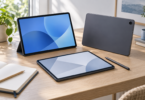
The selected Surface is the 2024 device-only Platinum model with a 10-core Snapdragon X Plus processor, 16 GB RAM and 256 GB SSD. It uses Windows 11 Home in the consumer configuration. Be careful with similarly named listings: the 13-inch model, Intel business versions and X Elite configurations are different choices.
Its 13.8-inch touchscreen is the main reason to choose it over the Mac. The USB-A connection is useful when a mouse receiver or older accessory still travels with you; the two USB-C/USB4 ports add flexibility for a dock or external display. Confirm your actual dock and peripherals support the laptop before a long trip.
The Snapdragon processor runs Windows on Arm. Microsoft says most Windows apps can run, with emulation available for many apps that are not built for Arm, but device and application drivers must be compatible. Check employer security software, specialist utilities and any hardware that needs its own driver; an app opening successfully is not the same as the whole workflow working.
- Pros: a touchscreen, USB-A plus USB-C connections, and Windows Hello face authentication offer a practical mix for people who prefer Windows.
- Cons: Arm driver compatibility requires homework, and the selected 256GB SSD provides less local storage than the 512GB Mac configuration. Do not buy it solely on an advertised battery-hours headline.
How to choose for the way you travel
Start with a work checklist: required apps and plug-ins, VPN or security tools, printer or specialist-device drivers, conferencing tools and external displays. Confirm support with the software or hardware provider, then test the complete setup while return options are still available. If a crucial tool is incompatible with either platform, choose a verified alternative that runs it.
Treat manufacturer battery claims as test-specific upper estimates. Apple lists up to 15 hours of wireless web use for the M5 Air and explains its test conditions; its video figure is a different workload. Neither figure predicts a day of conferencing, high screen brightness and demanding applications, so keep a charging plan for travel days.
Compare the full bag, not just the laptop: charger, cables, adapter, external drive and any stand. A useful purchase removes friction from your own routine. A higher specification has little value if it leaves you carrying equipment you never use.
Before leaving, open a representative project without an internet connection. Confirm that required files, fonts, authentication and software licenses are available. Keep a separate backup of important work and make recovery practical from the places you will be working.
Choose the M5 Air if macOS fits your work and a compact Mac is the priority. Choose the Surface if touch and Windows matter more, after checking the Arm-dependent parts of your setup. For frequent large media projects, compare the space your files need with the selected 512GB Mac or 256GB Surface before paying for a higher-capacity version.
Frequently asked questions
Is a Mac or Windows laptop better for digital nomads?
The better choice is the one that runs your work reliably. The MacBook Air suits a macOS workflow; the Surface adds touch and Windows, with an extra Arm driver-compatibility check.
Is 256 GB of storage enough?
It depends on what must stay on the laptop. Count your offline files, applications and working projects before buying. The Mac configuration here has 512GB and the Surface has 256GB; bigger-capacity versions need their own listing and price checks.
Will every Windows accessory work with the Surface?
No. Microsoft says peripherals need suitable built-in drivers or Arm64 drivers from their manufacturer. Check the exact accessory and required software, especially for specialized work equipment.
Can the MacBook Air connect to two monitors?
Apple documents support for two external displays up to 6K at 60Hz while using the built-in display. Check the monitors, cables and any dock against that setup.
Should I trust the longest advertised battery life?
Use it as a qualified specification, then plan for your workload. Different test methods, brightness settings and applications prevent a simple battery-hours comparison from proving which laptop will last longer for you.