
The best laptop for a network engineer depends on where the lab runs. For Windows tools, wired site work and a local virtual lab, our pick is the Intel ThinkPad T14 Gen 6 configuration below. For engineers who already have a remote lab and prefer macOS, the 13-inch MacBook Air M4 is the alternative. Decide that first: Cisco says CML does not run locally on Apple M-series chips.
These are feature-based recommendations drawn from manufacturer specifications, software requirements and the identified retail configurations. We have not benchmarked these laptops or measured battery life. “Best” means the better fit for the stated workflow, with compatibility checks still required before purchase.
Compare the recommended configurations
| Laptop and configuration | Best fit | Main trade-off |
|---|---|---|
| ThinkPad T14 Gen 6: Ultra 5 225U, 32GB RAM, 1TB SSD, Windows 11 Pro | Wired field work and a potential local Intel virtual-lab host | Seller-upgraded configuration; verify the hypervisor and employer’s Windows setup |
| 13-inch MacBook Air M4: 24GB unified memory, 512GB SSD, Silver | macOS work with a separately hosted lab | No built-in Ethernet or USB-A; local CML is incompatible |
ThinkPad T14 Gen 6 Intel: best for wired work and local-lab flexibility
The selected listing specifies an Intel Core Ultra 5 225U, 32GB DDR5, a 1TB SSD and Windows 11 Pro. It also says the computer was opened and resealed to upgrade memory or storage. Treat this as a seller-configured machine: confirm the delivered configuration, return terms and who supports the upgrades. The listing’s brand field names the reseller, while its title identifies the Lenovo laptop.

Lenovo ThinkPad T14 Gen 6, Ultra 5 225U, 32GB RAM, 1TB SSD, Windows 11 Pro
As an Amazon Associate we earn from qualifying purchases.
The Lenovo specification sheet lists Gigabit Ethernet, two USB-A ports, two Thunderbolt 4 USB-C ports and HDMI. That combination is the main reason to choose it for site visits: an Ethernet cable and common USB peripherals need fewer adapters. Its built-in RJ-45 socket is an Ethernet interface, not a serial-console adapter.
Check the processor suffix carefully. Lenovo places the 225U in the Arrow Lake group, which has two memory slots and supports up to 64GB. The same T14 Gen 6 family also includes Lunar Lake configurations with soldered 16GB or 32GB memory. A listing headed only “T14 Gen 6” does not establish upgradeability. For a later upgrade, confirm the installed modules and compatible replacements first.
Intel documents VT-x and Extended Page Tables for the 225U processor. Those features make it a candidate for virtualization; they do not certify a complete lab setup. Check the required firmware, hypervisor and Windows configuration before buying, especially on a managed work laptop.
MacBook Air 13-inch M4: best for a remote-lab macOS workflow
Our selected configuration is Silver with 24GB unified memory and a 512GB SSD, without the listing’s added AppleCare+ package. Apple’s M4 Air specifications confirm those memory and storage options and macOS. This is our choice for an engineer who prefers that environment and already knows their VPN, terminal software and management tools support it. The extra memory is our multitasking preference, not evidence of a tested performance advantage.

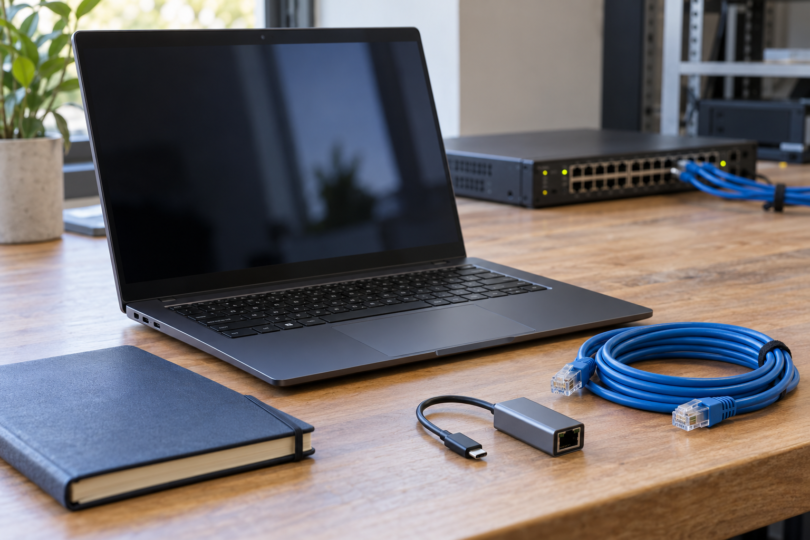
The Air has two Thunderbolt 4 USB-C ports, MagSafe charging and a headphone jack. Budget for a compatible Ethernet adapter and any USB-A or console adapters your equipment requires. Keeping a small, tested adapter kit in the bag is part of this recommendation, not an optional detail for a wired site visit.
Cisco’s CML requirements exclude M-series chips for local installation. Use a supported browser to reach a separate compatible server. Plan another approach if you need labs while travelling without network access.
How much laptop should you buy?
For local labs, we would start shopping at 32GB RAM and a 1TB SSD, then size the actual topology. This is buying advice, not a promise that a particular number of routers will run. GNS3’s Windows installation guidance distinguishes minimum, recommended and optimal hardware; it lists 32GB in its optimal memory guidance. Images, snapshots, captures and the host’s other applications all need room.
CML’s VM minimums are 8GB memory, four or more physical Intel cores with VT-x/EPT, and 32GB disk space. Reserve additional resources for the host and size the topology separately. Cisco fully supports Intel; some reference images are Intel-only, with other processors supported on a best-effort basis.
Check nested virtualization before treating any Windows laptop as a ready-made CML host. Cisco’s CML FAQ describes how Windows updates and hypervisor interactions can prevent a previously working VM from starting its nodes. Ask your IT team to validate an approved setup. A processor specification alone cannot resolve an employer’s security policy or hypervisor restrictions.
Match the cable to the device’s actual console port. For example, Cisco’s Catalyst 9300 hardware guide distinguishes Ethernet management, RJ-45 serial console and USB console connections, with a Windows driver requirement for its USB console. An Ethernet dongle does not become a serial adapter because both use an RJ-45-shaped socket. Check the exact switch, cable and operating-system driver together.
Compare the complete working setup: laptop, required adapters, spare console cable, lab software and remote-lab costs. Before the return window closes, try your own VPN, terminal sessions, packet-capture workflow and intended lab. If the work is entirely remote, spending more on local VM capacity may solve the wrong problem; if offline labs matter, that capacity deserves priority.
Frequently asked questions
Which laptop would we choose for most Windows-based network work?
The specified T14 Gen 6 225U configuration is our starting choice for its ports and memory expansion path. Confirm the seller’s upgrades and your lab software’s requirements before ordering. It is not a tested universal winner.
Is 16GB RAM enough for a network engineer?
It can be a reasonable budget choice when the demanding lab runs on another machine. For a new laptop intended to host several virtual appliances, our preference is 32GB or more, sized against the actual topology. A RAM figure alone cannot establish lab capacity.
Can the M4 MacBook Air run Cisco Modeling Labs locally?
No. Use a compatible CML server elsewhere and access its browser interface, or choose an appropriate Intel host for local installation.
Does a laptop need built-in Ethernet?
It is convenient for field work, but a compatible adapter can serve that connection. The ThinkPad has built-in Gigabit Ethernet; the M4 Air needs an adapter. Check the required link speed and driver support, and carry the separate console cable your equipment needs.
Will a more expensive processor run more lab nodes?
Price alone cannot answer that. Node type, assigned memory, storage, processor resources and hypervisor compatibility all matter. Start with the requirements of your intended lab and leave capacity for the host; neither recommendation comes with a measured node-count guarantee.