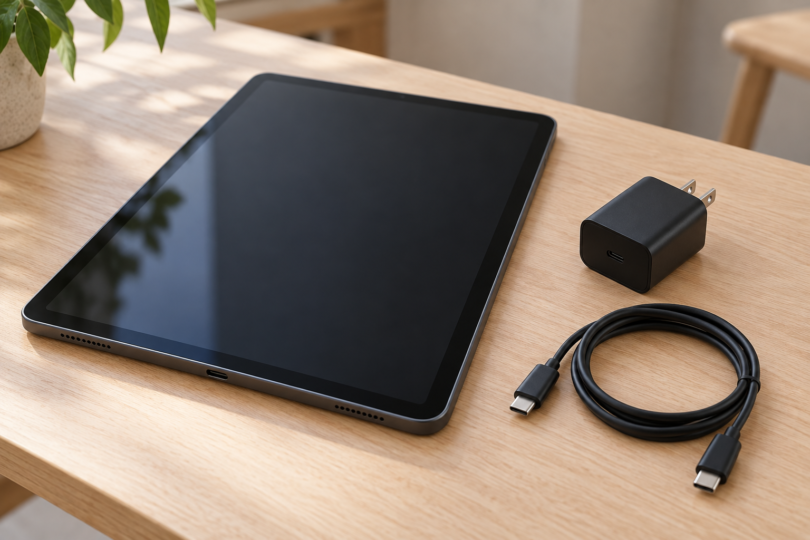

The best way to charge a Samsung tablet starts with its exact model, a compatible wall adapter and the right cable. A Galaxy Tab A11+ and a Galaxy Tab S11 do not have the same charging limit, and buying a bigger adapter does not upgrade the tablet. For a straightforward replacement, the two Samsung options below cover a 25W adapter-only purchase and a 45W kit with a 5A USB-C cable.
This is a comparison of documented charging features, package contents and model requirements. We have not measured charging times or tested these adapters ourselves. Choose the setup that matches your tablet and the accessories you already own.
Which charging setup does your Samsung tablet need?
Check the full model name and model number before ordering, especially when the name includes Lite, FE or a plus sign. These examples illustrate the differences; they are not a complete list of Galaxy tablets. For an unlisted model, use its Samsung manual or support specifications.
| Tablet examples | Documented charging support | What to buy or check |
|---|---|---|
| Galaxy Tab S11 and S11 Ultra | Up to 45W wired charging | A compatible 45W adapter and 5A USB-C cable; Samsung lists these separately from the tablet |
| Tab S9, S9+, S9 Ultra, S9 FE, S9 FE+; Tab S10+, S10 Ultra, S10 FE and S10 FE+ | Super Fast Charging 2.0 in Samsung’s model table | Check the exact model’s instructions for a compatible 45W setup and 5A cable |
| Galaxy Tab A11+ and Tab S10 Lite | 25W charging | A compatible 25W adapter and USB-C cable; do not expect 45W charging from a larger adapter |
| Galaxy Tab A9, A9+ and S6 Lite | Fast Charging, without Super Fast Charging or Super Fast Charging 2.0 in Samsung’s model table | Follow the exact model’s charger requirements before paying for a higher-wattage setup |
Samsung’s charging compatibility table distinguishes the S9/S10 models above from the A9 series and S6 Lite. Its May 2025 coverage is supplemented here by Samsung’s Tab S11 specifications, Tab A11+ announcement and Tab S10 Lite specifications.
Two Samsung charger options to compare
Samsung 45W EP-T4511XBEGUS: a kit for a compatible 45W tablet
The black EP-T4511XBEGUS package combines a 45W PD adapter with a 5A USB-C cable. That makes it a useful starting point if your tablet supports Samsung’s 45W charging setup and you need both pieces. The exact Amazon option compared here is 45W, With Cable, Black.
Choose this kit when you want to avoid separately matching a charger and a suitable 5A cable. The EP-T4511 family documentation specifies USB PD 3.0 with PPS and Super Fast Charging 2.0. Compatibility still depends on the tablet: a 25W model will not become a 45W model, and charging speed varies with conditions and use.
Check the complete model code and the With Cable selection before purchasing. Charger-only and other regional packages are separate options. The recommendation is for this US kit, not every listing that uses “Samsung 45W” in its title.

Samsung EP-T4511XBEGUS 45W PD Adapter with 5A USB-C Cable, Black
As an Amazon Associate we earn from qualifying purchases.
Samsung 25W EP-T2510NBEGUS: an adapter if you already have a cable
The black EP-T2510NBEGUS is the adapter-only option. Its selected Amazon listing is 25W, Without Cable, Black. Pair it with a compatible Samsung-approved USB-C cable; a cable must be purchased separately if you do not already have one.
This is the more focused choice for a compatible 25W tablet such as the Tab A11+ or Tab S10 Lite. Samsung’s EP-T2510 family specifications describe USB PD 3.0 PPS charging up to 25W. It does not provide the 45W ceiling supported by some Tab S models, so choose the larger kit if reaching that model’s supported charging capability is your priority.
Compare the cost of the complete setup, including any cable you need. A lower charger price alone does not tell you which package is the better purchase. Check the manufacturer part number EP-T2510NBEGUS and the Without Cable selection rather than relying on a mixed-variant review section.

Match the cable as carefully as the charger
For the 45W Samsung setup discussed here, use the specified 5A USB-C-to-USB-C cable. Samsung explicitly pairs its 45W adapter requirement with a 5A cable; do not assume the cable supplied with a tablet, or any cable described as “fast charging,” meets that requirement. The 45W kit above includes the matching cable, while the 25W adapter listing does not.
When comparing another charger, look for the exact tablet’s supported charging standard as well as watts. USB PD means Power Delivery; PPS means Programmable Power Supply. Samsung’s adapter documentation identifies these features separately from the maximum power rating. A large wattage number by itself is not enough evidence that a third-party charger supports your tablet’s intended charging mode.
For an older tablet, identify the socket before buying. Samsung’s cable guide distinguishes Micro-USB from USB-C. Micro-USB fits in one orientation, while USB-C is reversible. If your tablet has Micro-USB or another older connector, these USB-C kits are not a complete replacement setup; find the charger and cable specified for that model.
Charge directly, then troubleshoot before replacing everything
Connect the compatible cable to the adapter and tablet, then use a working wall outlet. If you are investigating slow charging, start with that direct connection and temporarily remove any hub or dock from the setup. This gives you fewer accessories to troubleshoot.
Samsung’s tablet charging guide recommends checking the adapter, cable, power source and charging port. Try another known-working, compatible cable or adapter one at a time. If the tablet supports fast charging, check that its Fast charging setting is enabled; menu names can differ by model and software.
Stop using damaged cables or adapters. If there is a moisture warning, disconnect the charger and let the device dry before charging again. A damaged, loose or persistently blocked port needs professional attention. Buying a higher-wattage charger will not repair it.
Frequently asked questions
Will a 45W charger make every Samsung tablet charge faster?
No. The tablet, adapter and cable must support the charging mode together. The Tab A11+ and Tab S10 Lite have 25W charging, while Samsung documents 45W for the Tab S11 series. A larger adapter does not change those device limits.
Do I need a 5A cable for Samsung 45W charging?
For the Samsung 45W setup covered here, yes. Samsung specifies a 45W adapter with a 5A cable, and its Tab S11 documentation lists both as separately sold accessories. The EP-T4511XBEGUS kit combines them in one package.
Can I charge these Galaxy tablets wirelessly?
Samsung’s charging table marks wireless charging unsupported for the listed S9/S10 models, A9 series and S6 Lite. Samsung also explicitly says the Tab S11 series does not support wireless charging. Check the exact model before shopping for a wireless pad.
Does the Samsung 25W adapter include a USB-C cable?
The EP-T2510NBEGUS variant compared here does not. Its selected listing is Without Cable. Other packages may include one, so check the complete model number and selected bundle.
Should I replace the charger if the tablet will not charge?
Check the cable, outlet and port first, following Samsung’s troubleshooting guide. Substitute a known-working compatible accessory to narrow down the cause. If damage, a persistent moisture warning or a port problem remains, seek service rather than repeatedly buying chargers.