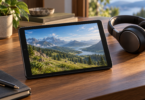
The best tablet for emulation starts with the systems you want to play. An Android tablet gives you access to Android builds of emulators such as Dolphin and PPSSPP; an iPad is a good fit for supported App Store apps such as Delta and PPSSPP. A faster chip cannot make an unsupported emulator available or guarantee that every game works.
Our three picks cover a compact Android gaming setup, a larger everyday Android tablet and a small iPad. These recommendations compare manufacturer specifications and emulator documentation; they are not hands-on performance tests. Check your must-play games against the emulator’s compatibility information before buying.
Best tablets for emulation at a glance
| Tablet and configuration | Best fit | Main limitation |
|---|---|---|
| Lenovo Legion Tab Gen 5, ZAH20126US, 12GB/256GB | Compact Android gaming setup with expandable storage and wired display output | A premium gaming specification does not establish game-by-game compatibility |
| Samsung Galaxy Tab S10 FE, SM-X520NZAAXAR, 8GB/128GB Wi-Fi | Larger screen for Android emulation alongside everyday tablet use | No HDMI output or wireless DeX |
| Apple iPad mini (A17 Pro), 128GB Wi-Fi, Blue | Portable Delta and PPSSPP use within the iPad app ecosystem | No microSD slot; App Store emulator restrictions differ from Android |
1. Lenovo Legion Tab Gen 5: best compact Android pick
The Legion Tab Gen 5 in configuration ZAH20126US combines an 8.8-inch 3040 × 1904 display, Snapdragon 8 Elite Gen 5 processor, 12GB of memory and 256GB of storage. Lenovo lists Android 16 or later for this US configuration. Its microSD slot makes it more flexible for a growing library than a tablet with fixed storage alone.
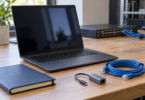
Its connections are particularly useful for a desk setup. The USB-C 10Gbps port supports DisplayPort output, charging, OTG and audio; a second USB-C port supports charging and OTG. Use a compatible display adapter and the correct port. Lenovo cautions that the ports cannot both charge the tablet at once and that some functions cannot operate simultaneously.
The 165Hz panel is a screen capability, not a promise of 165 frames per second in an emulator. Game timing, emulator settings, graphics drivers and heat can all affect results. The newer processor makes this an appealing specification-based choice, but we would still check recent compatibility reports for the exact games and emulator build you plan to use.
- Choose it for: a small Android tablet with microSD expansion and a wired-monitor option.
- Think twice if: your priority is the lowest total cost or you need proof that one demanding game runs at a particular resolution.
- Check the box: Lenovo’s US page lists the tablet, USB-C cable, 68W charger, tray pin, quick-start guide and folio case. A game controller is a separate purchase.
Check the exact Legion Tab Gen 5 configuration at Lenovo.
2. Samsung Galaxy Tab S10 FE: best larger everyday option
The Galaxy Tab S10 FE SM-X520NZAAXAR is the gray, Wi-Fi, 128GB version with 8GB of memory. Its Exynos 1580 processor, 10.9-inch 2304 × 1440 LCD and 90Hz refresh rate make it a different proposition from a compact gaming tablet: more screen space for menus, touch controls and other daily uses.
It is the pick here for someone who wants a regular Android tablet that also runs supported emulation apps. The S Pen is useful beyond gaming, and microSD expansion gives you somewhere to store compatible game files. Card access still depends on the emulator and Android’s file permissions; extra storage does not improve emulation speed.
The decisive trade-off is external display support. Samsung explicitly says the S10 FE does not support HDMI output or wireless DeX. A USB-C-to-HDMI cable will not add that capability. Choose this model for playing on its own screen, and treat demanding GameCube or Wii games as something to investigate individually rather than a guaranteed use case.
- Choose it for: a larger Android screen, expandable storage and S Pen use alongside gaming.
- Think twice if: you want to connect the tablet to a TV by HDMI or your purchase depends on demanding 3D emulation.
- Check the configuration: this recommendation is the 10.9-inch S10 FE Wi-Fi model, not the larger FE+, a 5G version or an international charger bundle.
Check the 128GB gray Wi-Fi model at Samsung.
3. Apple iPad mini (A17 Pro): best small iPad option
The iPad mini pairs an 8.3-inch display with the A17 Pro chip in a 293g Wi-Fi model. The configuration here is one blue 128GB Wi-Fi tablet, model MXN73LL/A. It is easy to fit into a bag, but allow for app storage, game files and saves before choosing capacity: there is no microSD slot.
The important reason to choose it is the software you actually want. Delta’s App Store listing supports NES, SNES, Nintendo 64, Game Boy/Color, Game Boy Advance and Nintendo DS, and requires iPadOS 14 or later. PPSSPP also offers an official iOS/iPadOS App Store route for PSP games. Check the current listing in your region before purchasing.
Do not assume the Android emulator library transfers to iPad. Dolphin’s official supported-platform list does not include iPadOS. PPSSPP’s developer also explains that App Store builds cannot use its just-in-time compiler; that is a software constraint, not something a faster Apple chip removes. This does not mean every supported game is slow, but it rules out treating chip specifications as a universal performance guarantee.
Apple documents native DisplayPort output over USB-C, with suitable adapters needed for some displays. Whether a particular emulator uses an external screen as you expect is an app-level question. Delta lists support for several Bluetooth controllers, including compatible Xbox, PlayStation and Nintendo controllers; check the specific controller and app rather than assuming every USB gamepad works.
- Choose it for: a compact iPad for the systems supported by Delta and PPSSPP.
- Think twice if: GameCube/Wii emulation, expandable internal storage or the Android app library is essential.
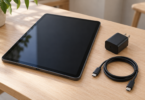
- Check the box: Apple’s specification lists the tablet, USB-C charge cable and 20W USB-C power adapter. Pencil, controller and folio are separate.

Apple iPad mini A17 Pro, 128GB Wi-Fi, Blue
As an Amazon Associate we earn from qualifying purchases.
How to choose a tablet for your emulator
Start with the app and the game. PPSSPP emulates PSP, not PS Vita, PS2 or newer PlayStation consoles. Dolphin emulates GameCube and Wii; its documented Android baseline is Android 7.0 or newer with a 64-bit operating system and ARMv8/AArch64 support. Meeting a minimum requirement only establishes a starting point. Read the project’s compatibility notes for your exact game and use a current official release.
Keep screen resolution separate from rendering resolution. A high-resolution tablet can display a game rendered at a lower internal resolution. Start with the emulator’s defaults and reduce enhancements if needed. A high refresh rate does not change a game’s intended speed, and RAM capacity alone does not establish frame rate.
Budget for controls and a stand. A conventional Bluetooth controller and a stable stand are often simpler than a telescoping phone controller. Measure the tablet, case and controller cradle before buying; a phone-sized clamp may not fit any of these tablets. Check analog triggers, button mapping and rumble support in the emulator, since pairing successfully does not guarantee every feature works.
Use authorized game files. Homebrew and games distributed with permission are straightforward places to start. For commercial games you own, use a lawful way to obtain and use your own files, including any required firmware. Owning a cartridge or disc does not itself give permission to download someone else’s copy. An emulator or a tablet does not include a licensed commercial game library unless that is expressly part of the product.
Compare the complete purchase. Confirm the region, warranty, storage, included charger and return policy for the exact listing. Cloud streaming and remote play are separate uses that depend on services, accounts and network conditions; their availability does not prove local emulation performance.
Frequently asked questions
Is Android or iPad better for emulation?
Choose by emulator. Android offers official builds of Dolphin and PPSSPP, while iPad supports apps such as Delta and PPSSPP through the App Store. Their supported systems and software restrictions differ, so confirm your must-play games before choosing the tablet.
Can a tablet run GameCube and Wii games?
Supported Android tablets can use Dolphin, but its Android 7.0-or-newer and 64-bit requirements do not guarantee full speed or perfect compatibility. Check the game and emulator build individually. Dolphin’s official supported-platform list does not include iPadOS.
Does a 165Hz screen make every emulator run at 165 fps?
No. The display refresh rate is separate from the game’s intended frame rate and the emulator’s performance. Processor load, graphics drivers, settings and the specific game determine whether emulation runs correctly at its intended speed.
Can these tablets connect to a TV?
The Legion Tab Gen 5 supports DisplayPort output from its USB-C 10Gbps port, and iPad mini A17 Pro supports DisplayPort over USB-C with a compatible setup. The Galaxy Tab S10 FE does not support HDMI output or wireless DeX. Check the emulator’s external-display behavior before buying adapters.
Do I need a controller and preloaded games?
A controller is optional, but physical controls can be more practical than touch buttons. Check exact controller and emulator support. Use homebrew, licensed games or lawfully obtained files from games you own; a large advertised preloaded library is not evidence that the games are licensed.