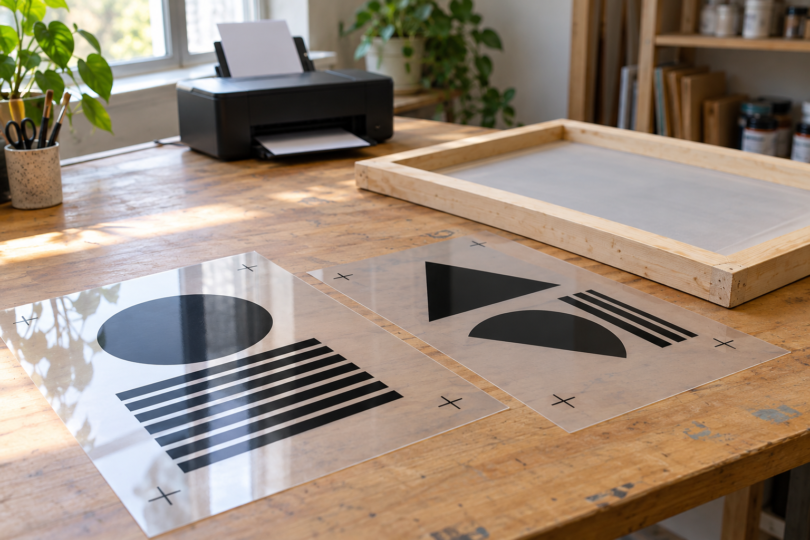

The best printer for screen-printing transparencies is one that works as a complete film-positive system: printer, compatible ink, coated film and output software. For a small shop printing sheets up to 13 × 19 inches, the Chromaline Canon PIXMA iX6820 Kit is the clearest starting point here because its exact film and all-black ink configuration is documented. Choose an Epson EcoTank Photo ET-8550 when you want a refillable desktop platform and are willing to configure a separate film workflow. For artwork wider than 13 inches, consider the Chromaline Epson T3170x package, built around 24-inch roll media.
A dark-looking print is only part of the job. The image must block enough exposure light while the clear areas let light reach the emulsion. That is why photo quality, ordinary document speed and a printer’s advertised resolution cannot tell you whether a particular ink-and-film combination will make usable screens. Chromaline explains the role of film density in screen exposure.
Compare the three film-printing options
| Option | Best fit | Media format | Main buying condition |
|---|---|---|---|
| Chromaline Canon PIXMA iX6820 Kit | A defined desktop film package | Sheets up to 13 × 19 inches | FilmMaker software is separate; verify cartridge and firmware requirements |
| Epson EcoTank Photo ET-8550 | A configurable refillable desktop setup | 13 × 19-inch film workflow | Printer alone is not a screen-print kit; confirm the RIP, ink channel and film together |
| Chromaline Epson T3170x package | Wider artwork and roll output | 24-inch-wide rolls | More space and consumables; software is separate |
1. Chromaline Canon PIXMA iX6820 Kit: the straightforward sheet-fed choice
Choose the Chromaline Canon PIXMA iX6820 Kit, SKU RVVVCH0027 if your artwork and registration marks fit within the printable area of a 13 × 19-inch sheet. The documented package contains one printer, five all-black AccuInk HD cartridges, 100 sheets of 13 × 19-inch AccuJet film and 100 sheets of 11 × 17-inch AccuJet film. This is a specific screen-printing package; a standard retail iX6820 with ordinary color cartridges is a different purchase.
The appeal is having a supplier-defined ink and film combination. The limitation is the sheet width: leave room for margins and registration marks rather than assuming the entire sheet is printable. Chromaline sells FilmMaker RIP separately and flags third-party cartridge problems with Canon firmware updates. Ask the supplier to confirm the exact supported setup before buying. The package is listed as non-returnable, with Canon warranty claims submitted to Canon by the customer.
2. Epson EcoTank Photo ET-8550: a refillable platform for a planned film workflow
The Epson EcoTank Photo ET-8550, model C11CJ21201 is a six-color photo all-in-one with refillable tanks and paper support up to 13 × 19 inches. Those are hardware specifications, not a promise of film-positive performance with the ink supplied in the box.
Its reason for inclusion is a documented third-party route: Freehand’s AccuRIP Emerald guide discusses the ET-8550 with Dmax film ink and selected-tank output. Its compatibility matrix includes model-specific restrictions, including 13 × 19-only support in the Mac entry. Confirm your operating system, intended sheet sizes and ink-channel configuration with Freehand before committing.
This option suits someone comfortable managing a printer and RIP as separate purchases. It is less convenient than a defined kit if you want one supplier to specify every component. Do not assume a third-party ink conversion is Epson-approved, that ordinary photo printing remains unaffected, or that a suggested ink-channel arrangement guarantees warranty coverage. Get the relevant supplier’s setup and warranty guidance first.
3. Chromaline Epson T3170x package: for wider roll-fed film
The Chromaline Epson T3170x Printer Package, SKU RVVVCH0029 is the option to investigate when 13-inch sheets constrain your designs. Chromaline specifies a 24-inch roll-fed printer, eight 140 mL bottles of AccuInk Black and four 24-inch × 100-foot rolls of AccuJet film. FilmMaker RIP is sold separately.
Roll width is the practical advantage: it gives you room for larger separations without treating several small sheets as one continuous output. It does not guarantee perfect registration. You still need to verify feed accuracy, printable width and alignment across the separations you actually produce.
This is a larger commitment in workspace and supplies than either desktop option. Chromaline identifies the package as call-to-order and non-returnable. Confirm the exact ink-loading procedure, roll specification, software license and support with the supplier. Do not transfer the ink instructions from an unrelated T-series printer or a different vendor’s bundle.
What makes a printer suitable for screen-printing film?
Purpose-made film, with the correct printable side
Buy coated inkjet film intended for film positives. Binder sleeves, clear adhesive labels, sublimation paper and iron-on transfer sheets serve different jobs. They are not substitutes merely because they look clear or mention T-shirts. Chromaline’s film FAQ specifies water-based inkjet printers and printing on the coated side; its films accept water-based dye or pigment ink, but density depends on the combination and settings.
Match the film to the printer’s feed path and size. AccuJet’s roll page explicitly excludes laser printers and distinguishes roll-core choices. Never put inkjet-only film through a laser printer. Check the instructions for the exact media you buy, rather than borrowing settings from a similarly named film.
UV-blocking density and clean detail
The useful output is a positive that exposes correctly with your emulsion and exposure unit. Check solid areas, fine lines and halftones; do not judge only by how black a sheet looks against a desk. More ink is not automatically better if the coating cannot receive it cleanly. Ask a supplier for a sample made with your proposed printer, ink, film and settings, then test it in your own exposure process.
A repeatable exposure check matters more than an invented universal density target or exposure time. Chromaline provides exposure calculators and step-test guidance for checking the result. Keep the film, emulsion, exposure setup and print settings consistent when comparing samples.
RIP software, computer support and the real setup cost
A RIP can control how artwork, halftones and ink are sent to the printer. FilmMaker v11 Desktop lists both the iX6820 and T3170x among supported printers and includes ink-density and halftone controls. Chromaline describes it as Windows software. Its software and package pages list operating-system details differently, so confirm the current release supports your computer before purchase.
AccuRIP Emerald has separate Windows and Mac compatibility information. A printer appearing somewhere on a support list does not establish that every ink mode, media size or operating system works. Budget for the correct software license, film, ink, maintenance supplies and initial setup along with the printer.
Questions to settle before ordering
Can I use a normal home inkjet?
Possibly, but ordinary paper printing is not enough evidence. Ask whether the exact model has a supported film, ink and software workflow. If you already own a printer, testing a supplier-approved combination is a sensible first step. For a new purchase, a documented film system is easier to evaluate than a generic all-in-one chosen for scanning or phone printing.
Is an all-black ink setup mandatory?
No single configuration applies to every printer. The Chromaline iX6820 kit uses five black cartridges, while Freehand documents selected-tank workflows for other models. Follow the instructions for the exact printer, ink and RIP combination. Do not fill every tank with black simply because another printer uses an all-black configuration.
Should I buy 13-inch sheets or a 24-inch roll printer?
Start with the largest separation you expect to print, including registration marks and margins. The iX6820 kit or a supported ET-8550 setup makes sense when that fits a desktop sheet. The T3170x package earns its place when wider designs or your output workflow justify rolls and the larger setup.
Which one should you choose?
Start with the Chromaline iX6820 kit for a clearly specified sheet-fed system. Choose the ET-8550 when you specifically want refillable tanks and can confirm the third-party film workflow before purchase. Step up to the Chromaline T3170x package when you need wider roll output. In every case, make the buying decision around the complete system and a usable film sample, not an office-printing feature list.