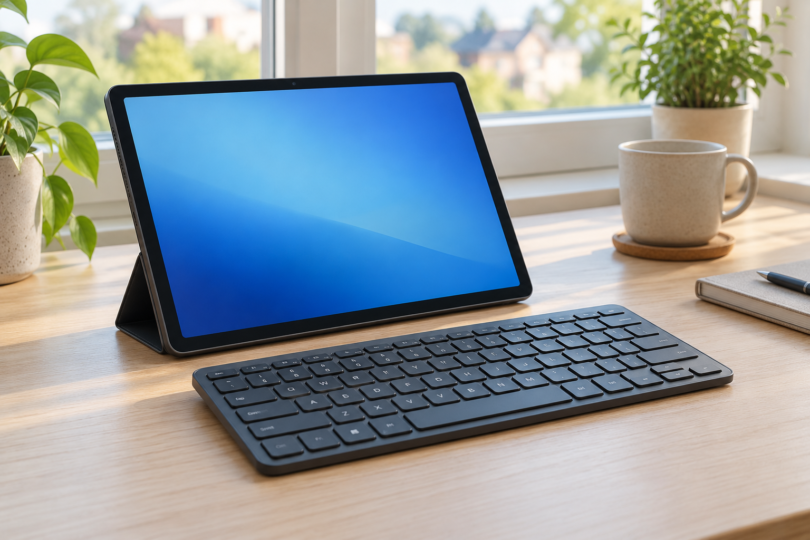

The best Android tablet keyboard depends on where you type and which Android version your tablet runs. For a compact keyboard that can move between a tablet and a computer, start with the Logitech Pebble Keys 2 K380s. For a smaller travel keyboard with its own key cover, consider the Logitech Keys-To-Go 2 Universal.
Both are separate Bluetooth keyboards. They need a tablet stand or a case that props up the screen, and neither is a fitted keyboard case. That makes them useful when you want to keep the keyboard after replacing your tablet.
Our Android tablet keyboard shortlist
- For a desk and several devices: Logitech Pebble Keys 2 K380s, Tonal Graphite, US English QWERTY, part 920-011775. Requires Android 9 or later and Bluetooth Low Energy.
- For a lighter travel setup: Logitech Keys-To-Go 2 Universal, Off-white, US English QWERTY, part 920-012919. Requires Android 12 or later and Bluetooth.
1. Logitech Pebble Keys 2 K380s: the desk-friendly choice
The Pebble Keys 2 K380s in Tonal Graphite is a sensible first option if you alternate between an Android tablet, a phone and a computer. Its three Easy-Switch buttons let you select a previously paired device without repeating the initial setup.
Logitech lists dimensions of 279 × 124 × 16 mm and a weight of 415 g. The US version has round keys and a compact QWERTY layout without a separate number pad. It uses two AAA batteries, which are included. The Android connection is Bluetooth Low Energy; you do not need to occupy the tablet’s USB port with a receiver.
Why choose it: the wider footprint is worth considering when the keyboard will spend much of its time on a desk. Device switching also gives it a role alongside a laptop.
What to check: this is the K380s, not the older K380 or an Apple-only variant. Logitech’s Android support starts at version 9. Its Logi Options+ customization software is for Windows and macOS, so do not buy it expecting those desktop customization features on your Android tablet.
2. Logitech Keys-To-Go 2 Universal: the travel choice
The Keys-To-Go 2 Universal in Off-white is the better fit for a small bag. Logitech lists it at 250 × 105 mm, 4.35–8.97 mm thick and 222 g. A cover folds over the keys for transport.
This selection is the Universal US English QWERTY version, part 920-012919. Keys-To-Go 2 also comes in Apple-focused versions, so check the full product name and part number before ordering. The Universal model supports Android 12 or later, pairs by Bluetooth and can switch among three devices.
Why choose it: it weighs less than the K380s and takes up less space. Its built-in cover is useful if the keyboard shares a bag with other everyday items.
What to check: the cover protects the keyboard; it does not turn it into a fitted tablet case or supply a tablet stand. Power comes from two replaceable coin-cell batteries rather than USB charging. The smaller dimensions also make it worth checking the return policy if you prefer more room around your hands.
How to choose the right keyboard for your tablet
Check Android version before screen size
A freestanding Bluetooth keyboard does not have to match the tablet’s diagonal screen measurement. Check the Android version in your tablet’s settings, then compare it with the keyboard’s stated requirements. A fitted keyboard case is different: its shell, camera cutout and any contact connector must match the exact tablet model and generation.
Match the printed layout to your language
The two selections above are US English QWERTY models. A UK layout, a different language or an Apple-specific version can have different printed legends. Set the tablet’s physical-keyboard language to match the keyboard you actually bought. Dual Windows and Mac legends do not mean every shortcut behaves identically on Android.
Allow room for the screen and your hands
Measure the space you will use, including the stand. A separate keyboard and stand can be flexible on a table, but they need more setup than a fitted case when you are typing on your lap. Neither selection adds a trackpad, so plan to use the touchscreen or a separately compatible pointing device.
Pairing and everyday use
For the K380s, Logitech’s setup guide explains how to put an Easy-Switch channel into pairing mode and select the keyboard in Bluetooth settings. Pair each device to its own channel, then use that channel’s button when returning to it.
For Keys-To-Go 2, follow the model-specific setup guide. If Android key behavior needs correcting, Logitech specifies holding Fn + G for three seconds to select the Android layout.
Choose the K380s when a desk-oriented footprint and a lower Android minimum matter most. Choose Keys-To-Go 2 Universal when smaller size, lower weight and a protective key cover matter more. In either case, confirm the exact layout and Android requirement before buying.