
Do not buy a new Android tablet for a Phantom 3 until you have verified the complete aircraft, controller, DJI GO app, and Android-version combination. DJI’s available documentation does not establish a dependable current-generation Android tablet shortlist for this discontinued drone family. A tablet that runs newer DJI apps, or simply exceeds an old Android minimum, is not enough evidence.
The practical first choice is an existing device whose complete setup can be verified. A used tablet from DJI’s legacy list is only a candidate for investigation, not a guaranteed fix. If you cannot validate the app and connection before spending money, postpone the tablet purchase.
Research checked October 4, 2026 against official DJI downloads, manuals, and support pages. This is a researched compatibility guide, not hands-on flight testing. We have not installed DJI GO on the devices discussed or verified live video, connection reliability, or current installation eligibility.
What DJI’s current pages actually establish
The official DJI GO download page identifies the Phantom 3 series, lists Android app version 3.1.83, and states an Android 4.1.2-or-later minimum. Its recommended Android models include the Samsung Galaxy Tab S2 alongside older phones. The page also says downloads are supported only on phones. Taken together, these details do not amount to a current tablet-and-OS certification list.
DJI’s Phantom 3 Professional support FAQ explicitly explains that meeting the Android minimum does not make every device compatible. Its older recommendation list includes the Google Nexus 9 and Nexus 7 II. Treat these as historical references: neither a model-family name nor an archived minimum identifies a tested combination of hardware revision, installed OS, app build, and firmware today.
There is a wider ownership issue, too. DJI’s service-suspension notice includes Phantom 3 Advanced, Pro, Standard, SE, and 4K. A new tablet cannot restore the aircraft’s former service status. Include battery condition, repair options, and the rest of the flying system in the purchase decision.
Match the aircraft and controller before choosing a tablet
| Aircraft | Controller-to-mobile connection | App family | What still needs verification |
|---|---|---|---|
| Phantom 3 Professional | USB from its compatible Phantom 3 controller | DJI GO | Actual controller model, data cable, Android build, app installation and camera view |
| Phantom 3 Advanced | USB from its compatible Phantom 3 controller | DJI GO | Same checks; a controller from another DJI family is not assumed interchangeable |
| Phantom 3 Standard | Controller’s Wi-Fi connection | DJI GO | Correct controller network and full app connection on the intended tablet |
| Phantom 3 4K | Controller’s Wi-Fi connection | DJI GO | Use the 4K manual, not the Professional’s USB instructions |
| Phantom 3 SE | Controller’s Wi-Fi connection | DJI GO | Use the SE setup instructions and verify the exact tablet/software combination |
Connection types for Professional, Advanced, Standard, and 4K are documented in DJI’s hardware reference. The Advanced manual, 4K manual, and SE manual identify the corresponding DJI GO workflows. These are connection references, not modern Android compatibility guarantees.
Start with the aircraft’s full name and the controller’s actual label. Confirm that the controller is the correct linked unit for that aircraft, particularly when buying used equipment. The aircraft’s camera resolution alone will not distinguish a Phantom 3 Professional from a Phantom 3 4K.
Three bounded options worth considering
1. Keep an existing setup that you can verify
If you already own a working tablet, document its exact model number, OS version, DJI GO version, and the aircraft/controller firmware before replacing anything. Check its battery and physical condition. Keep a record of the configuration so that a later connection problem can be diagnosed without guessing.
Successful use in the past is helpful evidence, but repeat the checks after relevant software or hardware changes. Avoid making an unverified tablet change immediately before a planned flight.
2. Investigate a legacy listed tablet only with return protection
The Galaxy Tab S2 appears on DJI’s download-page list; Nexus 9 and Nexus 7 II appear in the Professional support FAQ. We are not recommending that readers purchase these old devices unseen. The published names do not resolve every regional hardware variant or present-day OS build.
Ask for the precise model, installed software versions, battery condition, and a demonstration with your exact aircraft and compatible controller. An old tablet’s security-support status and aging battery make it a poor general-purpose purchase even if a particular drone setup works. Prefer a returnable purchase and avoid storing unrelated sensitive information on an unsupported device.
3. Reconsider the complete system if validation is impossible
If a seller cannot demonstrate the combination and DJI cannot confirm it, a newer tablet is a speculative expense. Price the full path to a supported aircraft, controller, and display before buying adapters, used tablets, and replacement batteries for an uncertain legacy setup.
A compatibility checklist before you spend money
- Identify all four components: exact aircraft, controller model, tablet model number, and installed Android version. Add app and firmware versions to the record.
- Use the correct app: follow DJI’s official app compatibility guidance. A successful DJI Fly or DJI GO 4 installation does not validate a Phantom 3 DJI GO setup.
- Check legitimate installation first: use DJI’s official download route. If the device rejects the software or displays a security warning, stop and seek official guidance. Do not disable security protections, install modified packages, or use an unrecognized APK mirror to force compatibility.
- Check the intended connection: use a data-capable cable for Advanced/Professional, or the documented controller Wi-Fi procedure for Standard/4K/SE. The Standard support page describes its Wi-Fi camera-view setup.
- Verify on the ground: with propellers removed and the aircraft secured according to its manual, check camera view, telemetry, app stability, and correct device identification. A successful installation or login alone is insufficient.
- Check physical suitability: tablet-and-case fit in the holder, secure cable clearance, screen readability, and a healthy battery. An improvised loose mount can create a new problem.
A ground connection check is not a flight-safety certification. Complete the aircraft’s normal safety checks and follow the manufacturer’s operating instructions and applicable local flight requirements. Do not use a flight to discover whether an unverified display setup works.
Frequently asked questions
What is the best new Samsung tablet for Phantom 3?
We cannot substantiate a current Galaxy Tab recommendation for DJI GO and Phantom 3 from the official evidence reviewed. The legacy Galaxy Tab S2 listing does not extend automatically to newer Galaxy tablets.
Does Android 4.1.2 or later mean the latest Android will work?
No. An old minimum version does not validate newer operating systems, processors, or app-installation rules. DJI itself warns that satisfying the stated minimum is insufficient.
Will a USB-C adapter make any tablet compatible?
No. An adapter can change a connector, but it does not establish app support or a working data path. It also does not replace the controller Wi-Fi connection used by Standard, 4K, and SE.
Should I install an older APK from a download site?
Use official DJI distribution and guidance. We do not recommend unofficial APK sources, modified builds, security bypasses, or a specific Android downgrade as a buying strategy.
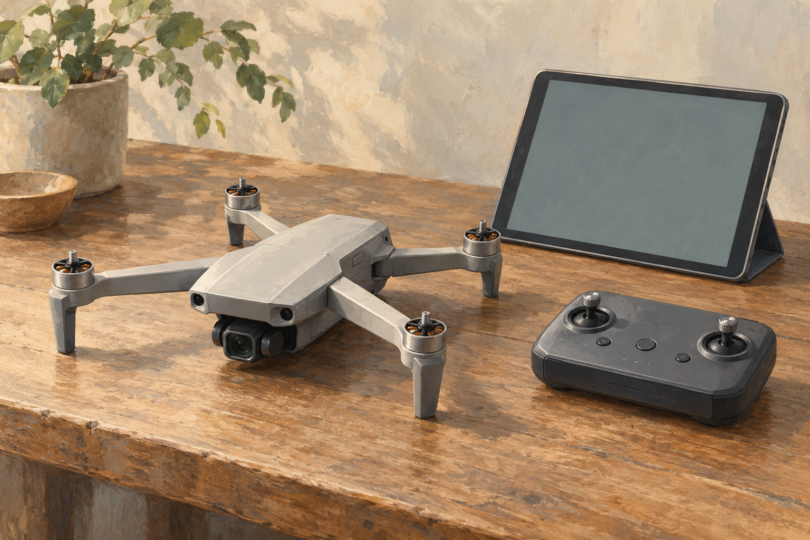
Image note: AI-generated generic editorial illustration; it does not depict a specific Phantom 3 variant or establish tablet, controller, app or aircraft compatibility.