
For a tablet used mainly for typing, choose the keyboard and document workflow before the processor. Start with the Surface Pro 13-inch for Windows-based editing, the iPad Air 13-inch for an iPadOS writing setup, or the Galaxy Tab S11 for Android apps and Samsung DeX.
A comfortable setup must let you reach the keys, position the screen, edit your real files, and work where you actually sit. A tablet that looks convincing on a desk may be awkward on a lap or a small train table.
Research checked October 4, 2026 using manufacturer specifications and support documentation. This is a researched buying guide, not hands-on testing. We have not measured typing speed, key feel, lap stability, battery life, or application performance. Keyboard prices and bundles change.
Three keyboard-first tablet setups
| Suggested setup | Best fit | Keyboard consideration | Main limitation |
|---|---|---|---|
| Surface Pro 13-inch, 12th Edition, Snapdragon X2 Plus, 16GB RAM, 256GB SSD | A verified Windows document workflow | Compatible 13-inch keyboard sold separately; Flex model supports detached use | Arm compatibility and kickstand space |
| iPad Air 13-inch (M4), Wi-Fi, 128GB | Writing in iPad apps with a larger screen | Matching 13-inch Magic Keyboard adds trackpad and function row | Check mobile-app features and licensing |
| Galaxy Tab S11, Wi-Fi, 128GB | Android writing and DeX multitasking | Book Cover Keyboard Slim for Tab S11 is a separate accessory | DeX does not turn Android apps into desktop Windows apps |
These storage capacities are starting suggestions, not measured requirements. Add space if your work includes large research libraries, offline media, or extensive image files.
1. Surface Pro 13-inch for Windows-based documents
Our suggested Surface Pro configuration runs Windows 11 Home and uses the Snapdragon X2 Plus with an LCD screen, 16GB RAM, and 256GB SSD. Consider it when your writing depends on a Windows editor, complex file handling, or a specific desktop workflow.
For flexibility at a desk, the compatible 13-inch Flex Keyboard works attached or detached. It includes a function row, backlit keys, and a haptic touchpad. Detached use lets you place the screen and keys separately; it does not remove the need to support the tablet securely. Compare the standard compatible keyboard if you do not need that feature.
Check before buying: the kickstand needs room behind the display, so try the complete arrangement on your usual surface. This is also Windows on Arm. Microsoft’s compatibility guidance flags driver-dependent apps and accessories: verify your editor, citation add-ins, printer, and accessibility tools individually.
2. iPad Air 13-inch for typing in iPad apps
The iPad Air 13-inch (M4) suits a writer who wants a roomy tablet display and already knows that their essential work fits iPadOS. Its keyboard is a separate purchase, so compare the complete setup price rather than the tablet price alone.
The matching Magic Keyboard for iPad Air 13-inch has a glass trackpad, 14-key function row, 1mm key travel, and an adjustable cantilever design. Its USB-C connector handles pass-through charging. Apple’s compatibility list includes the 13-inch M4, M3, and M2 Air models; do not substitute a similarly named iPad Pro keyboard without checking.
Check before buying: a physical keyboard improves text entry but does not establish desktop feature parity. Open a representative document in your chosen app, check the tools you need, and export it back to the format your collaborators expect.
3. Galaxy Tab S11 for Android and DeX
The 128GB Wi-Fi Galaxy Tab S11 is the Android option. Samsung’s DeX description includes customizable workspaces and an extended mode with an external monitor. That can help organize reference material and a draft, provided your apps behave well in the arrangement you need.
The matching Book Cover Keyboard Slim, EF-DX730, is sold separately. Verify the regional key layout and the exact model before purchasing. If pointer control is important, inspect the keyboard’s controls and consider whether you also need a compatible mouse.
Check before buying: DeX changes the workspace, not the operating system into Windows. Test your editor’s Android version or web interface, including keyboard shortcuts, file attachments, formatting, and offline use.
The typing checks that specifications cannot answer
- Key layout: look for your language, familiar Enter and Shift keys, punctuation placement, and convenient arrow keys. Test the shortcuts you use every day.
- Typing comfort: type a few paragraphs, revise a sentence, and select text. Key travel figures cannot tell you whether the spacing or palm position suits you.
- Lap stability: check the tablet’s balance, keyboard flex, kickstand contact, and screen wobble. Try changing position without supporting the device with one hand.
- Desk depth: allow space for the stand, keyboard, mouse, and wrists. A detached keyboard can improve positioning but adds separate pieces to carry.
- Portable cost: count the tablet, keyboard, stand or case, charger, software, tax, and any connectivity plan. Include accessory weight when comparing it with a laptop.
Test the whole document workflow
Use a document that resembles your actual work. Check comments, tracked changes, tables, footnotes, page numbering, citations, and any specialist add-ins you rely on. Save a DOCX or PDF, reopen it elsewhere, and inspect the layout. Then test offline editing and how you recover an earlier version.
Budget for software as well. Microsoft says a qualifying Microsoft 365 subscription is needed for its mobile Office apps on devices larger than 10.1 inches, alongside other subscription-dependent features. Check its licensing guidance against your plan. A free app download does not necessarily mean free document editing on these larger mobile tablets.
Frequently asked questions
What is the best tablet for typing a book?
Start with the Surface for an established Windows manuscript workflow. Choose iPad or Android only after verifying your editor, document exchange, and backup process. Keyboard comfort remains personal.
Is a keyboard case better than a separate keyboard?
A case keeps the setup together. A separate compatible keyboard and stand offer more positioning freedom at a desk. Neither is automatically better for typing on your lap.
Should I buy a laptop instead?
Compare one if you mostly type and rarely need the detachable screen. A laptop may suit your working posture better, and its keyboard is already part of the package. Try both before paying for a tablet-plus-keyboard setup.
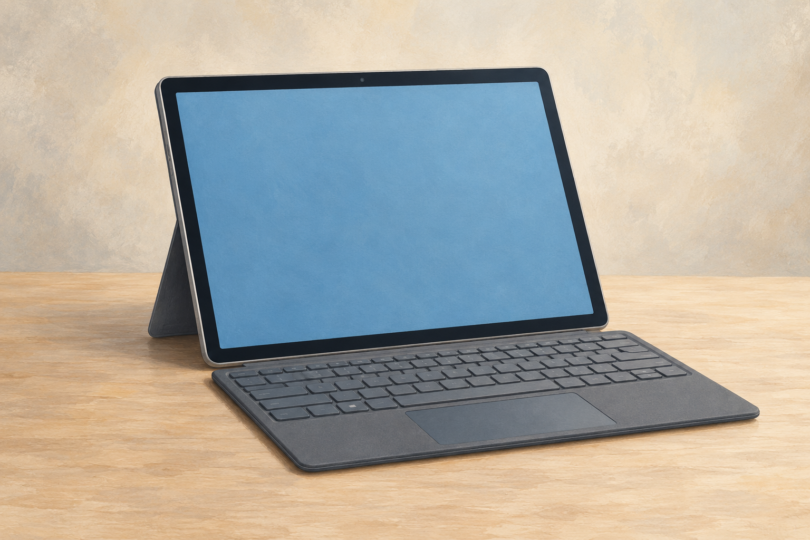
Image note: Generic editorial illustration of a keyboard-equipped tablet; no specific Windows device, software version or endorsement is represented.