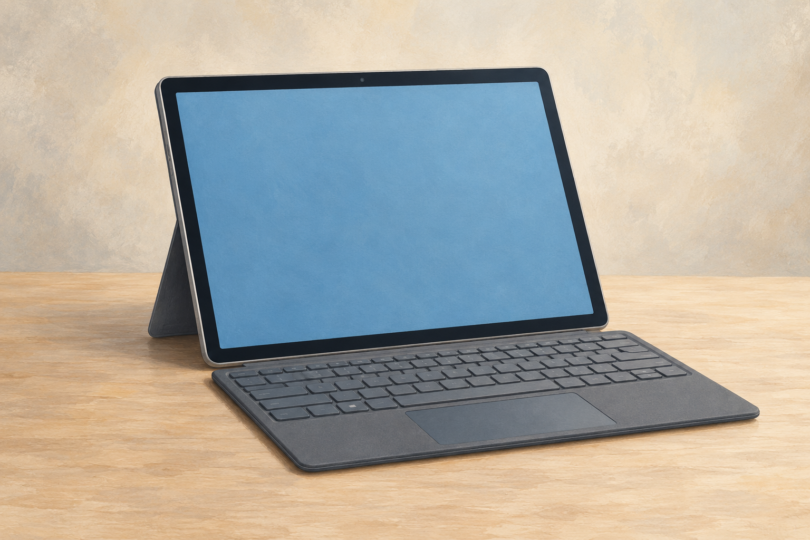

Start with Surface Pro 13-inch (12th Edition) for a general Windows tablet shortlist, and choose its processor around your software. The Snapdragon model is worth considering for mainstream apps after an Arm compatibility check. The Intel business model is the more straightforward candidate when a required application or peripheral specifically needs x86 Windows. A Surface Pro 12-inch is the smaller alternative when carrying size matters more than screen space.
If you arrived while searching for “Windows tablet CNET,” this is MainStreetMobile’s independent buying guide. It does not reproduce CNET’s rankings or claim CNET tested or endorsed these choices. Amazon Fire tablets and Android tablets are excluded because they do not provide the same native Windows desktop environment.
Research checked October 4, 2026. This comparison uses Microsoft product and support documentation, not hands-on testing. Recommendations are based on workflow and documented features; no benchmark, battery-life, price or stock claim is presented as our own measurement.
Three Windows tablet configurations to compare
| Candidate | Best reason to shortlist it | What to verify first |
|---|---|---|
| Surface Pro 13-inch, 12th Edition, Snapdragon | Larger-screen tablet with a detachable Windows writing setup | Arm support for applications, plugins and peripheral drivers |
| Surface Pro for Business 13-inch, 12th Edition, Intel | A workflow that requires Intel/x86-compatible Windows software or hardware | Exact processor, display and business configuration |
| Surface Pro 12-inch, 1st Edition, Snapdragon X Plus | A compact option when comparing remaining first-generation offers | Generation, keyboard compatibility and whether to wait for the announced replacement |
1. Surface Pro 13-inch Snapdragon: a mainstream starting point
Microsoft’s current 13-inch family offers Snapdragon X2 Plus or X2 Elite processors. Its specification comparison lists two USB-C/USB4 ports and Surface Connect. The appeal is the combination of a tablet, pen-capable screen and optional detachable keyboard in one Windows machine. See the current Surface Pro product comparison.
Choose it if: you want tablet flexibility and have confirmed your core software works on Windows on Arm. A larger display gives documents and app controls more room than the 12-inch option, although it also means a larger device to carry.
Main limitation: Windows compatibility must be checked at the application and driver level. The presence of Windows 11 does not guarantee every older plugin, specialist device or game will work. Do not pay for a higher processor tier until the essential workflow is supported.
2. Surface Pro for Business Intel: for specific compatibility needs
The 13-inch Intel 12th Edition is a separate product line. Microsoft lists Intel Core Ultra Series 3 processors, memory options starting at 16GB, and LCD or OLED display configurations. The exact combination depends on the selected configuration. Compare the Intel business model’s specifications directly rather than transferring details from a Snapdragon review.
Choose it if: your software vendor or IT department requires an Intel/x86 Windows device. It is also the logical model to evaluate when an essential peripheral has no Arm-compatible driver. Confirm support with the software or hardware supplier; the processor name alone cannot validate every old program.
Main limitation: “for Business” is not a reason to buy features you do not need. Compare the complete device, keyboard, pen, charger and software total. Check whether your employer requires a particular Windows edition or management configuration before purchasing personally.
3. Surface Pro 12-inch: identify the edition before comparing offers
The first-edition 12-inch Surface Pro is a compact Snapdragon X Plus option. Its matching keyboard is specific to that form factor: Microsoft says 13-inch Surface Pro keyboards are not compatible. The first-edition support page is useful when checking an older listing or accessory bundle.
Choose it if: compact dimensions are your priority and a particular first-edition offer makes sense against the whole market. Main limitation: it is no longer enough for a listing to say “Surface Pro 12-inch.” Microsoft has announced a second edition with Snapdragon X2 Plus, scheduled for October 13, 2026 in select markets. At this article’s October 4 check, that date is still ahead. Read the official announcement and verify the generation and delivery date before ordering.
The new version is an option to wait for, not a device we have tested. Avoid comparing its announced specifications with a first-edition review as though they describe the same machine.
The compatibility check that matters most
Microsoft explains that Windows on Arm can run many x86 and x64 applications through emulation, but hardware and driver-dependent software require compatible drivers. Its Arm FAQ is the starting point, followed by the support pages for your own tools.
- List the actual editor, accounting software, creative plugins, printer, scanner, VPN and accessibility tools you use.
- Check the current version of each, including required extensions and drivers.
- Test representative files, exports and peripherals within a retailer’s applicable return period.
- For work equipment, have IT approve the exact configuration before buying.
Budget for a complete setup
A tablet-only price is not the cost of a typing workstation. Microsoft generally sells Surface keyboards and pens separately, and charger inclusion varies by model and market. Compare the exact bundle contents, a compatible charger, required adapters, software licenses and any cellular plan. A pen is optional if you only type.
Try the kickstand and keyboard on the surfaces where you work. A detachable keyboard may suit a desk beautifully but feel different on a narrow lap or tray table. If you rarely remove the keyboard or use a pen, compare a conventional Windows laptop before paying for tablet flexibility.
Frequently asked questions
Can an iPad or Fire tablet replace a Windows tablet?
They may cover browser-based work, but they use different operating systems. Confirm the exact apps and document features you need. Remote access to another computer is a separate setup with its own costs and limitations.
Does “Surface Pro 12” mean a 12-inch screen?
Not reliably. Listings may blur edition numbers and screen size. Match the full model name, screen size, processor and edition against Microsoft documentation.
Should I buy the highest memory and storage option?
Choose from the requirements of your applications and files. Text documents need a different storage allowance from large media libraries. Extra capacity cannot fix software incompatibility or an uncomfortable keyboard.
Are these CNET’s recommended tablets?
No. These are independently selected configurations for comparison, supported by manufacturer documentation. Use the publication you intended to read if you specifically want its testing or verdict.
Image note: Generic editorial illustration of a keyboard-equipped tablet; no specific Windows device, software version or endorsement is represented.