
The least expensive useful tablet-and-keyboard setup may be a tablet you already own plus a separate Bluetooth keyboard. If you need a new device, compare a Samsung Galaxy Tab A11+ with a compatible keyboard against a Lenovo Chromebook Duet (11-inch, Gen 9) with its folio keyboard. The best value depends on the apps you need and the complete cost.
Do not compare a tablet-only price with a complete keyboard bundle. Add the keyboard, stand or case, any required charger, shipping and tax before deciding which deal is cheaper.
Research checked October 4, 2026, using manufacturer specifications and software-support documentation. We have not tested typing feel, trackpad accuracy, battery life or lap stability. Tablet prices and bundles vary; the keyboard price below is a dated US listing, not a complete-system quote.
Three setups worth comparing
| Setup | Best fit | What to include in the budget | Main compromise |
|---|---|---|---|
| Your existing compatible tablet + Logitech Pebble Keys 2 K380s | Occasional writing with minimum new hardware | Keyboard and a stable stand if needed | Separate pieces; no built-in trackpad |
| Samsung Galaxy Tab A11+ + compatible Bluetooth keyboard | Android apps, notes and routine documents | Tablet, keyboard, stand/case and charging accessories | Mobile apps do not become desktop software |
| Lenovo Chromebook Duet (11-inch, Gen 9) | Browser-based schoolwork and office tasks | Verify folio keyboard, stand and charger in the selected bundle | Compact keyboard and ChromeOS software limits |
The first setup is an accessory upgrade; the other two are new-device options. There is no universal low-price winner without current quotes for the complete configurations.
1. Keep a suitable tablet and add a Bluetooth keyboard
If your current tablet already runs your writing app reliably, start here. The Logitech Pebble Keys 2 K380s in Tonal Graphite was listed at US$39.99 on Logitech’s US store at our research check. Logitech lists compatibility with Android, iPadOS, iOS, Windows and macOS, and switching among three paired devices.
That price buys the keyboard only. You still need a supported tablet and somewhere stable to put it. The K380s does not provide a tablet holder or trackpad, so use touch input or separately budget for a compatible pointing device if necessary.
Why it can save money: a separate keyboard can continue to be useful after replacing the tablet. It also lets you place the screen higher on a stand while keeping the keyboard on the desk.
Tradeoff: it is less convenient to carry several pieces, and you must manage the keyboard’s power separately. Test the language layout, punctuation keys and shortcuts in your actual apps; broad operating-system compatibility does not guarantee identical shortcuts everywhere.
2. Galaxy Tab A11+ with a separate keyboard: the Android route
Samsung’s Galaxy Tab A11+ offers an 11-inch screen and US configurations starting with 6GB memory and 128GB storage. It is a useful model to compare when Android apps already fit your work and you want more screen room than a compact tablet.
Pair it with a keyboard whose manufacturer lists Android support, such as the K380s above, and a stand or folio designed for the exact tablet. Treat the keyboard as a separate purchase unless the chosen seller explicitly includes it.
Tradeoff: a keyboard does not turn an Android app into its Windows or Mac equivalent. Before buying, try a representative document, spreadsheet or website. Check comments, file uploads, printing and any school or employer sign-in requirements.
Be particularly careful with magnetic keyboard covers. A cover for a Galaxy Tab S model is not automatically compatible with a Tab A11+, even if the screen sizes look similar. Matching a Bluetooth connection is different from matching a physical case or electrical connector.
3. Lenovo Chromebook Duet: a detachable for browser-based work
The Lenovo Chromebook Duet Gen 9 is a ChromeOS detachable. Lenovo’s 11M889 specification sheet lists a 10.95-inch 1920 × 1200 display, a detachable non-backlit keyboard with touchpad, and a folio stand. It identifies 4GB and 8GB memory options; the memory is not upgradeable.
This is worth comparing when your work primarily lives in a browser and you want a keyboard-and-pointer arrangement designed for the device. Prefer the 8GB configuration if your expected workload involves several tabs and documents, but compare the actual price difference instead of assuming it is always a bargain.
Tradeoff: this is not a Windows tablet. Microsoft’s Chromebook guidance directs users to Microsoft 365 on the web and says Windows and Mac desktop Office versions cannot be installed on a Chromebook. Check required features before buying for coursework or business.
Google’s automatic-update policy lists June 2034 for “Chromebook Duet (11-inch, 9).” Other Duet generations have different dates. Match the full model name, and verify that a used or open-box offer includes the keyboard, stand and suitable charger.
Bluetooth keyboard or fitted keyboard case?
Choose Bluetooth for flexibility. It can work independently of the tablet’s position and may survive a future device upgrade. Check its supported operating systems, battery type and reconnection behavior.
Choose a fitted case for carrying convenience. It keeps the screen and keys together, but compatibility becomes more exacting. Match the tablet model, generation, physical dimensions and connector. A detachable connector-powered keyboard may stop working when removed; “detachable” does not necessarily mean wireless.
For either style, try the complete arrangement on the surface you normally use. A rear kickstand can need more depth than a laptop hinge, which matters on a small desk, train tray or lap.
Build the real budget
- Hardware: tablet, keyboard, stand or fitted case, charger, pointing device and any essential adapter.
- Software: document-editing subscriptions, cloud storage and required paid apps.
- Purchase costs: tax, shipping and any visible return or restocking conditions.
- Used-device risks: battery condition, missing accessories, account locks and remaining updates.
Compare that figure with a basic laptop or Chromebook. If the keyboard, case and adapters erase the tablet’s saving, a conventional laptop may be the simpler typing purchase. A tablet still has an advantage when you genuinely want to remove the keyboard for reading or entertainment.
A five-minute compatibility test before committing
- Open the app or website you use most and create a short document.
- Type punctuation and accented characters, then try copy, paste, undo and text selection.
- Attach a file, download the result and reopen it in the intended app.
- Test the pointer or touch controls with menus, spreadsheet cells and a video call.
- Check charging and the setup’s stability while the keyboard is in use.
Use a return window to extend this into a normal work session. We cannot infer typing comfort from a product photo or a claimed key-travel measurement.
Frequently asked questions
Does “tablet with keyboard” mean the keyboard is included?
Not always. Product photographs often show optional accessories. Read the selected offer’s package contents and confirm both the keyboard and rear stand are included if the design uses separate parts.
Can a cheap bundle replace a laptop?
For routine writing and compatible web apps, possibly. For desktop-only software, complex spreadsheets or specialized exam tools, verify requirements first. More RAM does not solve an operating-system mismatch.
Which setup should I try first?
Upgrade an existing suitable tablet if you have one. Otherwise compare the complete Galaxy Tab A11+ Bluetooth setup with the exact Chromebook Duet bundle. Let app compatibility, keyboard comfort and total cost decide.
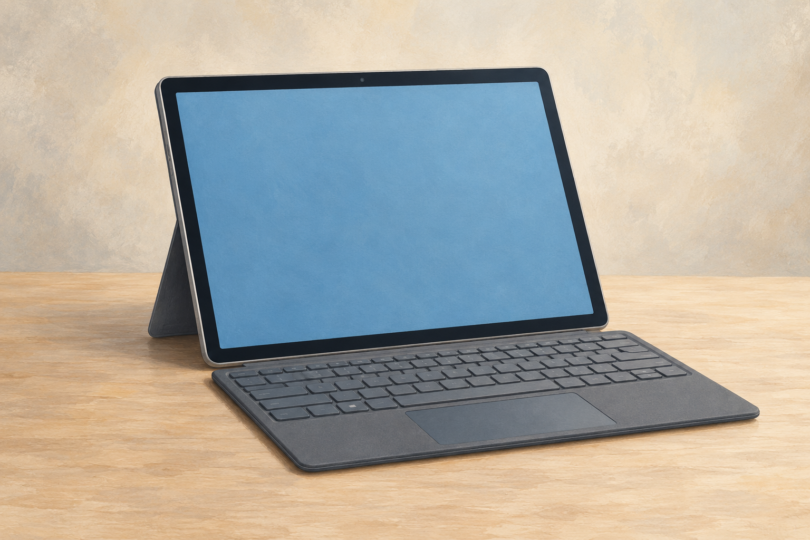
Image note: Generic editorial tablet-and-keyboard illustration; it does not identify a model, included bundle, operating system or current price.