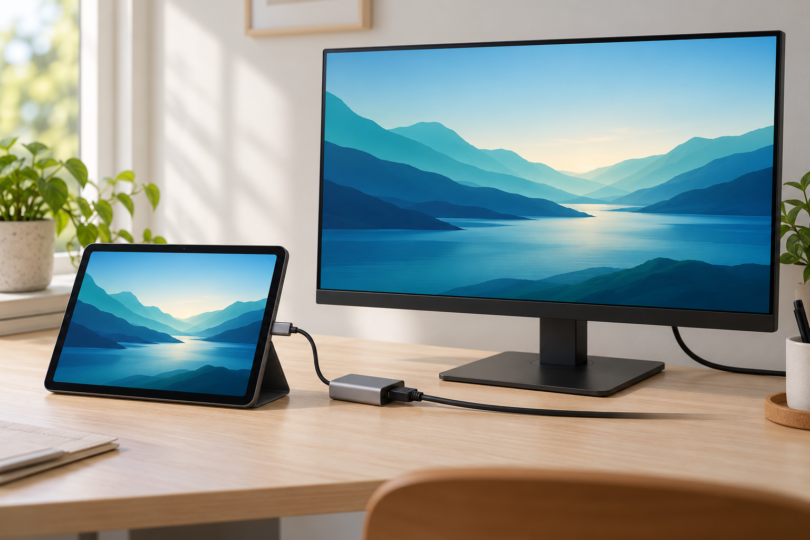

The best tablet with HDMI depends on whether you want an HDMI socket on the tablet itself or are happy to use a USB-C adapter. The ASUS ROG Flow Z13 GZ302EA-DS96 has a full-size HDMI output. The Samsung Galaxy Tab S11 is an Android option with documented wired display support through USB-C. The 11-inch iPad Air with M2 is an older iPad option that supports HDMI through an adapter.
Check the direction of the connection before buying. HDMI output sends the tablet’s picture to a TV or monitor. HDMI input lets another device send its picture to the tablet. They are not interchangeable, and a USB-C charging port alone does not establish video-output support.
Our tablet shortlist for HDMI output
- For a built-in HDMI socket: ASUS ROG Flow Z13 GZ302EA-DS96, Windows 11 Home, 32GB RAM and 1TB SSD.
- For Android and an external workspace: Samsung Galaxy Tab S11, 11-inch, Wi-Fi, 128GB, Gray, SM-X730NZAAXAR. Requires a compatible USB-C-to-HDMI connection.
- For an older iPad bought refurbished: iPad Air 11-inch M2. The exact Apple refurbished configuration checked is Wi-Fi, 256GB, Blue, FUWH3LL/A; that particular listing was unavailable when checked.
1. ASUS ROG Flow Z13: choose it for native HDMI
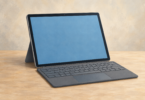
The ROG Flow Z13 GZ302EA-DS96 is a Windows detachable rather than a conventional Android or iPadOS tablet. The selected US configuration has 32GB RAM, a 1TB SSD and Windows 11 Home. Its integrated kickstand and detachable keyboard suit a desk setup.
The important distinction is the full-size HDMI 2.1 output. You can connect it to a display’s HDMI input using an appropriate HDMI cable without first adding a USB-C adapter. ASUS also documents USB4 Type-C ports with DisplayPort support, giving it another wired display route.
Why choose it: you want Windows applications and a physical HDMI port in the tablet portion of a detachable computer.
What to check: buy by the full GZ302EA-DS96 model number. Earlier Flow Z13 generations have different port arrangements. This is a gaming-oriented Windows computer, so consider whether its size and cost make sense for your actual task before choosing it simply to avoid a dongle.
2. Samsung Galaxy Tab S11: the Android option
The Galaxy Tab S11, 128GB, Gray, Wi-Fi is the selected 11-inch model, SM-X730NZAAXAR. It has no full-size HDMI socket; the connection runs from USB-C through a compatible HDMI adapter or cable to the external display.
Samsung lists the Tab S11 series in its wired DeX compatibility guide. That guide explains the USB-C-to-HDMI connection and how to switch into the DeX desktop interface. This is an Android workspace, so the applications and window behavior still depend on Android and Samsung’s software.
Why choose it: you want an Android tablet that can connect to a monitor for a keyboard-and-mouse workspace.
What to check: the HDMI adapter is an additional purchase. Do not apply this recommendation to every Samsung tablet with USB-C. Samsung explicitly excludes the Tab S9 FE and Tab S10 FE series from HDMI output, even though similarly named non-FE models support it.
3. iPad Air 11-inch M2: an older refurbished option
The 11-inch iPad Air with M2 has native DisplayPort output over USB-C, and Apple documents HDMI output through an adapter sold separately. It does not have a built-in HDMI socket.
For an exact model reference, Apple’s refurbished Wi-Fi 256GB Blue listing identifies part FUWH3LL/A. It was unavailable when checked, so treat it as a configuration to look for, not a promise of a purchasable unit. The M2 version is an older generation; compare any refurbished offer with newer models and confirm condition, warranty and price.
Why consider it: you already use iPad apps and find a suitable refurbished M2 offer. HDMI support is documented for this exact iPad generation.
What to check: the adapter, cable and display must support the resolution you want. Apple’s maximum external-display specification does not mean every HDMI adapter can deliver that resolution. App behavior also determines whether you get mirroring or a separate external workspace.
A common trap: HDMI input on the Lenovo Yoga Tab 13
The older Yoga Tab 13 has a micro-HDMI port, but Lenovo’s official specification sheet identifies it as micro-HDMI input. That port lets the tablet receive a picture from another device. It is not an HDMI output for sending the tablet’s own screen to a TV.
How to choose the connection
Read the tablet specification before buying an adapter
For USB-C, look for explicit video-output support, such as DisplayPort Alt Mode over USB-C or a manufacturer-documented HDMI adapter connection. USB-C describes the connector shape; it does not guarantee video. A port that supports only charging and data will not gain standard wired video output from a passive adapter.
Match the complete chain
Choose the tablet, adapter if needed, HDMI cable and display input together. Check resolution and refresh-rate support at every step. If you want to charge the tablet while using a USB-C display adapter, check that the chosen hub supports power pass-through and that its power requirements match your charger.
Separate mirroring from an extended desktop
Sending a picture to a monitor does not guarantee that every application behaves like a desktop program. Verify the mode and apps you need before a presentation or an important work session. Streaming-service playback can also depend on the app and the connected equipment.
Choose the Flow Z13 when a native HDMI socket and Windows are the priority. Choose the Tab S11 for a documented Android-to-monitor setup. Consider the older M2 iPad Air when a suitable refurbished offer and your preferred iPad apps make it the better purchase.