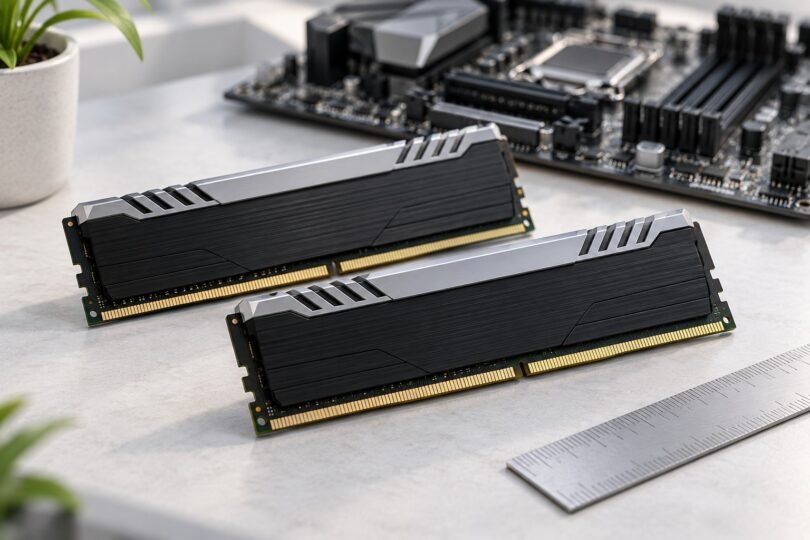

Corsair Dominator Platinum DDR3 is a family of older desktop memory kits, so the right purchase starts with the exact part number and your PC’s requirements. A listing that says only “Dominator Platinum” is not enough: the name also appears on newer memory generations. DDR4 and DDR5 modules cannot replace DDR3 in a DDR3 slot. Corsair explains the different layouts in its memory compatibility FAQ.
For an existing DDR3 PC, prioritize a complete matched kit with the capacity, voltage and physical clearance your system supports. Use the historical examples below to identify a listing, then check the motherboard manual and processor specifications before buying.
Which Dominator Platinum kits are actually DDR3?
The following examples come from Corsair’s June 2012 launch specifications. They identify particular kits; they are not a list of currently available offers. Corsair listed these DDR3 models with XMP 1.3 support.
| Exact kit part number | Total capacity and modules | Rated data rate | Listed timings | Listed voltage |
|---|---|---|---|---|
| CMD16GX3M2A1600C9 | 16 GB: 2 × 8 GB | DDR3-1600 | 9-9-9-24 | 1.5 V |
| CMD16GX3M2A1866C9 | 16 GB: 2 × 8 GB | DDR3-1866 | 9-10-9-27 | 1.5 V |
| CMD16GX3M4A1866C9 | 16 GB: 4 × 4 GB | DDR3-1866 | 9-10-9-27 | 1.5 V |
| CMD16GX3M4A2400C9 | 16 GB: 4 × 4 GB | DDR3-2400 | 9-11-11-31 | 1.65 V |
The two 1866 kits illustrate an easy mistake: both total 16 GB, but one contains two modules and the other four. The 2400 kit also has a different voltage requirement. Do not apply one row’s specifications to a similar-looking part number, a later revision or a loose module sold separately.
Read the label before trusting the listing title
Ask for a clear photograph of the label on every included module. Then compare it with the seller’s title, selected variant and description. Using CMD16GX3M2A1866C9 as an example:
- 16G identifies the kit’s total 16 GB capacity, not the capacity of each stick.
- X3 identifies the DDR3 generation.
- M2 means the kit contains two modules, giving 8 GB per module in this example.
- 1866 identifies the rated transfer rate; it does not promise that every PC will run it at that setting.
- C9 identifies CAS latency, one part of the complete timing specification.
This follows Corsair’s part-number guide. Record the separate version number too: Corsair says kits sharing a part number can use different memory chips, identified by the version on the label. A seller offering one 8 GB stick from a 16 GB kit has not offered the complete 16 GB kit.
Check compatibility in this order
1. Motherboard and memory format
Find the full motherboard model and revision, or the complete system model for a prebuilt PC. Its manual should specify the supported memory generation, module type, maximum total capacity, capacity per slot and slot population rules. These are desktop DIMM kits; do not substitute them for a laptop’s smaller SO-DIMMs. The number of sticks in a package also does not establish how many memory channels your CPU and motherboard support.
Look up the board’s qualified vendor list, usually called the QVL. Search for the complete kit part number, then read any version, module-count and slot-configuration notes. ASUS’s QVL lookup guide shows where to find these lists. A listed configuration is useful validation evidence; an unlisted kit needs further checking rather than an assumption that a near-matching number is equivalent.
2. CPU limits, speed and voltage
The memory controller in the processor matters as well as the motherboard. For example, Intel lists the Core i7-3770 with DDR3-1333/1600 support, two memory channels and a 32 GB maximum dependent on memory type. Those specifications do not guarantee DDR3-1866 or DDR3-2400 operation merely because a kit has that rating.
Check the permitted memory voltage for your exact platform. A 1.65 V performance profile needs a different compatibility check from a 1.5 V profile. If your system requires low-voltage memory, verify that requirement explicitly; a DDR3 family name alone does not establish suitable voltage. Choose capacity and stable supported settings before paying extra for a higher rated speed.
3. Cooler clearance
Corsair’s DDR3 dimensions table lists Dominator Platinum CMD modules as 135 mm long, 7 mm wide and 55 mm high. This is a tall heat-spreader design. Compare that height with the cooler manufacturer’s RAM-clearance specification, including an overhanging fan.
If the cooler permits raising its fan, check whether the raised position still fits under the case’s side panel. A kit that satisfies electrical requirements can still be a poor fit for a compact build.
What XMP does, and why the speed may look wrong
XMP is a stored performance profile that the motherboard must support and apply. It does not change the memory generation or remove CPU, voltage and board limits. The part-number rating and the settings used on first boot can differ, so check your exact kit’s SPD information and the current BIOS settings instead of assuming a universal default speed.
Also check what a monitoring program is reporting. DDR means double data rate, so a memory clock near 800 MHz corresponds to a DDR3-1600 effective transfer rate. The clock reading and the advertised transfer rate describe different quantities. Corsair’s rated-speed explanation illustrates this distinction with newer DDR memory; use your own DDR3 motherboard manual for the applicable BIOS controls.
Start by confirming that the complete kit is detected at the board’s default settings. Only enable a performance profile after checking that its speed and voltage suit the platform. If a setting causes errors or prevents reliable booting, use the motherboard’s documented recovery procedure and return to stable settings. Do not increase voltage blindly to make a seller’s advertised speed work.
Buying a used kit: what to verify
- What is included: confirm the number of actual memory modules and the total usable capacity. Packaging, cooling accessories and lighting-only modules are not extra RAM.
- Matching labels: compare the full part and version numbers across the kit. Ask whether the modules came from one original kit.
- Condition: inspect photographs for damaged contacts, damaged circuit boards or loose heat spreaders.
- Return terms: choose terms that leave time to check recognition and stability in your own PC. Ask what happens if a module is faulty or the supplied item differs from the listing.
- Evidence of operation: a seller’s memory-test result is useful context, but it cannot establish compatibility with your particular system.
Prefer one complete kit at the required capacity. Corsair advises against combining separate kits, even when their speed ratings match, because rated performance is validated with the modules supplied together. Buying two visually identical pairs is not the same as buying one validated four-module kit.
Is Dominator Platinum DDR3 worth buying?
It can make sense for maintaining a compatible older desktop or completing a period build. For a practical upgrade, compare the asking price and return terms with other complete DDR3 kits that meet the same capacity, voltage and clearance requirements. The premium heat spreader is not a reason to compromise compatibility.
If your PC already has enough RAM for your workload, do not assume that replacing it with a faster-rated Dominator kit will produce a noticeable improvement. If you are planning a newer motherboard and CPU, choose memory for that platform rather than carrying a DDR3 purchase into the plan.
Common questions
Can I use Dominator Platinum DDR4 or DDR5 instead?
No. Buy the memory generation specified by the motherboard. Similar branding and capacity do not make the generations interchangeable.
Does a “16 GB” label mean each stick is 16 GB?
Not necessarily. The examples above include both 2 × 8 GB and 4 × 4 GB kits totaling 16 GB. Confirm the full kit number and how many modules the seller will actually supply.
Will every Dominator Platinum DDR3 kit work at its advertised speed?
No universal guarantee follows from the kit rating. Check your processor, motherboard, BIOS support, voltage and module configuration. Treat historical manufacturer specifications as identification information, not proof of compatibility with an unspecified PC.