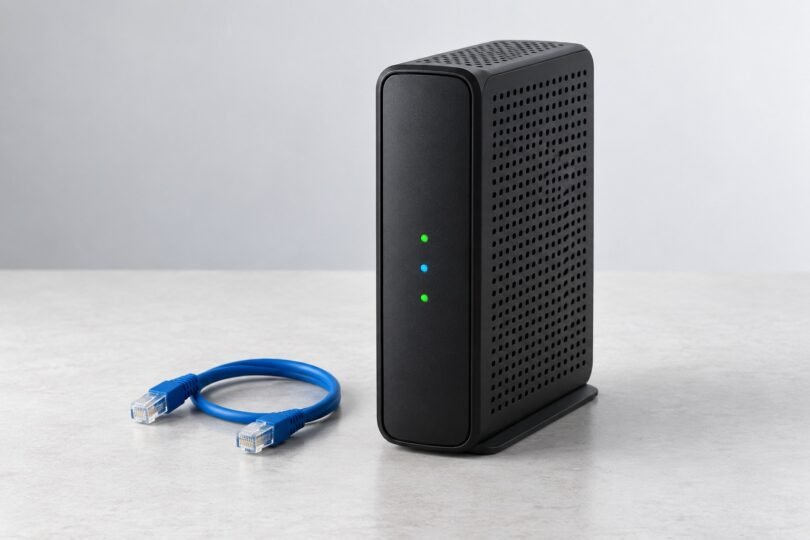

The Hitron CGNM-2250 is a DOCSIS 3.0 cable gateway that combines a cable modem, Wi-Fi router and four-port Ethernet switch. If you already have one, the useful questions are whether your internet provider still supports your particular unit and whether the connection problems come from the cable service or your home Wi-Fi. If you are shopping for one, confirm activation eligibility before spending money.
Our recommendation is to keep a working, provider-supported unit only while it meets your service and coverage needs. For a replacement purchase, start with your provider’s current approved-device list. An old CGNM-2250 listing, a familiar Hitron logo or an archived setup guide does not establish present-day approval.
Hitron CGNM-2250 specifications: what the numbers mean
Hitron’s CGNM-2250 product page places this model in its support-only section. Its manufacturer datasheet documents the following hardware capabilities.
| Feature | CGNM-2250 specification | Buying implication |
|---|---|---|
| Cable standard | DOCSIS 3.0; 24 downstream and 8 upstream bonded channels | It is an older cable platform, not a DOCSIS 3.1 gateway. |
| Published cable data rates | Up to 960 Mbps downstream and 240 Mbps upstream | These are technical ceilings, not a promised internet plan or measured household result. |
| Wi-Fi | 3×3 802.11n on 2.4 GHz and 3×3 802.11ac on 5 GHz | Dual-band Wi-Fi with internal antennas; no Wi-Fi 6 or 6 GHz capability is specified. |
| Ethernet | Four 10/100/1000 Mbps RJ-45 ports | Useful for wired devices; these are gigabit ports, not multi-gigabit ports. |
| Other connections | Coaxial RF connector and two USB 2.0 host ports | Confirm which USB features your provider actually enables. |
The datasheet’s 450 Mbps and 1,300 Mbps Wi-Fi figures describe radio PHY rates. Adding them together does not give the download speed of one phone or laptop. Protocol overhead, the client’s radio, signal quality and competing traffic all affect usable throughput.
Check the complete model number, including the last digit
Read the label on the actual gateway. A listing headed “Hitron CGNM” is not enough to identify a CGNM-2250, CGNM-2252 or another variant. Ask for a clear label photograph rather than relying on a stock product image.
Provider instructions also vary. Rogers together with Shaw documents the CGNM-2250, while Sparklight’s Wi-Fi help page names the CGNM-2252. Those are different model references. Do not transfer login credentials, firmware files, accessories or activation claims between them simply because the cases look similar.
For the same reason, this guide does not assign the CGNM-2250 the specifications or software features of newer CODA gateways. Check the exact model, hardware revision and provider together.
Will a purchased CGNM-2250 work with your ISP?
Get an answer for your service address and speed tier before buying. Ask the provider whether it permits customer-owned gateways, whether this exact model is eligible for new activation, and whether a previously used unit can be provisioned on your account. Also ask about any voice or television services bundled with your connection.
Current requirements can be stricter than old support articles. For example, Sparklight’s residential supported-modem page now requires DOCSIS 3.1 or higher for customer purchases. The DOCSIS 3.0 CGNM-2250 does not meet that published requirement. A retained guide for an older modem is not evidence that the provider will newly activate it.
Used equipment deserves extra checks. Have the seller confirm ownership, included power supply, condition and return terms. Then have the ISP check any equipment/account restrictions through its official support channel. A seller’s “compatible with cable internet” statement is too broad to settle those questions.
Firmware and support: contact the provider first
Hitron’s current support policy directs customers with ISP-supplied devices to their internet provider for technical support, troubleshooting and warranty questions. Retail support eligibility has separate purchase-channel requirements; do not assume a secondhand provider gateway qualifies.
Ask the ISP to identify the approved firmware version for your CGNM-2250 and confirm whether it still receives relevant maintenance and security updates. Hitron’s firmware explanation for its CODA cable modems describes provider-tested, remotely distributed updates. It does not establish a current firmware version or support commitment for the CGNM-2250.
An accessible product page is not a security-support guarantee. Avoid unofficial firmware downloads or instructions to install software intended for a different Hitron model. If the provider cannot confirm continued support, ask which replacement it will activate.
Separate cable-service trouble from Wi-Fi trouble
A useful diagnosis compares like with like. Note whether every device disconnects, whether only one room is affected, and whether wired devices lose service at the same time. Record when the problem occurs and what the gateway’s indicators show. That gives support something more specific than “the internet is slow.”
Where practical, compare a wired device with a nearby Wi-Fi device while other large transfers are paused. Treat the results as troubleshooting observations, not a guarantee of the gateway’s maximum performance. A slow client, cable, Ethernet adapter or busy test server can affect the result.
Rogers’ model-specific guide explains that the Ethernet indicator showing a 1,000 Mbps connection refers to the connected device’s link capability. It does not verify a gigabit internet subscription or gigabit download throughput. Check your subscribed plan separately.
For a Wi-Fi-only issue, try a central, open placement rather than a closed cabinet or the floor behind furniture. Hitron’s speed and placement guidance also distinguishes coverage from the limits of the purchased internet plan.
Login, passwords and resets
Use your provider’s instructions for the exact gateway. Rogers lists 192.168.0.1 for its CGNM-2250 setup, but access details can depend on configuration. Consult the device label and your ISP instead of assuming an internet password list applies to every unit.
Your Wi-Fi password and the gateway’s administrative login serve different purposes. Do not post either publicly when asking for help. If access fails, confirm that you are connected to the intended home network and ask support which management address and credentials apply.
Do not make a factory reset the first troubleshooting step. It can remove customized network names and settings, disrupting devices that depend on them. Ask the provider what the reset changes and how service will be restored before proceeding. This is especially important for a business connection or a network configured by someone else.
Should you add a router or replace the gateway?
If the cable connection is stable but coverage is poor, ask about using a separate access point or router. Have the ISP confirm whether bridge mode is available and appropriate for your specific service. Plan which device will handle routing and Wi-Fi before changing settings; connecting another router without that plan can introduce avoidable configuration problems.
If the unit is unsupported, cannot be activated, or does not meet your provider’s requirements, replacement is the more useful path. Choose from the current approved list and check whether the replacement includes Wi-Fi. A standalone cable modem may need a separate router, while a combined gateway includes both functions.
Frequently asked questions
Is the CGNM-2250 a router or a modem?
It combines both functions with dual-band Wi-Fi and a four-port Ethernet switch. Which features you can configure depends on the provider’s software and service setup.
Does it support DOCSIS 3.1 or multi-gigabit Ethernet?
No. The published specification is DOCSIS 3.0 with gigabit Ethernet ports. A firmware update should not be expected to turn those hardware interfaces into newer standards.
Is a cheap used unit a good buy?
Only after the provider confirms activation and ongoing support for that exact unit and the seller offers acceptable condition and return terms. Without those checks, even a low price can buy equipment you cannot use.