The best stylus for a tablet depends first on compatibility. An iPad-specific active stylus can provide palm rejection, tilt support, and much better precision than a universal capacitive stylus, while a passive stylus works on far more devices but behaves more like a finger.
Before buying, check your exact tablet model and generation. Stylus support can vary even between devices that look nearly identical.
5 best tablet styluses in 2026
1. Apple Pencil (USB-C) — best official iPad value
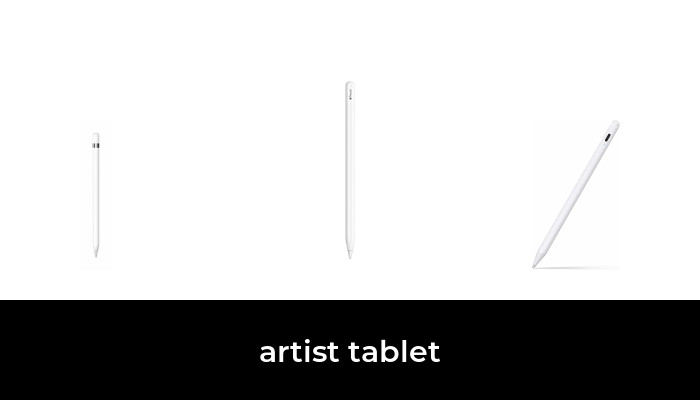
The USB-C Apple Pencil is an official option for notes and light sketching on compatible iPads. It supports tilt sensitivity and palm rejection, but does not support pressure sensitivity or wireless charging. A USB-C cable handles pairing and charging; the magnetic attachment is for storage. Check Apple’s feature comparison if pressure-sensitive art is your priority.
It requires iPadOS 17.1.1 or later. Apple’s compatibility list includes iPad (10th generation/A16), iPad mini (6th generation/A17 Pro), iPad Air (4th/5th generation and 11/13-inch M2/M3/M4), iPad Pro 11-inch (1st–4th generation and M4/M5) and iPad Pro 12.9-inch (3rd–6th generation) or 13-inch (M4/M5).
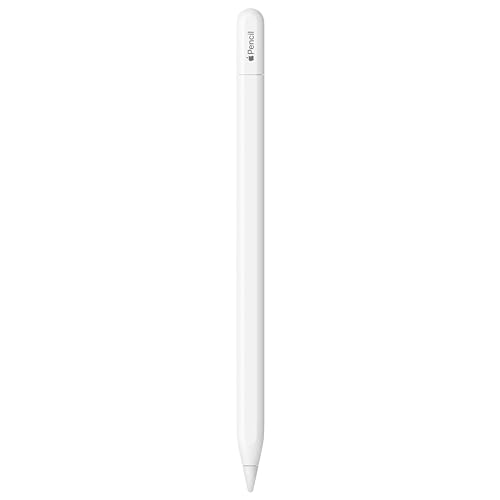
Apple Pencil USB-C — Tilt Support, No Pressure Sensitivity
As an Amazon Associate we earn from qualifying purchases.
2. Apple Pencil (2nd Generation) — best for compatible older premium iPads
The second-generation Apple Pencil supports pressure sensitivity and magnetic pairing/charging on its compatible iPads. Its compatibility is narrower than the USB-C model: iPad mini 6, iPad Air 4/5, iPad Pro 11-inch 1st–4th generation, and iPad Pro 12.9-inch 3rd–6th generation. It does not work with the redesigned M4/M5 iPad Pro, M2/M3/M4 iPad Air, A17 Pro iPad mini or base iPad models. Verify your model in Apple’s matrix before buying.

3. Metapen A8 — best third-party iPad value
The Metapen A8 is a popular lower-cost iPad stylus with palm rejection, magnetic attachment, and USB-C charging. It is a strong choice for note-taking and general handwriting when you do not need every Apple Pencil feature.

4. JAMJAKE Active Stylus — best budget active iPad stylus
JAMJAKE’s active stylus is one of the most widely purchased Apple Pencil alternatives. It targets iPads from 2018 onward and focuses on fast charging, palm rejection, and basic tilt-aware writing and drawing.

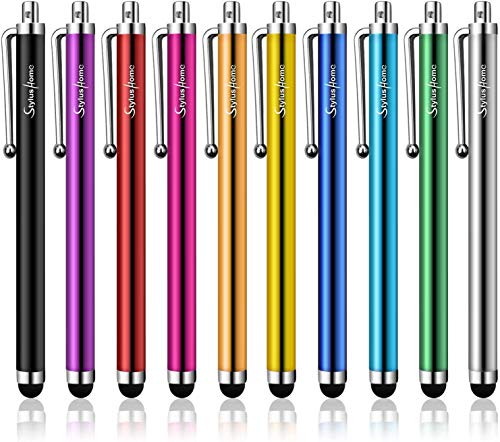
5. StylusHome Universal Capacitive Stylus — best universal budget option
If you need something that works across iPads, Android tablets, phones, and other capacitive touchscreens, a passive stylus is the safest compatibility choice. The trade-off is that it does not provide the advanced pressure, palm-rejection, or device-specific features of an active pen.
How to choose a tablet stylus
Compatibility comes first
Do not assume every active stylus works with every tablet. Check the exact model number and generation before ordering.
Active vs. passive
Active pens can support features such as palm rejection, tilt, shortcuts, and more precise input. Passive capacitive pens are simpler and broadly compatible but usually lack those advanced features.
For drawing, use the tablet maker’s supported pen when possible
Artists benefit most from low latency, precise tracking, and supported pressure or tilt features. Official or fully compatible active styluses are worth the extra cost for serious drawing.
For note-taking, third-party active pens can offer better value
If your priority is handwriting rather than professional art, a lower-cost active stylus such as the Metapen or JAMJAKE can be sufficient.
Which tablet stylus should you buy?
For compatible iPads, start with the Apple Pencil (USB-C) for official support at a lower price. Choose the Metapen A8 or JAMJAKE if value matters more than full Apple integration. For mixed-device households, a universal passive stylus is the safer compatibility choice.