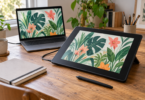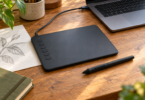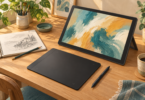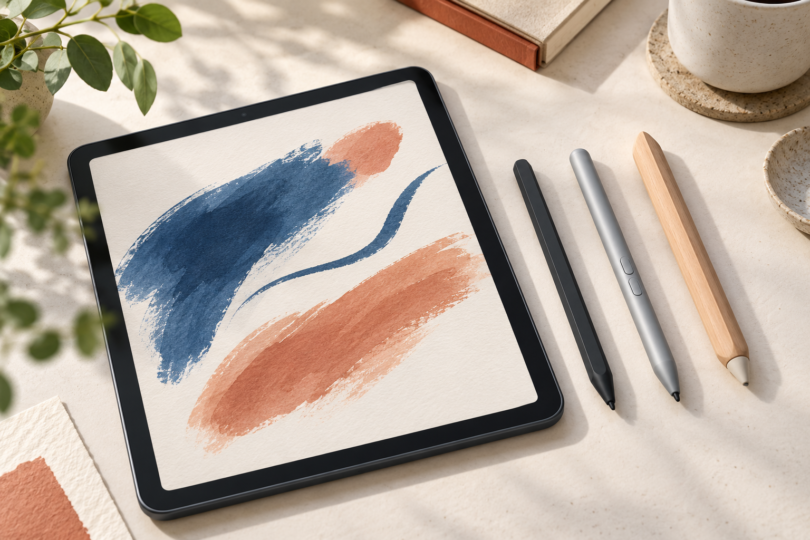

The best Windows stylus is the one that matches your computer’s pen hardware. Start with Surface Slim Pen 2 for a supported Surface setup, Wacom Bamboo Ink 2nd generation for a confirmed Wacom AES or Microsoft Pen Protocol device, or STAEDTLER Noris digital jumbo for a compatible EMR screen. Windows 10 or Windows 11, a touchscreen and Bluetooth do not by themselves establish pen compatibility.
These three choices serve different devices and preferences. The recommendations below are based on manufacturer specifications and compatibility information, not hands-on testing or a measured handwriting-quality ranking.
Three Windows styluses to consider
| Stylus | Best fit | Power | Main limitation |
|---|---|---|---|
| Microsoft Surface Slim Pen 2, matte black | A Surface model listed by Microsoft | Rechargeable; compatible charging device or accessory required | Tilt and tactile feedback depend on the Surface model and app |
| Wacom Bamboo Ink 2nd gen, CS323AG0A | Note-taking on a confirmed AES or MPP device | Replaceable AAAA alkaline battery | No tilt support; check the exact computer against Wacom’s guidance |
| STAEDTLER Noris digital jumbo, 180J 22-1 | Pencil-style writing on a listed EMR device | No battery or charging | EMR compatibility and eraser support must be checked separately |
1. Surface Slim Pen 2: best for a supported Surface setup
Surface Slim Pen 2 is the natural first model to compare if you own a compatible Surface and want integrated storage or charging. Microsoft also refers to it as Surface Slim Pen or Surface Slim Pen (2nd Edition), so check the generation when comparing listings. The pen has a side button and a top button with eraser functionality; its official product specifications list a rechargeable lithium-ion battery and 4,096 pressure levels.
Compatibility: Microsoft’s pen-and-device matrix lists Surface Pro 8, Surface Pro 9 and Surface Laptop Studio 2 with tilt and tactile signals. Tactile signals require Windows 11 and supported apps. Surface Pro X is listed with tilt but without tactile signals. Do not extend these features to every Surface: Surface Laptop 7th Edition and Surface Laptop Go models are listed as incompatible with these pens.

Microsoft Surface Slim Pen 2 (Matte Black)
As an Amazon Associate we earn from qualifying purchases.
Check before buying: the pen needs a compatible charging location. Examples include Surface Laptop Studio’s charging area, a compatible Surface Pro Signature Keyboard or a separate Slim Pen Charger. Follow Microsoft’s charging-accessory guide; a pen-only purchase should not be assumed to include a charger.
For a non-Surface laptop, check its manufacturer’s MPP support and supported pen models first. Microsoft’s cross-device guidance identifies this Slim Pen generation as MPP v2.6 and tells buyers to match the device’s protocol. Bluetooth pairing alone does not settle that check.
2. Wacom Bamboo Ink 2nd generation: best for compatible AES/MPP note-taking
The gray Bamboo Ink CS323AG0A is worth comparing when your pen-enabled computer is confirmed compatible and you prefer a replaceable battery. Wacom specifies both Wacom Active ES, commonly called AES, and Microsoft Pen Protocol support. Its exact second-generation model page explains that holding both side switches for two seconds changes protocol mode.
What you get: a cylindrical aluminum pen with two side switches, an AAAA alkaline battery and up to 4,096 pressure levels, depending on the device. Wacom’s specification page explicitly lists no tilt and no Bluetooth for this model. It does not use a charging dock or USB charging cable.
Check before buying: use the tested-device database linked by Wacom and your computer maker’s guidance to confirm the precise laptop model and display option. A family name such as Yoga, Spectre or XPS is too broad. If your configuration is not clearly covered, get model-specific confirmation before ordering.
This is a sensible shortlist choice for notes and document markup when tilt shading is unnecessary. Make sure the listing says CS323AG0A or the correctly documented regional equivalent; the original Bamboo Ink and Bamboo Ink Plus have different controls and features.
3. STAEDTLER Noris digital jumbo: best for a pencil-style EMR option
The Noris digital jumbo 180J 22-1 has a thick triangular body and a digital eraser at the end. Its manufacturer fact sheet specifies EMR technology, 4,096 pressure levels and operation without a battery, charging or pairing. This is the choice here to investigate if you want a pencil-like grip and a battery-free pen.
Compatibility: STAEDTLER’s device list includes the Samsung Galaxy Book Pro 360 in 13.3-inch and 15.6-inch versions. The maker also warns that some computer models have different display configurations, with and without EMR. Check the exact configuration rather than treating every Galaxy Book or every EMR-branded product as interchangeable.
Check before buying: eraser behavior depends on the app and device; the compatibility list marks models with eraser restrictions. A stated writing-angle range is not, by itself, a promise of tilt-controlled shading. If tilt or a particular shortcut is essential, verify that function with the device and app you use. See the Noris digital model comparison to distinguish the jumbo with eraser from the classic version.
How to check a stylus before ordering
- Find your computer’s full model number. Include its generation and display configuration. Touch support and pen support are separate capabilities.
- Identify the pen system. MPP, Wacom AES and Wacom EMR are different technologies. A dual-protocol pen only helps with the protocols it actually supports.
- Match the exact pen model. Similar names and bodies can hide different generations, buttons, batteries and tilt support.
- Check the functions you will use. Pressure sensitivity, tilt, palm rejection, erasing and haptic feedback can depend on both hardware and software. A large pressure-level number does not establish better handwriting by itself.
- Include the practical extras. Verify the charging method, battery type, replacement nibs and seller return terms before purchasing.
Which Windows stylus should you buy?
For a supported Surface with the right charging accessory, start with Slim Pen 2. For compatible AES/MPP note-taking with a replaceable battery, compare Bamboo Ink CS323AG0A. For a listed EMR screen and a thicker pencil-style grip, compare Noris digital jumbo. If you cannot confirm your screen’s pen system, resolve that first; none of these is a universal Windows-tablet pen.