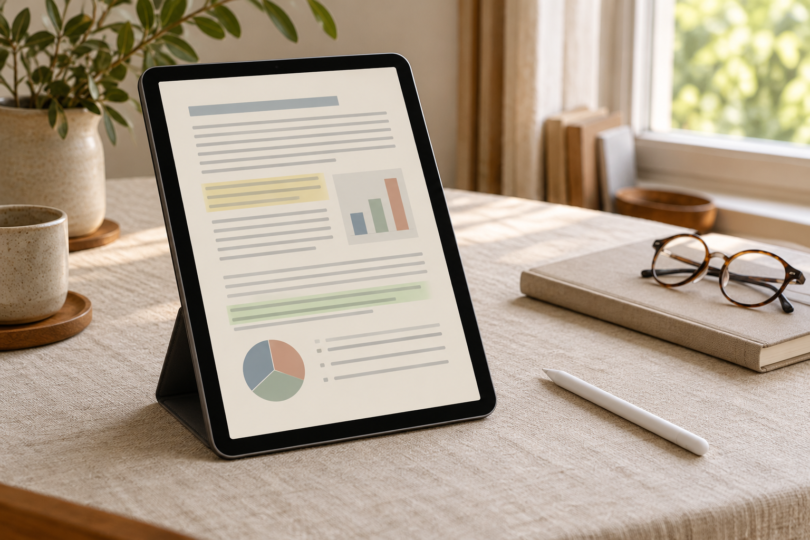

The Apple iPad A16 is our pick for reading PDFs when you also need a browser, file-management tools and a choice of apps. The reMarkable Paper Pro is the alternative for a larger E Ink page and handwritten document review. Choose the iPad for flexibility; choose the Paper Pro when your work can stay within its focused PDF and EPUB workflow.
We compared documented screens, storage, annotation and file-transfer options. These are feature-based recommendations, not hands-on tests of document loading, handwriting delay, battery life or reading comfort.
Two tablets for reading and marking up PDFs
| Pick | Screen | Selected storage and pen | Main tradeoff |
|---|---|---|---|
| Apple iPad A16, 128GB Wi-Fi, Silver | 11-inch marketed size; 10.86-inch rectangle; 2360 × 1640 LCD | 128GB; Apple Pencil sold separately | Smaller full-page view; verify any specialist app requirements |
| reMarkable Paper Pro with Marker Plus | 11.8-inch, 4:3 color E Ink; 2160 × 1620; reading light | 64GB; about 46GB available per manufacturer; Marker Plus included | No app store or browser; some cloud features require Connect |
Apple iPad A16: best for flexible PDF work
The selected version is the 128GB Wi-Fi iPad A16 in Silver, model MD3Y4LL/A. Its LCD is useful when your documents mix text, diagrams and color figures and you want to move between a PDF, a website and other apps. The 477 g Wi-Fi tablet is also a little lighter than the 525 g Paper Pro, before adding a case or pen.
Apple’s Preview app supports text highlighting, underlining, strikethrough and annotations such as text, shapes and signatures. You can draw with your finger or a compatible Apple Pencil. For the A16 iPad, Apple lists Apple Pencil (USB-C) and Apple Pencil (1st generation); neither is included in the standard tablet box. The first-generation Pencil also needs the USB-C to Apple Pencil Adapter for pairing and charging. Check the exact pen before adding it to your order.
Files can move through external storage, a file server or supported cloud services using Apple’s file-management tools. An external drive may need an adapter. For offline reading, Apple’s Files instructions explain how to keep selected files downloaded. Open the documents before traveling rather than assuming a cloud listing means the file is already stored locally.
The main limitation for dense PDFs is page size. An 11-inch marketing label does not mean an 11-inch-tall sheet of paper, and a full-page journal scan can still need zooming. If a publisher, employer or library requires a particular reader app, verify its current iPadOS requirements and your access rights before buying. The App Store’s presence alone does not establish access to every protected document.

Apple iPad A16, 128GB Wi-Fi, Silver, MD3Y4LL/A
As an Amazon Associate we earn from qualifying purchases.
reMarkable Paper Pro: best for a larger focused reading page
Paper Pro has an 11.8-inch color E Ink display with a 4:3 shape and an adjustable reading light. The selected RM81C-1000NW package includes the tablet, Marker Plus with its built-in eraser, six spare tips and a USB-C cable. It does not include the Book Folio. Choose it for reading and writing directly on your own documents when you do not need a browser or third-party apps on the tablet.
You can write directly on PDFs and export supported documents as PDF, PNG or SVG. Its navigation tools include pinch zoom, two-finger panning and PDF views fitted to width, height or a custom area. That gives you ways to enlarge a column or reduce unused margins. reMarkable explicitly says its ebook font and text-layout settings apply to EPUB files, not PDFs, so do not expect a scanned fixed-layout page to become reflowable book text.
The 64GB storage is not all free space: reMarkable quotes about 46GB available after system needs. Its transfer guide supports PDFs through companion apps, the web app or the USB web interface. The stated 100MB limit applies to web and USB transfers; the guide directs larger files to the mobile or desktop app. Check that route before buying for large scanned books.
Paper Pro has no app store or web browser, and reMarkable does not support DRM-protected ebooks or direct reading of Kindle books. Connect also matters if you rely on cloud access: without it, only files used and synced online in the last 50 days continue to be stored in the cloud and updated in the companion apps, while notes remain local. Read the subscription limits and keep an export workflow that suits your documents.

Compare the page, not just the screen diagonal
For an 8.5-by-11-inch page shown in full in portrait orientation, a geometric estimate is about 6.2 × 8.0 inches on the iPad versus 7.1 × 9.2 inches on Paper Pro. These calculations use the published screen diagonals and aspect ratios, with no allowance for toolbars or the iPad’s rounded corners; they are upper-bound estimates, not measurements from a PDF app. Actual page space can be smaller.
Before deciding, try a representative page from your own collection if you can: a two-column paper, a scanned chapter and a document with color labels. Check the text size at full-page view, the need to zoom, and whether the annotations you export open as expected in your other reader. For image-only scans, check your app’s text-search and OCR options separately from pen annotation.
Frequently asked questions
Which one should I choose for a large PDF collection?
The selected iPad has 128GB storage; Paper Pro has 64GB with about 46GB available according to reMarkable. File size varies too much to promise a number of books. Add up your actual PDFs and allow space for the operating system, apps where applicable, and annotated copies.
Can I highlight and write on PDFs?
Yes, both have documented PDF annotation options. iPad Preview supports text highlights and markup, using touch or an optional compatible Pencil; the selected Paper Pro package includes Marker Plus for writing directly on documents. Test export behavior with your receiving app if preserving a particular annotation type is important.
Can Paper Pro open all my purchased ebooks?
No. reMarkable supports EPUB ebooks but excludes DRM-protected ebooks and direct Kindle-book reading. For any purchased course or reference title, confirm that the provider offers a supported file and permits your intended use before choosing a device.
Will changing the font size make a PDF easier to read?
On Paper Pro, ebook text-layout settings are for EPUB, not PDF. Its documented PDF tools adjust zoom and page view. With either purchase, evaluate the actual fixed-layout pages you read rather than assuming they behave like a reflowable ebook.
Do I need a subscription to use Paper Pro?
A Connect subscription is not required for every feature. reMarkable documents file integrations, email sharing and local notes without it, but cloud retention and some companion-app features differ. Check those limits against how you plan to move and back up your PDFs.