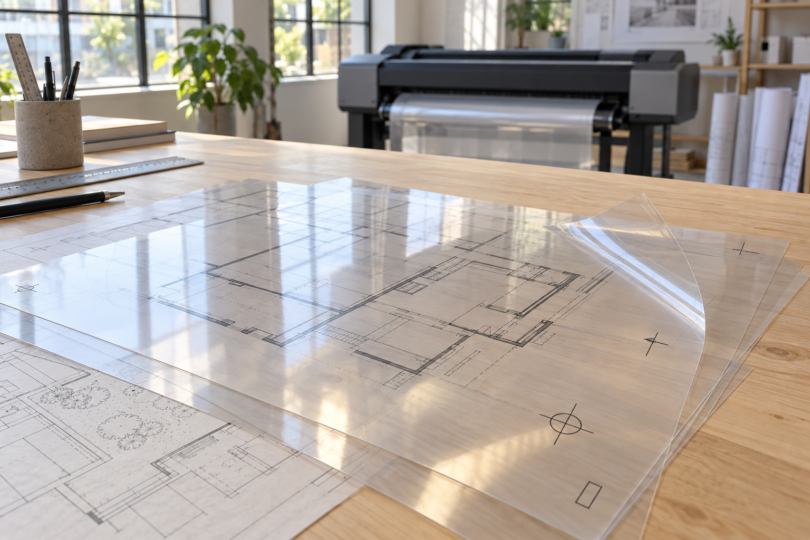

The best printer for transparencies is one that explicitly supports the film you intend to use. For architectural overlays, maps and other large transparent graphics, the HP DesignJet T230 24-inch is our pick for a desktop setup, while the HP DesignJet T650 24-inch suits an office that also wants a stand, output bin and automatic sheet feeder.
These are wide-format inkjet choices for clear film on a roll. They are substantial machines, not small printers for a few letter-size classroom transparencies. Both have a documented match with HP Clear Film C3876A, a 24-inch-wide roll listed as compatible with these exact printer models. That does not establish support for ordinary acetate, every inkjet transparency sheet or laser film.
Which transparency printer should you choose?
| Printer | Best fit | Included paper handling | Clear-film route |
|---|---|---|---|
| HP DesignJet T230 24-inch 5HB07T#B1K |
A desk or workbench with room for a wide-format printer | Roll feed, single-sheet feed and automatic horizontal cutter | HP Clear Film C3876A through the roll feed |
| HP DesignJet T650 24-inch 5HB08T#B1K |
A dedicated print area handling rolls and routine paper sheets | Roll feed, sheet feed, automatic sheet feeder, stand, media bin and automatic horizontal cutter | The same C3876A roll; the sheet feeder is not the recommended film path here |
Choose between them for workspace and paper handling. Their documented support for the same film does not establish that one produces darker transparencies or better screen-printing positives. For occasional small sheets, compare the total cost and space required with having a print service produce the job.
1. HP DesignJet T230 24-inch: best for a desktop setup
Exact model: 5HB07T#B1K, the U.S. 24-inch T230 configuration. Its roll and single-sheet feeds make sense for a designer who wants to print large overlays from a desk or sturdy workbench. HP’s specifications include clear and matte film, and the licensed HP media catalog names the T230 24-inch as compatible with C3876A.
The printer measures approximately 39.9 inches wide, 17.3 inches deep and 11.2 inches high before allowing working clearance. Measure the surface and leave access for loading rolls and collecting output. A compact height does not turn a 24-inch plotter into a small home-office printer.
The T230 uses four ink cartridges: dye-based cyan, magenta and yellow, plus pigment-based black. C3876A is specified for Original HP dye- and pigment-based inks. That supported combination is more useful than choosing by a maximum resolution figure alone. Ethernet, USB and Wi-Fi provide connection options; check the current HP driver for your computer and the printing application you plan to use.
Why choose it: it provides the documented clear-film roll workflow without requiring the floor-standing T650 configuration. Main limitation: this configuration does not include the T650’s stand, bin and automatic sheet feeder. Plan where large prints will land and budget for the correct film and replacement ink.
View the exact T230 5HB07T#B1K configuration at HP. The HP specifications for base model 5HB07T describe its hardware and supported media.
2. HP DesignJet T650 24-inch: best for a dedicated print area

HP DesignJet T650 24-inch Printer, 5HB08T#B1K
As an Amazon Associate we earn from qualifying purchases.
Exact model: 5HB08T#B1K. Select the 24-inch configuration; the 36-inch T650 is a different purchase. The 24-inch model includes a stand and media bin, plus an automatic sheet feeder alongside its roll and single-sheet inputs.
Those additions are useful when the same printer handles transparent overlays and everyday drawing sets. The stand gives it a dedicated place in the office, while the sheet feeder handles separate paper jobs. For the transparency recommendation here, load the C3876A roll on the spindle. The presence of a sheet feeder does not establish that a stack of unrelated transparency sheets is supported.
HP lists the T650’s dimensions as approximately 39.9 inches wide, 23.8 inches deep and 36.7 inches high. It uses the same four-color ink arrangement as the T230 and offers Ethernet, USB and Wi-Fi. Both the printer specification and the film’s compatibility list support the clear-film recommendation.
Why choose it: the stand, bin and extra paper handling suit a regular print station. Main limitation: it needs floor space, and those conveniences are not evidence of better film density or a validated screen-exposure workflow. Buy it for the office setup and mixed paper workload.
See the exact U.S. configuration at HP and the 5HB08T hardware specifications.
Buy the matching film, not just a printer
HP Clear Film C3876A is a single-sided, inkjet-printable polyester roll measuring 24 inches by 75 feet, on a 2-inch core. The current product specification gives a thickness of 119 microns and a weight of 156 gsm. The licensed HP media catalog explicitly lists both the T230 24-inch and T650 24-inch, rather than merely describing the film as suitable for unspecified inkjets.
This is clear film with a matte finish. The finish description does not make it the translucent “matte film” category in the printer menu. HP’s manual directs transparent film to the Film > Transparent/Clear film preset. Use the current roll’s packaging and specifications when ordering; do not substitute another width or film construction solely because its name sounds similar.
Inkjet media needs a surface designed to receive liquid ink. Laser transparency film must withstand the laser printer’s fusing process, and the printer itself must support that media. Neither label makes a film interchangeable between technologies. The Lexmark specialty-media guide treats transparency compatibility as model-specific and requires laser-designed transparencies for supported laser printers.
Use the supported roll path and media setting
- Confirm the printer and roll. Match the 24-inch T230 or T650 with C3876A and identify the printable side from the film packaging. Single-sided film should not be treated as printable on either surface.
- Load the roll on the spindle. Follow the orientation diagrams and roll-loading sequence in the HP DesignJet T200/T600 user guide. Seat the roll correctly, feed its leading edge as directed and let the printer check alignment.
- Select the clear-film type. Use Film > Transparent/Clear film, and keep the job’s media choice consistent with the loaded material. Check page size, orientation and scaling in the print preview before sending a full-size drawing.
- Allow drying time. Keep the printer’s drying-time setting enabled and let the print dry before handling the image area or stacking overlays. Drying depends on ink coverage and conditions; a quoted laboratory drying time is not a guarantee for every job.
HP’s manual covers roll loading on printed pages 33–35, drying-time settings on page 38 and the clear-film preset on page 94. If ink does not adhere or the roll feeds poorly, stop and recheck the exact media, printable side and settings before spending more film.
What to check for screen-printing positives
A readable transparent overlay and an effective screen-exposure positive have different requirements. The supported film combination establishes that the printers can handle this clear inkjet medium. It does not establish the UV-blocking density, halftone accuracy or exposure performance required by your screen-printing process.
If screen printing is your main goal, confirm the full printer, ink, film and RIP-software combination with the suppliers involved, then validate it with an exposure test. Do not assume that changing to an unsupported black ink, choosing maximum resolution or buying the T650 automatically solves density requirements.
Frequently asked questions
Which printer should I buy for transparencies?
For supported 24-inch clear-film rolls, choose the HP DesignJet T230 5HB07T#B1K for a desktop setup or the T650 5HB08T#B1K for its stand, bin and additional paper handling. Both are listed for HP Clear Film C3876A. For occasional letter-size sheets, their size and roll-based workflow may be more than you need.
Can any inkjet printer print on transparency film?
No. Check the exact printer’s supported media and the film manufacturer’s compatibility information. The film must accept the printer’s ink, and its dimensions and feed path must be supported. The C3876A recommendation for these two DesignJets does not approve generic acetate or every inkjet transparency sheet.
Can I put inkjet transparency film in a laser printer?
Only use film explicitly rated for the particular laser printer and its fusing conditions. Inkjet-only film is not a substitute for laser-rated transparency media. Some laser printers do not support transparencies at all, so verify both the printer manual and the film specification before loading it.
Which setting should I use for HP Clear Film?
For transparent film, the T200/T600 user guide specifies Film > Transparent/Clear film. Load the supported C3876A roll through the roll-feed path and follow its printable-side instructions. The film’s matte surface finish does not mean you should select the separate preset for translucent matte film.
Are these printers guaranteed to make screen-printing positives?
No. Their documented clear-film support is useful for overlays and transparent graphics, but it does not validate screen-exposure density or a particular RIP workflow. Confirm the exact ink, film, software and exposure setup before choosing either model primarily for screen printing.