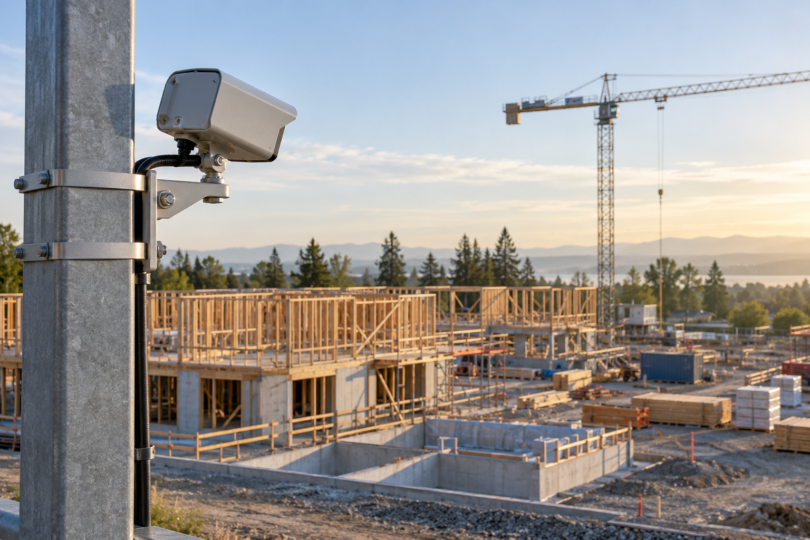

The best time-lapse camera for construction depends on whether you need a finished progress video or remote access to the site. The Brinno BCC300-C is our first comparison for straightforward, offline recording. Choose the Brinno BCC2000 when the larger battery housing and industrial clamp justify the extra equipment. Consider the Reolink Go PT Ultra with Solar Panel 2 when cellular live viewing matters alongside time lapse.
These serve different jobs. A scheduled time-lapse camera records progress at chosen intervals; it cannot provide every moment between frames. A cellular security camera adds network dependence and power demands. Decide which result you need before comparing resolution, and arrange access for maintenance even when a product advertises months of battery life.
Compare the construction-camera shortlist
| Camera or bundle | Image and lens | Outdoor power arrangement | Best fit |
|---|---|---|---|
| Brinno BCC300-C | TLC300: 1080p; f/2.0; 19 mm equivalent; 118° field of view | Four AA batteries; ATH120 IPX4 housing; Clampod | Local recording with a simpler kit |
| Brinno BCC2000, TLC2000 bundle | 1080p; BCS-019 kit lens: f/2.0, 2.8 mm actual, 19 mm equivalent, 118° field of view | Two camera AAs plus housing capacity for 16 additional AAs; ATH2000 IPX5 housing | Long projects where larger power capacity and a substantial clamp help |
| Reolink Go PT Ultra + Solar Panel 2 | 4K video camera; fixed lens, 90° horizontal / 47° vertical / 110° diagonal view | Built-in 21.6 Wh rechargeable battery; solar option; IP64 camera | Cellular site checks plus scheduled time lapse |
Brinno does not identify an axis beside its 118° figure in these specifications, so do not compare it directly with Reolink’s 90° horizontal number. Preview the actual framing from the proposed mounting position. Equivalent focal length is a framing reference, not the physical length of the lens.
1. Brinno BCC300-C: best starting point for offline progress videos
The BCC300-C combines one TLC300 camera, an ATH120 weather housing and a Clampod. It is different from the BCC300-M wall-mount bundle and from a camera-only TLC300 listing. The camera produces 1080p time-lapse video, has an interchangeable CS lens and offers daily and weekly scheduling. Its small IPS screen helps with framing and settings at the camera.
In daytime mode, the manual lists intervals of 1, 2, 3, 5, 10, 20 and 30 seconds, then 1, 2, 3, 5, 10, 20 and 30 minutes, plus a custom setting. Twilight starts at three seconds; night starts at ten. Those exposure-mode differences matter when choosing a short interval. The camera saves AVI video and can split files by day; a 500 MB file limit also creates a new file automatically.
Power comes from four AA batteries or a 5 V, 1 A micro-USB supply. Brinno’s advertised 100-day battery figure is specified at a five-minute interval, so it is not a promise for faster capture or every temperature. The published operating range is 0–45°C. External power does not recharge the AAs, and the manual requires a power bank that can disable its power-saving shutdown.
Pros: a ready-made camera, housing and clamp combination; scheduled recording; replaceable batteries; local files without a cellular plan. Cons: no built-in cellular viewing, 1080p rather than a 4K workflow, and IPX4 housing rather than permission to expose it to every site condition. The 128 GB maximum SD capacity requires at least Class 10; the manual says 64 GB and 128 GB cards need the camera’s initial formatting process.

Brinno BCC300-C Time-Lapse Bundle with TLC300, ATH120 Housing and Clampod, One Kit
As an Amazon Associate we earn from qualifying purchases.
2. Brinno BCC2000: best for the larger battery housing
This selection is the TLC2000 camera, ATH2000 power housing and ACC1000 industrial clamp bundle. Check those component names because related regional listings and Brinno kits can contain a different camera. The BCS-019 kit lens gives the published 118° view, and the camera offers time lapse, step video, still photography and stop motion. Those additional modes are useful if your documentation needs extend beyond one fixed progress movie.
The camera uses two AAs, while the housing has room for 16 additional AAs. Brinno specifies alkaline batteries for the ATH2000 battery slot and advises against lithium, NiMH and zinc-carbon cells there. Do not transfer the camera’s broader battery options to the housing. The housing is IPX5; the TLC2000’s listed operating range remains 0–45°C. A bigger battery compartment does not override temperature limits.
Its time-lapse interval menu provides the same one-second-to-30-minute daytime presets described above, plus ASAP and custom settings; twilight begins at three seconds and night at ten. Storage is microSD, microSDHC or microSDXC up to 128 GB, with at least Class 10 recommended. The camera’s USB-C input is rated 5 V, 1 A. Plan card capacity and power together before leaving it recording.
Pros: larger battery capacity, interchangeable lens, an industrial clamp and several capture modes. Cons: more bulk, more batteries to service and no built-in cellular connection. The plain BCC2000 does not include the BCC2000Plus package’s AFB1000 cable extender and Windows command-center access. Even that wired accessory should not be mistaken for an internet connection.

For either Brinno, check the actual seller against the manufacturer’s authorized-dealer information before ordering. Brinno warns that products from unauthorized resellers may not receive its technical support or warranty coverage. Matching the model and bundle does not establish that the seller is authorized.
3. Reolink Go PT Ultra: best when cellular access matters
The Go PT Ultra is a 4G LTE camera with 3840 × 2160 video at up to 15 fps, pan movement of 355° and tilt movement of 140°. That movement lets you redirect its fixed lens; it does not mean the camera sees the entire site simultaneously. For a consistent progress sequence, preserve the intended view instead of casually moving it between captures.
Reolink’s app supports time-lapse video or a photo series saved to the camera’s SD card. Its battery-camera interval range is ten seconds to six hours, with a configurable schedule and duration. The 4K camera-video specification alone is not a promise about every time-lapse export setting: check the available quality choices and a sample export. The manufacturer’s product page specifies microSD storage up to 128 GB for this version.
It needs a compatible SIM, cellular data plan and coverage for the exact regional hardware. It does not connect by Wi-Fi. Reolink distinguishes US, EU, AU and GL versions, so confirm the version and carrier before buying. Budget for data used by remote viewing and downloads. Cloud availability varies by country and plan; local time-lapse files should not be assumed to have a cloud backup.
Pros: cellular live viewing, adjustable aim, local time lapse and a solar charging option. Cons: recurring data costs, coverage dependence and a battery budget shared with remote use. The listed IP64 camera has a −10–55°C operating range. Solar Panel 2 requires a suitable exposure to sunlight; it cannot guarantee continuous operation through shade, dirt or poor weather. Plan a way to inspect and recharge the system.
Check the Go PT Ultra and Solar Panel 2 options with Reolink. Confirm the regional version, included panel and storage limit at checkout. Marketplace descriptions can mix hardware generations; a title advertising 512 GB should not override this manufacturer’s 128 GB specification without exact-version confirmation.
Plan the interval, mount and maintenance together
A useful starting calculation is simple: eight working hours captured every five minutes produces 96 frames. At 24 frames per second in your final edit, that is four seconds of video. A one-minute interval produces 480 frames, or 20 seconds. These are planning examples, not camera battery estimates. Shorten the interval for brief milestones; a slower interval may be enough for structural progress over months.
Choose a stable, permitted mounting position that can still see the building as it grows. Avoid a temporary structure scheduled for removal, obstructions from equipment, and a view dominated by direct glare. Check the selected clamp’s mounting limits and use a competent site installer where access or falling equipment creates a hazard. Include safe access for card retrieval and cleaning in the plan.
Brinno recommends a one-to-two-day trial before the full project. Inspect the resulting files, framing, schedule, daylight changes and remaining storage. Check seals and desiccant, keep the viewing window clear and back up files regularly. Its support guidance also recommends replacing outdoor housings every four to six months. Schedule those visits instead of treating a battery-life claim as a maintenance interval.
Get the site owner’s permission and agree who can view, download or publish the footage. Aim away from neighboring private spaces and areas where workers expect privacy, provide appropriate notice, and follow applicable workplace and privacy requirements. Restrict account access and decide how long to retain recordings. A useful progress video does not need unrestricted surveillance of everyone nearby.
Frequently asked questions
Do construction time-lapse cameras need Wi-Fi?
The two Brinno bundles record locally without Wi-Fi or a cellular subscription. The Go PT Ultra uses a cellular SIM and data service for remote connectivity, not Wi-Fi. Offline recording and remote viewing are separate buying requirements.
Is 4K always better than 1080p for construction?
More resolution can help with detail or cropping, but reliable framing, exposure, power and scheduling matter throughout a long project. The Brinnos prioritize scheduled 1080p progress recording; Reolink adds cellular access. Verify a sample of the actual time-lapse export before choosing solely by the camera’s video resolution.
What recording interval should I use?
Start with the pace of the work and desired finished length. One-to-five-minute intervals are useful trial settings for general progress, while short activities may need more frequent frames. Use the frame-count calculation above, then review a trial and the camera’s exposure-mode limits.
Can I leave the camera outside for the whole project?
Only within the exact housing and camera’s environmental limits, with scheduled inspections. Weather ratings do not eliminate condensation, dirty windows, changing obstructions or battery and card maintenance. Keep a backup of the footage and an accessible service plan.
Will time lapse replace a construction security system?
No. Interval recording omits what happens between frames, and a progress video cannot be assumed to capture an incident. If security coverage is required, specify its recording, alerting, retention and access needs separately, even when the chosen camera also supports security features.