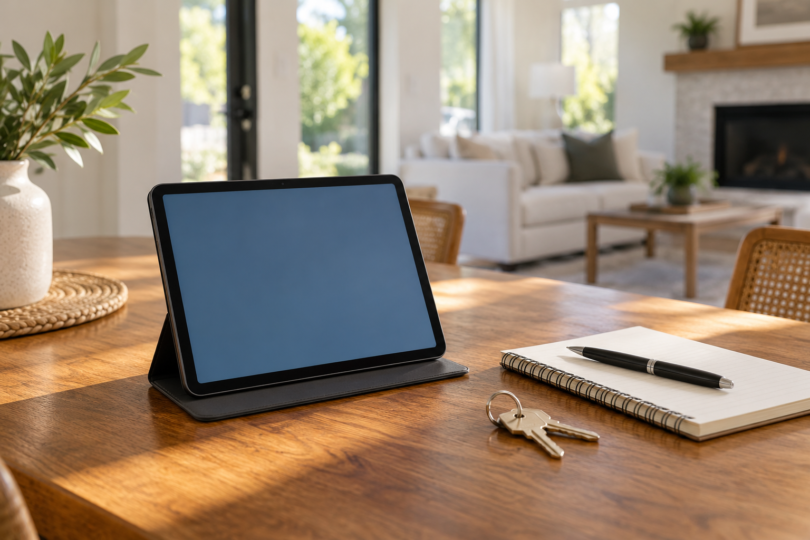

The best tablet for a real estate agent is the one that completes the agent’s actual workflow: opening listings, showing documents, recording notes and getting the right forms through the brokerage’s systems. Start with the iPad A16 if you prefer Apple’s tablet environment, the Galaxy Tab S10 FE if Android and an included pen fit your work, or the Surface Pro 12-inch 1st Edition if you need a Windows desktop workflow. Each choice has compatibility limits worth checking before you replace a laptop.
This is a specification and workflow comparison, not a hands-on field test. We checked exact configurations, manufacturer documentation and app-publisher guidance. We have not tested MLS sign-in, brokerage software, document signing, outdoor readability or battery endurance on these devices. “Best” means a useful fit for one of the situations below, not a universal ranking.
Three configurations worth comparing
| Tablet and selected configuration | Best fit | Useful feature | Main qualification |
|---|---|---|---|
| iPad A16, Wi-Fi, 128GB, Silver | Apple-based presentation and document workflows | 11-inch-class display; USB-C; landscape front camera | Keyboard and Pencil are separate; verify each app’s iPad support |
| Galaxy Tab S10 FE, Wi-Fi, 8GB RAM, 128GB, Gray | Android users who want handwritten notes | 10.9-inch display and included S Pen | No wall charger in the listed box; selected model is not a cellular version |
| Surface Pro 12-inch 1st Edition, 16GB RAM, 512GB UFS, Ocean | A Windows workflow in a detachable tablet | Built-in kickstand; two USB-C ports | Keyboard, pen and charger are separate; check Windows on Arm compatibility |
iPad A16: for Apple-based presentations and documents
The selected iPad is the A16 model with 128GB storage and Wi-Fi in Silver, part MD3Y4LL/A. Apple lists a 2360 × 1640 display, USB-C and a landscape 12MP Center Stage front camera. Those features make it worth considering for showing property materials and joining video meetings when the apps you use support iPad.
Choose it when your work already fits iPad apps and mobile websites. Docusign explicitly supports iPad in its mobile-app guidance. That establishes a supported platform, but you still need the right account and your brokerage’s approved document workflow; the hardware purchase does not include an e-signature service plan.
Check MLS software more carefully than a generic “iOS compatible” label. Flexmls documents a mobile website for tablets, but the current Flexmls For Real Estate Pros Apple listing says “Only for iPhone.” For an iPad purchase, plan around the documented mobile website unless the provider confirms an app experience that meets your needs. The Flexmls mobile-options guide also distinguishes the agent product from the separate homebuyer app.
- Pros: The checked US box includes a USB-C charge cable and a 20W USB-C power adapter. Apple Pencil USB-C and first-generation Apple Pencil are supported options for notes, although neither is listed in the standard box.
- Cons: A keyboard and Pencil add to the setup cost. The first-generation Pencil needs the specified USB-C to Apple Pencil adapter for pairing and charging, and this Wi-Fi configuration does not include cellular connectivity.

Apple iPad A16, Wi-Fi, 128GB, Silver
As an Amazon Associate we earn from qualifying purchases.
Galaxy Tab S10 FE: for Android and included pen input
The selected US Galaxy Tab S10 FE is model SM-X520NZANXAR with Wi-Fi, 8GB RAM and 128GB storage in Gray. It has a 10.9-inch screen, and the listed box includes an S Pen. That combination is worth comparing if you prefer to write meeting notes by hand and already use Android for work.
An included pen removes one accessory decision. Samsung describes pen-based note features in Samsung Notes, while the current Docusign guidance supports Android and Flexmls publishes its agent app on Google Play. These platform statements do not prove that every brokerage integration or regional app will work on the selected tablet: check installation and your normal account workflow during the return window.
The selected configuration has 128GB internal storage. Do not mistake the retailer’s “up to 256GB” family description for the capacity of this model. Expandable storage may be useful for files, but it is still worth checking where your work apps store downloads and how much internal space remains after setup.
- Pros: S Pen is included, and the selected model combines a 10.9-inch display with 8GB RAM. It is a focused Android alternative for people who want pen input without buying a separate stylus.
- Cons: The checked included-components list has the tablet, S Pen, data cable, ejection pin and quick-start guide, but no wall charger or keyboard. Confirm the charging equipment and keyboard you need rather than assuming a complete work bundle.

Surface Pro 12-inch 1st Edition: for a Windows workflow
The selected Surface is the 12-inch 1st Edition with an eight-core Snapdragon X Plus processor, 16GB RAM and 512GB UFS storage in Ocean, model EP2-33676. It runs Windows 11 Home. Consider it when your work benefits from desktop software and a desktop browser, provided your required applications and peripherals support this Arm-based PC.
Its built-in kickstand and two USB-C / USB 3.2 ports are useful reasons to compare it as a desk-to-showing device. A keyboard is a separate purchase. Microsoft specifically identifies the Surface Pro 12-inch 1st Edition Keyboard for this model and says the 13-inch Pro Keyboard and 13-inch Flex Keyboard are incompatible. Match the exact generation instead of buying by the Surface name alone.
The main software caveat is Windows on Arm. Microsoft supports many applications through native versions or emulation, but software and peripheral drivers still need appropriate support. Before choosing this as your only computer, have your brokerage confirm the actual programs, printer setup, security tools and any required add-ins. The Microsoft software and peripherals guide explains the distinction.
- Pros: Windows 11, the kickstand and USB-C ports make it a candidate for a desktop-style workflow in a tablet form. The checked configuration also has more nominal internal storage than the two 128GB tablets above.
- Cons: The selected box includes a USB-C cable but no charger; keyboard and pen are separate. Microsoft recommends a USB-C PD charger rated at least 27W for this model, with at least 45W for fast charging. Budget for the complete setup.

Choose the software workflow before the hardware
Write down the exact MLS, transaction-management, CRM, signing and lockbox tools you use. Ask each provider about the operating system and device you plan to buy. Flexmls is a useful example of why that matters: its mobile website is simplified for touchscreens, while its published desktop-browser support policy explicitly says it applies to desktop browsers. A browser sharing the same name on a tablet does not establish the same workflow.
For signatures, confirm that your account can perform the steps you need, including preparing documents, collecting signatures and returning the completed file to the brokerage system. Docusign supports iPad, iPhone and Android in its mobile app and lets existing users sign in to their account. It also distinguishes free signing from sending requests and subscription access. Do not count a tablet or pen as a substitute for the required service. Check Docusign’s mobile guidance if that is your platform.
The three selected configurations are Wi-Fi models. Plan how you will connect away from the office, such as a permitted phone hotspot, and verify any data-plan cost separately. If you require built-in cellular connectivity, compare a specifically identified cellular model rather than assuming it is part of these offers.
Before the return window closes, try a representative set of tasks with non-sensitive sample material: open a listing, annotate a document, attach a file, join a call and complete a test workflow. Check screen visibility, carrying comfort and typing in the places you actually work. This practical acceptance check is more useful than assuming manufacturer battery figures describe your full workday.
Accessories and total cost
Compare the device together with the case, stand, keyboard, pen and charger you will actually use. The iPad’s checked US box supplies a charger; the Galaxy includes S Pen; the selected Surface supplies a charging cable but no charger, keyboard or pen. Those differences can change the decision even before you compare the current checkout totals.
For long forms or frequent typing, try the keyboard and stand on a real table and on your lap before deciding that a tablet can replace your laptop. Also confirm your employer’s required Windows edition or device-management setup before buying the consumer Surface configuration. Keep the purchase focused on tasks you need to complete, rather than paying for an accessory simply because it is available.
Frequently asked questions
Which tablet should most real estate agents start with?
Start by testing your existing device against your work requirements. For a new purchase, compare iPad A16 for an Apple workflow, Galaxy Tab S10 FE for Android with an included pen, and Surface Pro 12-inch 1st Edition for a qualified Windows workflow. None is the right choice if your essential software or account setup fails on it.
Will every MLS work on an iPad?
No universal compatibility is established here. Flexmls documents tablet access through its mobile website, but its current Apple agent-app listing is labelled for iPhone. Check your own MLS and the tasks you need, including third-party integrations, before choosing an iPad.
Can the Surface replace my Windows laptop?
Possibly, after you verify the required applications, peripherals and company requirements. This selected Surface runs Windows 11 Home on an Arm processor, so “Windows” alone is not proof that a legacy program, printer or driver will work. It also needs the correct separate keyboard if you want a laptop-like typing setup.
Is a pen required to collect signatures?
Not necessarily. Docusign describes creating a signature with a finger or selecting a pre-created signature. Buy a pen because it helps with your notes or supported document work, and follow the signing process required for the transaction rather than assuming pen input is mandatory.
Does more storage mean better app compatibility?
No. Capacity and compatibility are different buying checks. More room may help with saved files, while app support depends on the platform, software version, device and account. Confirm both; nominal storage is not the same as free space after system files and applications.
Which one should you buy?
Choose the iPad A16 if the Apple apps and mobile sites you need are confirmed, the Galaxy Tab S10 FE if Android and included pen input fit your daily work, or the Surface Pro 12-inch 1st Edition if your verified Windows workflow justifies a detachable PC. Price the complete setup and run a realistic trial before retiring your existing laptop.