
For a DJI Spark, the best tablet is one that works with your exact DJI GO 4 setup, not simply the newest or fastest model. Start by checking a device you already own. If you need a new shortlist, consider the iPad mini (A17 Pro) for a compact display or the iPad (A16) for more screen space, subject to installation, connection and ground checks.
There is a useful distinction here: the current App Store listing includes these iPads, but that is not evidence that we or DJI have flight-tested every combination of iPadOS, app, Spark firmware and controller. Do not buy a tablet solely because an old compatibility chart mentions “iPad” or “Android.”
Research checked October 4, 2026, using DJI’s official app and Spark documentation, Apple’s device specifications and the DJI Go4 App Store listing. We have not flown a Spark with these tablets or tested live-view reliability. This guide is a compatibility-focused buying shortlist, not a flight certification.
Start with the correct app
DJI’s official compatible-app guide places Spark under DJI GO 4. Do not assume DJI Fly, DJI GO or an app advertising general drone support can replace it.
Use the DJI GO 4 download page and the store links it provides. Check the app publisher as well as the name. The US App Store listing for DJI Go4 identifies DJI as the developer and includes iPad mini (A17 Pro) and iPad (A16) among compatible devices. Regional availability and future app changes still need checking.
Three sensible buying paths
| Option | Why consider it | What remains to prove |
|---|---|---|
| A phone or tablet you already own | Avoids buying hardware before confirming the Spark works | App availability, reliable connection and readable live view |
| iPad mini (A17 Pro) | 8.3-inch display and compact body | Your software combination, mounting and outdoor readability |
| iPad (A16) | 11-inch-class display with more room for controls | Your software combination and secure support for a larger tablet |
Choose a returnable purchase and leave enough time to check it before a trip. A retailer’s return policy is especially important when software interoperability is the deciding factor.
iPad mini (A17 Pro): the compact candidate
Apple’s iPad mini (A17 Pro) specifications list an 8.3-inch display and a Wi-Fi-model weight of 293g. That makes it a practical size to evaluate if a phone screen feels cramped but you do not want a full-size tablet hanging from the controller.
Its attraction here is portability. Extra processing power does not guarantee uninterrupted video transmission, eliminate radio interference or make an incompatible app reliable.
Buying check: confirm that the exact app installs and opens on the unit’s installed iPadOS version. Then check it with your Spark and controller on the ground. Add the weight and thickness of the case and holder when evaluating the complete setup.
iPad (A16): the larger-screen candidate
The iPad (A16) has an 11-inch-class, 2360 × 1640 display. Consider it if a larger view of the camera image and interface is more important than minimizing the size of the controller setup.
Tradeoff: a larger tablet needs an appropriate holder and more space in your bag. Think about balance, access to the controller’s buttons and whether the arrangement blocks your view or antenna positioning. A large screen also does not establish good visibility in direct sunlight; check it in realistic lighting while stationary.
Do not buy the most expensive storage or cellular configuration by default. Decide what the tablet must do beyond the drone app, and check any location-dependent feature with DJI before assuming a particular Wi-Fi or cellular version is required.
Why older recommendations need extra scrutiny
DJI’s Spark download center still hosts manuals and release notes from the product’s original support period. Older DJI compatibility text names devices such as iPad Air 2 and iPad mini 4. Those names are historical evidence, not a current guarantee for a used device or its installed software.
A low minimum operating-system number is also not a sensible modern buying target. It says little about security updates, battery condition, the current app-download path or dependable operation after an OS change.
A used tablet can still be worth evaluating, but first verify account-lock status, charging, battery condition, available security updates and normal return rights. A cheap legacy device becomes poor value if it needs unsupported software changes to operate.
What about an Android tablet?
Android is a possible route, but we did not verify a current, tablet-specific DJI test list that establishes a particular new Android model as a guaranteed Spark purchase. The Android version printed on a box and a high RAM figure are insufficient evidence.
Check DJI’s official download route and ask DJI support about the exact tablet model, OS build and DJI GO 4 version before spending money. If a device blocks installation or reports a security problem, stop and seek official guidance. Do not disable security protections, root the tablet or install a repackaged APK from an unknown site to make a purchasing recommendation work.
For someone who already owns a working Android setup, replacing it only to chase a larger screen may introduce extra uncertainty. Assess the existing setup first.
Mounting and connection checks
DJI’s Spark specifications give the controller’s supported mobile-device dimensions as a thickness range of 6.5–8.5mm and a maximum length of 160mm. Do not force a tablet into the original grips or assume a phone holder will fit it. Check a holder’s exact Spark-controller compatibility, tablet dimensions and case allowance.
Follow the connection method documented for your equipment. The Spark user manual describes Wi-Fi connections; a USB socket or third-party cable listing alone is not proof that a proposed connection will work. Keep controller charging and data-connection requirements separate.
Checks to complete before a flight
- Record the setup. Note the tablet model, OS version, DJI GO 4 version and aircraft/controller firmware so support can reproduce a problem.
- Confirm basic operation on the ground. Follow DJI’s instructions to check connection status, camera view and displayed aircraft information. Do not start a flight to diagnose a crashing app.
- Check the full physical arrangement. Confirm the tablet is secure, controls remain accessible and the holder does not interfere with the recommended antenna arrangement.
- Try realistic conditions. Assess visibility, device temperature, charge level and interruptions in the setting where you expect to use it.
- Use DJI’s safety checklist. Inspect the aircraft and batteries, follow the manual and applicable local flight rules, and resolve warnings before flying.
Frequently asked questions
Does an App Store compatibility listing guarantee safe flight?
No. It supports the app-installation shortlist. The complete aircraft, controller, software and tablet combination still needs checking.
Will a better tablet increase the Spark’s range?
Do not buy one for that reason. A larger or faster tablet is not a radio-range upgrade. Follow DJI’s operating guidance and local limits rather than treating a clearer screen as permission to fly farther.
Should I buy a tablet before checking an unused Spark?
Check the drone, controller, batteries and existing device first. A tablet cannot fix an aircraft fault, damaged battery or unsupported connection. Confirming those basics protects your budget and gives you a useful baseline for a new purchase.
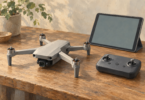
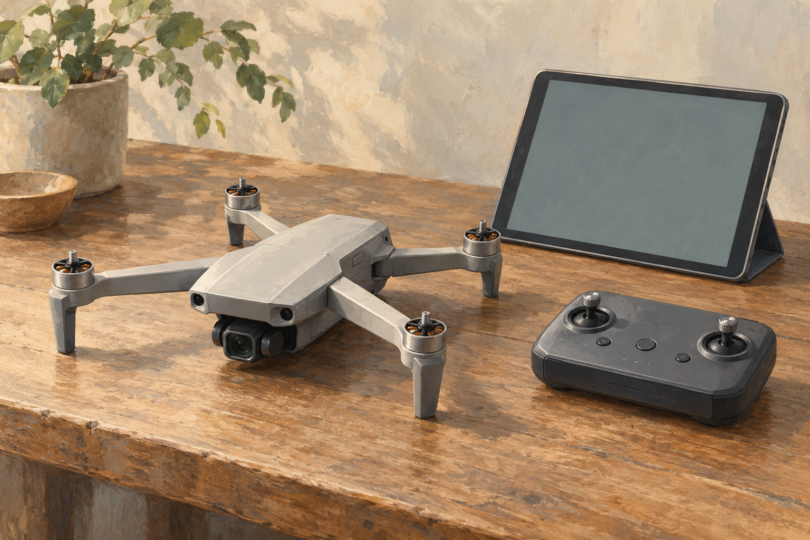
Image note: Generic editorial illustration of a drone, controller and tablet; it does not depict a specific DJI Spark model or establish app, controller or flight compatibility.