
Check the model name before buying a “Galaxy J9.” We could not verify a Samsung handset by that exact name in the official Samsung product and support sources checked for this guide. A seller’s title, an accessory compatibility list or a similarly named phone is not enough to establish what you will receive.
If you are looking for an affordable Samsung phone for everyday use, the Galaxy A17 5G and Galaxy A37 5G are two real models to compare. The US unlocked versions below are clearly labeled alternatives, not “J9” variants. If you meant an older Galaxy, identify that device first: Samsung has an official Galaxy J8 record, for example, while its current US A-series catalog lists different model names.
Two real Samsung alternatives to compare
| Exact US option | Who should compare it | Useful distinction | What to check |
|---|---|---|---|
| Galaxy A17 5G, 128GB, Black, Unlocked SM-A176UZKAXAA |
Shoppers starting with calls, messaging, maps and video | 6.7-inch Super AMOLED display; optical image stabilization; IP54 splash protection | Carrier activation, the final price and remaining software-support period |
| Galaxy A37 5G, 128GB, Awesome Charcoal, Unlocked SM-A376UZAAXAA |
Shoppers who value the specified 6GB memory configuration and a higher water-resistance rating | 6.7-inch Super AMOLED display; 128GB with 6GB RAM; IP68 rating | Whether those features justify the price difference; exact storage and carrier version |
Both are large-screen phones. If you are replacing a small older handset, check the dimensions and try the size in your hand before choosing on specifications alone. These exact listings are for individual US unlocked phones; other colors, storage sizes, carrier versions and international models can have different product codes.
Galaxy A17 5G: start here for a straightforward everyday phone
The A17 5G is the first alternative to compare if your goal is a practical Samsung phone and you want to keep the purchase focused on essential features. Samsung’s US page specifies a 6.7-inch Super AMOLED display, optical image stabilization and IP54 protection. That combination gives you concrete features to evaluate instead of relying on an unverified “J9” specification sheet.
IP54 is splash protection, not permission to submerge the phone or take it swimming. Samsung advises against beach or pool use. The large display also means this is not automatically a compact replacement for an older J-series phone. See Samsung’s A17 5G features and qualifications.
Exact version to compare: Galaxy A17 5G 128GB, Black, US Unlocked, SKU SM-A176UZKAXAA, model family SM-A176U1. Check that code on the selected offer, not just the product-family heading.
Galaxy A37 5G: compare it when the extra features matter
The A37 5G is the next option to examine if you want its specified memory configuration and IP68 rating. Samsung lists the US 128GB version with 6GB of memory; the 256GB version has 8GB. Those are distinct configurations, so an attractive offer for one should not be described using the other’s specifications.
Samsung specifies a 6.7-inch FHD+ Super AMOLED display and a rear camera system with a 50MP optically stabilized main camera, an 8MP ultrawide and a 5MP macro camera. IP68 water resistance is subject to laboratory conditions and can diminish with wear. It does not make the phone waterproof. See Samsung’s A37 5G specifications and limitations.
Exact version to compare: Galaxy A37 5G 128GB, Awesome Charcoal, US Unlocked, SKU SM-A376UZAAXAA, model family SM-A376U1. Choose it when its features are worth the actual checkout difference to you; no single price advantage applies to every promotion or carrier offer.
How to resolve a listing labeled “Galaxy J9”
- Ask for the exact model number. On a working Samsung phone, open Settings, then About phone. Samsung’s device-identification instructions explain where the model number appears. Match it with the box and the seller’s description.
- Find the corresponding Samsung product or support record. Match the full code, including the regional or carrier suffix. If the seller cannot connect the stated name to a verifiable model, choose a clearly identified offer.
- Keep similar names separate. Galaxy J8 and Galaxy S9 are different devices. Samsung’s identification guide uses SM-G960U as an example of an S9 model number; it does not turn that phone into a J9. A non-Samsung phone called J9 does not establish a Samsung model either.
- Buy accessories only after identifying the handset. A J7 case, S9 screen protector or memory-card listing mentioning many Galaxy names is not proof of phone identity or fit.
The result should be a specific product you can verify, not a guess based on the search phrase. This guide makes no claim that Samsung discontinued a particular “Galaxy J9,” because the exact handset identity has not been established.
Check US network compatibility beyond “unlocked”
The two selected Samsung offers above are US unlocked 5G models. That does not establish compatibility with every carrier, plan or feature. Before buying, confirm the exact model and, for a particular device, its IMEI through your carrier’s official bring-your-own-device process. AT&T’s BYOD page, for example, provides a compatibility-check step.
For an imported or used phone, also verify the SIM/eSIM arrangement, activation eligibility, network lock and whether the seller accepts a return if activation fails. A list of radio bands or an old “GSM/CDMA unlocked” description is not a substitute for that check. 5G service depends on the carrier, plan and coverage; an unlocked label does not promise every advertised network feature.
Read the software-support policy carefully
Samsung’s A17 5G page states six OS upgrades and six years of security updates from the date of global manufacture, identified there as Q3 2025, and says the policy is subject to change. Buying the phone later does not restart that period.
Samsung advertises up to six OS upgrades and up to six years of security updates for the A37 5G, with availability and timing varying by model and market. Its current security-update scope lists both A17 5G and A37 5G under quarterly updates. That is a support-policy check, not a guarantee of a particular patch date or a future Android-version delivery date for every unit.
For an older phone you may have meant by “J9,” check its exact model against that support list and inspect the installed security-patch level. A refreshed marketplace listing, a factory reset or the word “renewed” does not itself extend the manufacturer’s software policy.
What to confirm at checkout
- Product: full SKU, storage, color, market and carrier status
- Condition: new or used, any repair history, and the seller’s stated battery-condition terms
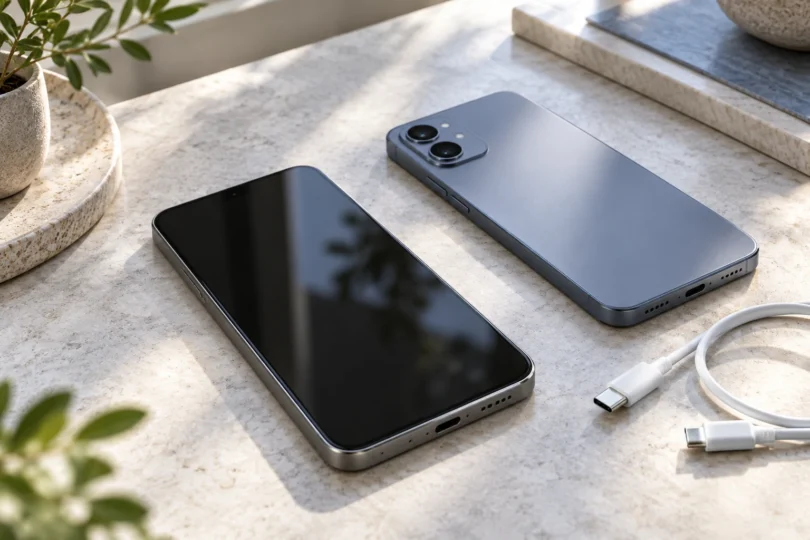
- Package: included charging cable, power adapter and accessories; budget for anything you need that is sold separately
- Coverage: who provides the warranty and whether it applies in your country
- Total cost: taxes, shipping, required activation or service plan, and the actual return terms
For a new everyday Samsung phone, compare the exact A17 5G first and the A37 5G when its features justify spending more. For a listing specifically called “Galaxy J9,” settle the model identity before paying. A clear model number and confirmed carrier support are more valuable than a long list of unrelated products.