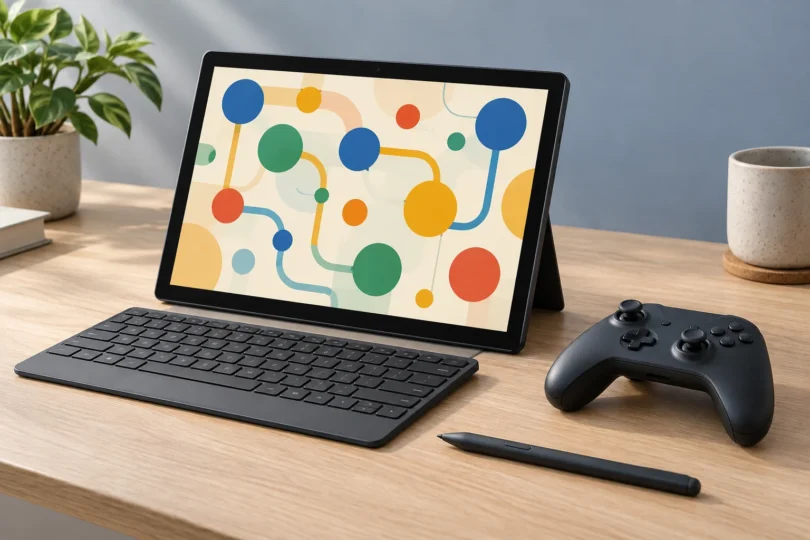

The best games for a Windows tablet depend as much on the controls as on the processor. Into the Breach is our pick for touch-controlled strategy, Microsoft Jigsaw suits relaxed puzzling, and Stardew Valley suits a tablet paired with a controller. Minecraft’s Bedrock edition adds open-ended building, while Mini Metro and Microsoft Edge Surf suit shorter sessions.
These recommendations compare the publishers’ documented features, input support and Windows requirements. They are not based on hands-on performance tests. A Windows version does not automatically make a game comfortable to play with your fingers, so each pick below spells out the control setup to plan for.
Best Windows tablet games at a glance
| Game | Best for | Controls to plan for | Windows fit |
|---|---|---|---|
| Into the Breach | Touch-controlled tactics | Dedicated PC touch interface; controller also supported | Windows PC via Steam; check graphics support |
| Microsoft Jigsaw | Relaxed touchscreen puzzles | Touchscreen or mouse | Windows 10 build 19041 or later; Store lists x86/x64 |
| Mini Metro | Route-building with a stylus | Stylus support documented for touch-capable Windows 10 PCs; mouse fallback | Windows PC via Steam; ARM support not established here |
| Minecraft for Windows (Bedrock) | Building and cross-platform play | Controller or keyboard/mouse; check touch with the trial | Windows 10 build 19041 or later; publisher lists ARM and x64 |
| Stardew Valley | A long-term farming game with a controller | Xbox controller; keyboard needed for text input | Windows PC via Steam; ARM support not established here |
| Microsoft Edge Surf | A quick game without a separate game installation | Touch, keyboard, mouse or controller | Built into current Microsoft Edge |
For the Steam picks, plan around 64-bit Windows 10 or Windows 11. Valve ended support for Windows 7, 8 and 8.1, and subsequently for 32-bit Windows. An old Windows version in a game’s minimum specifications does not override the current Steam client’s requirements. ARM tablets need the additional compatibility checks below. Windows 10 game compatibility is also separate from operating-system support: Microsoft ended its standard Windows 10 support in October 2025.
1. Into the Breach: best for touch-controlled strategy
Into the Breach turns battles between mechs and giant creatures into compact tactical problems. Enemies reveal their planned attacks, giving you a chance to work out a counter before committing your move. That makes it a good choice if you want to think through decisions instead of steering a character continuously.
Why it suits a tablet: Subset Games added a dedicated PC touchscreen interface in version 1.2. Its official update notes explain that tapping the screen switches to that interface. This is direct evidence of PC touch support, separate from the mobile edition.
- Strength: Turn-based battles and visible enemy intentions make careful planning central to play.
- Limit: It is a tactical combat game with failure and retries, rather than an undemanding puzzle collection.
- Compatibility: The Windows listing specifies 1 GB RAM, a 1.7 GHz processor and OpenGL 2.1 graphics, with Intel HD 3000 or better. These are minimum requirements, not a performance promise. Check ARM compatibility separately.
View Into the Breach on Steam.
2. Microsoft Jigsaw: best for relaxed touchscreen puzzles
Microsoft Jigsaw is the straightforward pick for assembling pictures on a tablet. Classic mode lets you choose the piece count, zoom in and organize pieces into trays. Jigsaw Jam adds time pressure, while Daily Challenges give you a different reason to return.
Why it suits a tablet: Microsoft explicitly describes Jigsaw’s touchscreen controls. Its Store listing also identifies touch interaction, so the recommendation does not depend on assuming that mouse clicks translate neatly into finger taps.
- Strength: Adjustable puzzle size, zoom and sorting tools let you choose a more manageable layout.
- Limit: Large piece counts can make a small screen busy. Start with fewer pieces if you want larger targets. The listing includes add-ons; check what a particular collection includes before selecting it.
- Compatibility: The Store specifies Windows 10 version 19041.0 or higher and lists x86 and x64 platforms. It does not establish a native ARM build; check the Store on your own ARM tablet.
Get Microsoft Jigsaw from Microsoft Store.
3. Mini Metro: best for route-building with a stylus
Mini Metro asks you to connect stations into a subway network and keep redesigning it as a city grows. Normal mode tests how long your network can cope; Endless and Creative modes offer alternatives when you would rather concentrate on the layout.
Why it suits a tablet: Dinosaur Polo Club’s Windows input update specifically improved stylus support on touch-capable Windows 10 PCs. That makes it worth considering for a tablet with a pen.
- Strength: A clear route-drawing concept, several modes, and colorblind and night options.
- Limit: Crowding becomes part of the challenge as the city expands. The stylus announcement does not guarantee every finger gesture on every tablet; have a mouse available if pen input does not behave as expected.
- Compatibility: The Windows minimums include a 2 GHz processor, 2 GB RAM and Shader Model 4.0 graphics. The Steam version’s ARM compatibility is not verified by the publisher sources used here.
4. Minecraft for Windows: best for building and cross-platform play
Choose the Bedrock edition for this recommendation. It offers building, exploration and cross-play with other Bedrock players on supported consoles and mobile devices. The PC purchase includes Java and Bedrock, but the editions have different controls and multiplayer compatibility.
Controls: Mojang lists controller and touch support for Bedrock; Java lacks native controller support. For a dependable buying decision, use the official Windows Bedrock trial to check touch input and performance on your particular tablet. A compatible controller is the setup we recommend for extended play.
- Strength: Open-ended building and broad Bedrock cross-play make it a flexible choice for playing with friends.
- Limit: A mobile purchase or a similarly named listing is not evidence that you own the Windows PC edition. Match your edition with your friends’ before buying.
- Compatibility: Mojang lists Windows 10 build 19041 or later, ARM or x64, and 4 GB RAM minimum for Bedrock. Check its full processor and graphics requirements as well.
Compare the editions and get Minecraft for PC.
5. Stardew Valley: best for farming with a controller
Stardew Valley gives you a farm to develop, crops and animals to look after, fishing, cave exploration and a town full of people to meet. It is the pick for someone who wants an ongoing game to return to over many sessions.
Controls: The PC publisher listing explicitly supports an Xbox controller and notes that a keyboard is still required for text entry. Plan on a controller plus a keyboard or keyboard cover. This recommendation does not claim the Windows version has the same touch controls as a phone edition.
- Strength: Farming, crafting and exploration offer more variety than a single puzzle format.
- Limit: The documented PC control setup needs extra hardware for tablet use. Choose a confirmed touch option above if you want to carry only the tablet.
- Compatibility: The Windows minimums include a 2 GHz processor, 2 GB RAM and Shader Model 3.0 graphics with 256 MB video memory. Check current Steam requirements and ARM compatibility separately.
6. Microsoft Edge Surf: best for a quick built-in game
Surf is an arcade game built into Microsoft Edge. Open Edge and type edge://surf into its address bar to start. Microsoft’s instructions specifically mention playing on a Surface touchscreen, as well as with a keyboard or Xbox controller.
- Strength: No separate game installation is needed once you have Edge. The full game has Endless, Time Trial and Zig Zag modes, and a reduced-speed option.
- Limit: It is a score-chasing arcade diversion. Choose Minecraft or Stardew Valley if you want a persistent world to develop.
- Compatibility: Use a current supported Edge installation. Microsoft’s browser requirements cover Windows 10 and 11; this recommendation does not extend to Windows RT.
See Microsoft’s Surf overview.
Check your tablet before choosing a game
Intel or AMD, modern ARM, and Windows RT are different cases
For an Intel or AMD tablet, compare the actual processor, RAM and graphics support with the game’s requirements. Low minimum RAM figures alone do not tell you how well a game will run.
On an ARM tablet, such as a Snapdragon-based model, verify the exact game and edition. Microsoft says Windows 11 can run many apps through emulation, but some games and drivers remain incompatible. The ARM label on Minecraft’s own requirements is useful evidence for that edition; it does not establish compatibility for the other games.
Older Windows RT tablets use a separate, obsolete platform. Microsoft explains that Windows RT uses ARM32 and cannot be upgraded to Windows 11 in S mode. Do not buy these current PC editions expecting the shortlist to apply to an RT device.
Check S mode and the controls before paying
Windows in S mode limits installation to compatible Microsoft Store apps. The Steam links above require a Windows installation that permits desktop software. Switching out of S mode is permanent, so read Microsoft’s explanation before making that choice.
For touch-only play, start with Into the Breach, Microsoft Jigsaw or Edge Surf. Choose Mini Metro for a pen-equipped setup, Minecraft Bedrock for building with a controller, or Stardew Valley for a longer farming game with a keyboard available. Confirm store compatibility on the actual tablet and use an official trial when one is offered.
Frequently asked questions
Which Windows tablet games have documented touch support?
Into the Breach has a dedicated PC touchscreen interface. Microsoft also documents touchscreen support for Microsoft Jigsaw and Edge Surf. Check the hardware and Windows requirements for the game you choose.
Can I play Stardew Valley on a Windows tablet without a keyboard?
The PC listing supports Xbox controllers but says a keyboard is still needed for text input. Plan to have a keyboard available; this article does not recommend the Windows version for touch-only play.
Will these games work on an ARM Windows tablet?
Compatibility depends on the game and Windows version. Minecraft’s Bedrock requirements list ARM, but the other PC game listings here do not establish native ARM support. Check each game’s availability and requirements on your actual device.
Where should I get games for a Windows tablet?
Use the official Microsoft Store, Steam or publisher links for the exact Windows edition. Open Edge Surf inside Microsoft Edge. Do not assume a similarly named Android, Fire tablet or console listing supplies a Windows license.