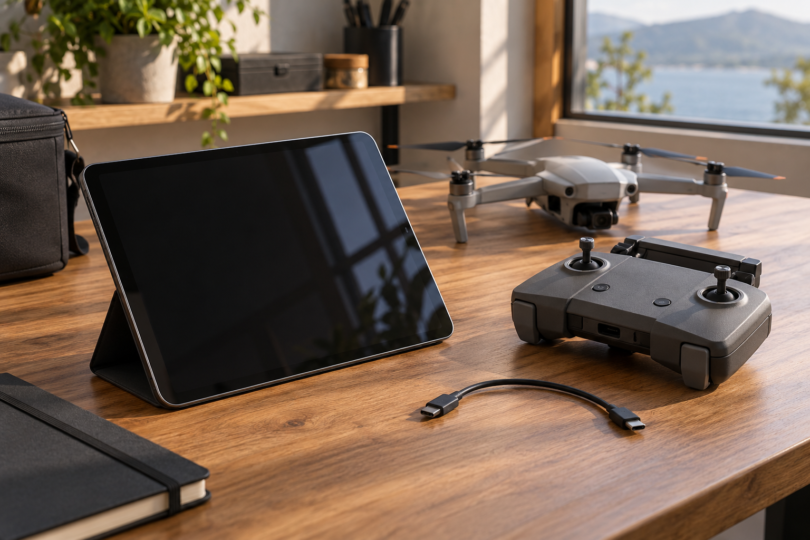

Before buying a tablet for a DJI Phantom 3, identify the exact aircraft, remote controller and DJI GO app setup. This is a legacy platform: DJI lists the Phantom 3 Standard, Advanced, Professional, SE and 4K under suspended service and support. A newer tablet does not restore that support or prove that the aircraft will work with a newer operating system.
The iPad mini A17 Pro and iPad A16 below are conditional candidates to evaluate, not verified Phantom 3 flight recommendations. The current Apple App Store listing permits those models to install DJI GO, but installation eligibility is different from a functioning controller connection, stable live view and reliable operation on the exact hardware and software combination.
Which Phantom 3 do you have?
Check the aircraft and controller labels rather than relying on the color of a decal or the words “Phantom 3” in a listing. These models use the original DJI GO workflow; DJI GO 4 and DJI Fly are different apps and should not be substituted on the strength of a similar name.
- Phantom 3 Advanced and Professional: DJI’s Advanced and Professional documentation identifies a USB video-output connection on the remote controller. Match the controller’s data port to the tablet using an appropriate data cable. A cable that only charges is not enough.
- Phantom 3 Standard: the Standard support page describes joining the controller’s PHANTOM3 Wi-Fi network from the mobile device and then opening DJI GO. Its controller’s Micro-USB charging port is not the Advanced/Professional tablet USB workflow.
- Phantom 3 4K: the 4K manual also specifies a Wi-Fi connection to the mobile device. It identifies GL358wB, with GL390wB listed for Japan. Do not assume a Professional connection simply because both aircraft can record 4K video.
- Phantom 3 SE: the SE manual describes joining a PHANTOM3SE Wi-Fi network. Use that model’s manual and controller information, not instructions copied from another Phantom.
Record the controller model, aircraft and controller firmware, tablet model, operating-system version and installed DJI GO version together. A success report that omits those details is weak evidence for a purchase. The controller supplied with a used aircraft may also have been replaced.
What the current app listings actually establish
The U.S. App Store listing for DJI GO, subtitled “For P3, Osmo, I1, & Matrice,” shows version 3.1.81 and an iPad requirement of iPadOS 10.0 or later. Its compatibility list includes iPad mini A17 Pro and iPad A16. This is store installation eligibility, not DJI certification of every newer iPadOS release or flight configuration.
DJI’s DJI GO download page lists iOS version 3.1.81 and Android version 3.1.83, but still shows old minimum-system text and a historical recommended-device list. Do not use its older iOS minimum instead of the store’s current requirements. Its references to iPad Air, mini 2/3/4 and older Android devices do not automatically include later generations that share those family names.
DJI’s Advanced FAQ explicitly warns that being above the stated Android minimum does not make every Android device compatible. This guide therefore does not recommend a current Android or Fire OS tablet for Phantom 3 without evidence for the exact device and workflow. It also does not recommend buying an obsolete tablet solely because it appears on an old DJI list.
DJI’s service-suspension notice covers all five Phantom 3 variants. The presence of downloadable manuals or an app listing does not mean repair parts, technical support or ongoing compatibility maintenance are available.
iPad mini A17 Pro: compact candidate to evaluate
The iPad mini A17 Pro has an 8.3-inch screen, USB-C and a 293g Wi-Fi body. Apple specifies a laminated display, antireflective coating and 500-nit brightness. These specifications explain why it is a useful compact candidate; they do not establish sunlight readability, heat behavior or DJI GO stability during a flight.
Consider the 128GB Wi-Fi model only after checking the exact app installation and controller workflow. The small body reduces the tablet weight compared with the iPad A16, but actual clamp fit depends on the controller holder, case and any mount. Apple lists GPS/GNSS for cellular configurations, not the Wi-Fi-only model; do not assume phone-like location hardware is present.
Why compare it: portability and a smaller display assembly. Why hold off: no current exact Phantom 3/controller/firmware/iPadOS combination has been validated here. Borrow or inspect a demonstrably working setup where practical, and confirm return terms before making a purchase contingent on this legacy app.
iPad A16: larger-screen candidate to evaluate
The iPad A16 provides an 11-inch-class display, USB-C and a 477g Wi-Fi body. Its larger screen gives more physical room for the app’s view and controls than the mini. That is a size comparison, not evidence of a better video link or greater aircraft range.
The 128GB Wi-Fi configuration is a reasonable starting point for a hardware comparison if you also want a general-purpose tablet. Confirm holder width, case clearance and balance before buying. As with the mini, Wi-Fi-only and cellular versions differ in location hardware; cellular service is a separate purchase and does not replace the controller’s required connection.
Why compare it: a larger display for someone who finds a compact screen cramped. Why hold off: extra weight and mounting demands, plus the same unverified legacy-app combination. Do not pay for extra storage or accessories before establishing the basic DJI GO connection and intended workflow.
A practical pre-purchase checklist
- Verify the exact combination. Write down the aircraft variant, controller model, firmware versions, tablet model, operating-system version and app version. Keep a working configuration record; do not assume an OS or app update preserves it.
- Check the legitimate app source. Confirm DJI GO is available for the device and region. Avoid treating third-party download claims, an old APK or an OS downgrade as evidence that a current tablet is supported.
- Check connection and fit before flight. Follow the relevant DJI manual for the exact model. Confirm the correct USB data path or Wi-Fi network, secure holder fit, live camera view, telemetry and accessible controls on the ground. A successful ground check still does not prove reliable operation in flight.
- Include the complete cost. Compare tablet, data cable where required, compatible holder or mount, case and any shade together. Check seller returns and battery condition if buying used; “renewed” alone does not establish either.
- Decide whether the legacy aircraft is worth further spending. If the setup cannot be established confidently or needs unavailable repairs, defer the tablet purchase. A modern tablet cannot compensate for an unsupported or damaged aircraft.
Common questions
Can I use any tablet that installs DJI GO?
No. Installation is one requirement. The exact operating system, controller connection, firmware and app behavior still need to be established. Neither candidate above is presented as a verified flight setup.
Does Phantom 3 use DJI GO 4?
The Phantom 3 documentation points to the original DJI GO app. Use the app specified for your exact aircraft, rather than a newer DJI app chosen by name.
Do I need a cellular tablet?
Cellular data is different from the aircraft/controller connection and from built-in GPS/GNSS. The Wi-Fi and USB workflows above do not establish a requirement for a mobile-data subscription. If a particular feature needs the tablet’s location, verify that feature and the exact tablet hardware before buying.
Should I buy an old iPad mini 4 or a Windows tablet instead?
An old DJI model-list entry does not settle present app, battery or security support. A Windows tablet is also outside the iOS/Android DJI GO workflow documented here. Choose only after verifying the whole setup; neither a historical listing nor a familiar connector is sufficient.