
The best keyboard for World of Warcraft is one that makes your regular keybinds easy to reach while leaving room for your mouse. Start with a conventional keyboard if you also type, chat and work at the same desk. Consider a separate gaming keypad only if you want a compact left-hand control area and are willing to learn a new layout.
You do not need a Warcraft-branded keyboard. A reliable layout, comfortable modifier keys and software that works with your operating system matter more than themed lighting. The three options below cover a full-size keyboard and two different keypad layouts. This is a comparison of documented features, not a hands-on performance ranking.
Quick comparison
| Option | Choose it for | Main compromise |
|---|---|---|
| SteelSeries Apex 3, full-size black | A conventional keyboard for playing, chat and everyday typing | Full-size footprint; membrane rather than mechanical switches |
| Razer Tartarus V2, Classic Black | A dedicated left-hand keypad with a directional thumbpad | Requires a separate typing keyboard and time to learn the layout |
| Redragon K585 DITI, wired black | A compact mechanical keypad with a familiar partial QWERTY layout | No complete typing layout; exact switch option needs checking |
SteelSeries Apex 3: the straightforward full-size choice
The full-size Apex 3 combines membrane switches, dedicated multimedia controls, a magnetic wrist rest and 10-zone RGB lighting. SteelSeries describes its switches as whisper-quiet. We have not measured their noise.
Its ordinary layout makes sense if you want one device for keybinds, auction-house searches, guild chat and work. The number pad is useful outside combat, but it also takes desk space. Measure the keyboard area together with the room your mouse needs rather than comparing keyboard width alone.
Choose this model for simplicity rather than advanced switch customization. Its IP32 water-resistance rating does not make it waterproof or a reason to keep drinks beside it. The linked item is the full-size black Apex 3, not the separate Apex 3 TKL model.
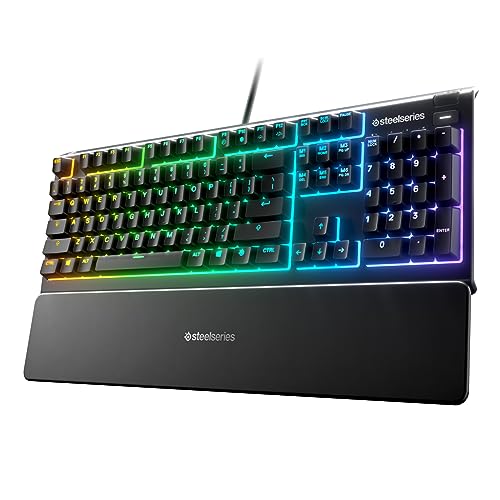
SteelSeries Apex 3 Gaming Keyboard - Black | 10-Zone RGB Illumination – IP32 Water Resistant – Premium Magnetic Wrist Rest (Whisper Quiet Gaming Switch)
As an Amazon Associate we earn from qualifying purchases.
Razer Tartarus V2: for players who want a thumbpad
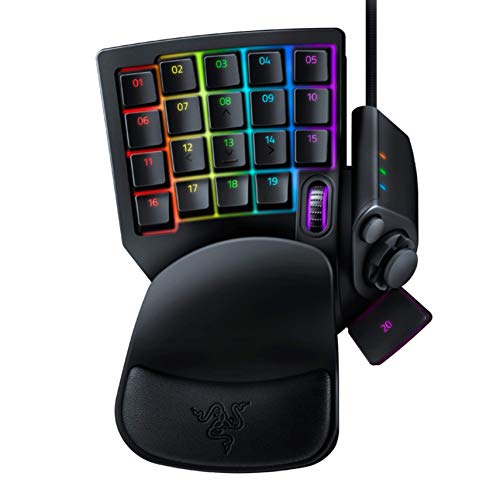
The Tartarus V2 is a left-hand gaming keypad with mecha-membrane switches, an eight-way directional thumbpad and a palm rest with two positions. Razer describes 32 programmable inputs; that should not be read as 32 conventional letter keys.
The appeal is putting frequently used controls in a small area. You can experiment with movement on the thumbpad or reserve it for other bindings, depending on what feels natural. Neither arrangement is automatically better than WASD. Keep your normal keyboard nearby for chat, account entry and any shortcut you have not mapped.
Before buying, check Razer’s current software support for your system. The support page lists Synapse 4 for PC. Do not assume that a Mac’s ability to recognize USB inputs means it has the same configuration-software support. This listing is the Tartarus V2 mecha-membrane model, not the Tartarus Pro or V2 Pro.
Redragon K585 DITI: a familiar left-hand key layout
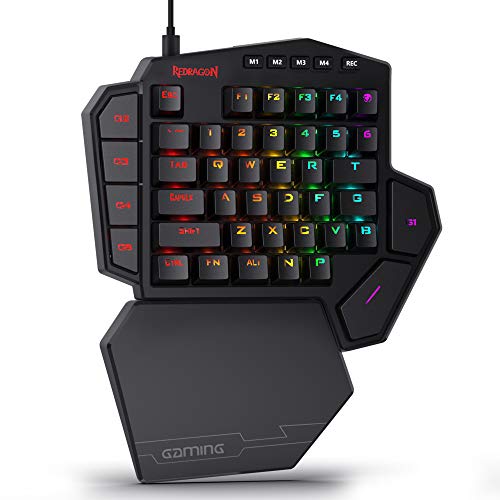
The wired K585 DITI keeps a 42-key partial keyboard layout and adds seven programmable G keys, a detachable wrist rest and USB pass-through. It suits someone who wants a smaller control area without moving to the Tartarus’s numbered-key-and-thumbpad arrangement.
Redragon lists several switch choices for the K585 family. Check the selected option on the seller’s page, especially if click noise matters in a shared room or on voice chat. Do not assume that a description of a newer K585 revision applies to every seller’s stock.
The linked listing is the black wired K585. Wireless, Pro and Hall-effect versions are separate choices. Programmable keys can be useful for accessible individual bindings, but the manufacturer’s macro features do not establish what Blizzard permits in World of Warcraft.
Choose the layout before the lighting
Keep your most frequent actions within easy reach
Write down the abilities and commands you use constantly: movement, primary attacks or heals, interrupt, defensive ability, targeting and push-to-talk. Then consider how comfortably you can reach them while moving. A keyboard with extra keys will not help if those keys force an awkward stretch.
Modifier combinations can expand an existing layout without buying another device. Try a small number of sensible Shift, Ctrl or Alt combinations in the game’s settings first. Use only combinations that your hand can reach comfortably, and avoid replacing a familiar control scheme all at once.
Decide whether a number pad earns its space
A full-size keyboard is versatile. A tenkeyless or compact layout leaves more space beside it, but increasingly small layouts can move function keys and navigation keys onto layers. If you regularly use those keys, work through their location before choosing a compact board. A left-hand keypad is an additional device rather than a full substitute for typing.
Check the setup on your actual computer
Confirm the physical layout, connector, cable reach and supported configuration software. Regional layouts can move punctuation and modifier keys. If you play on a laptop, check that the keyboard and mouse can both connect without occupying a port needed for charging or another device.
Keep programmable controls within Blizzard’s rules
Prefer ordinary keybinds and the game’s own supported macro system. A hardware button labeled “macro” does not give permission to automate gameplay. Avoid unattended actions, repeating ability loops or using one input to control multiple game clients.
Blizzard’s input-broadcasting policy prohibits software and hardware mechanisms that mirror commands to multiple WoW accounts or automate or streamline multiboxing. Check current official rules if a configuration goes beyond a straightforward single-key mapping; no keyboard vendor can promise that an account configuration is allowed.
Before you replace a working keyboard
- Try a cleaner in-game keybind layout first.
- Check whether missed inputs happen with one key or only with certain simultaneous combinations.
- Keep your wrists in a comfortable neutral position and take breaks; a bundled wrist rest is not a medical guarantee.
- Use the seller’s return window to assess reach and fit, following its conditions.
- Save or record your configuration before making major changes.
Common questions
Do I need mechanical switches for WoW?
No. Switch feel is a preference. Reliable input and comfortable reach matter more than the label. The Apex 3 and Tartarus V2 show that gaming-focused controls are available without conventional mechanical switches.
Will a gaming keypad improve my damage or healing?
It may make a particular control layout more comfortable, but no improvement is guaranteed. Changing devices can initially make you slower while you learn where everything is. Practice in a low-pressure setting before using a new layout in demanding group content.
Which is the simplest starting point?
Keep a working conventional keyboard if it already meets your needs. If replacing it, a familiar full-size layout is the least disruptive choice among these options. Choose a dedicated keypad when you have a specific reach, space or control-layout problem you want it to solve.
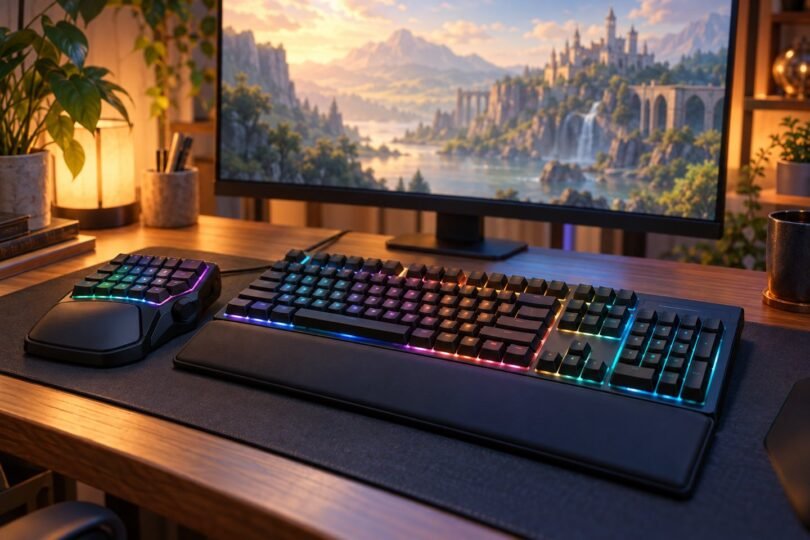
Image note: Original AI-generated editorial illustration; generic objects shown, not branded product photography.