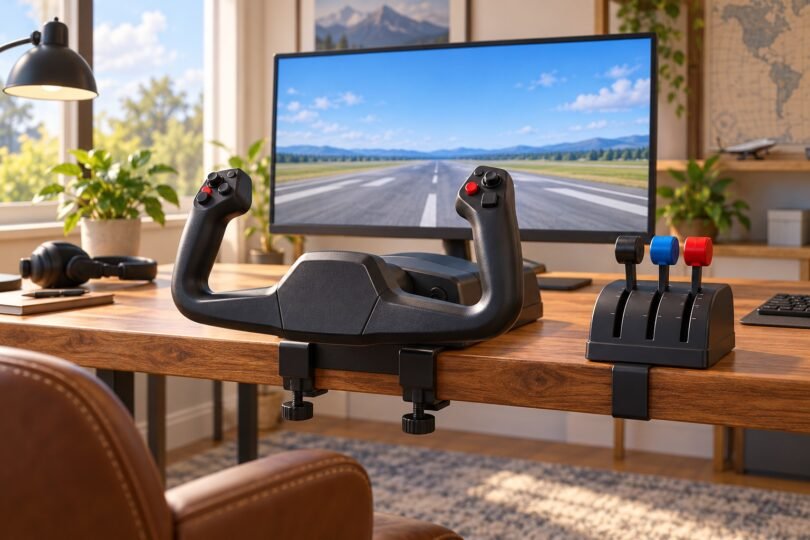

The right yoke for a flight simulator depends on your computer or console, the aircraft you fly and the controls included in the box. Start with the Logitech G Flight Yoke System for a Windows setup with a separate three-lever throttle, Turtle Beach VelocityOne Flight for a combined yoke-and-throttle system, Honeycomb Alpha XPC for a yoke and switch panel you can build around, or the Thrustmaster TCA Boeing range for pendular pitch movement.
This shortlist compares manufacturer specifications, manuals and package contents. It does not claim hands-on testing or rank the products by measured precision. A cockpit frame, rudder pedal set or throttle by itself is not a replacement for a yoke.
Flight simulator yokes at a glance
| Yoke or package | Where to consider it | Main buying distinction |
|---|---|---|
| Logitech G Flight Yoke System | Windows PC | Includes a separate three-lever throttle quadrant; the bundled quadrant connects to the yoke. |
| Turtle Beach VelocityOne Flight Universal Control System | Windows PC or supported Xbox use | Includes a modular throttle, trim wheel and hand-operated rudder/brake controls. Xbox Cloud Streaming is excluded. |
| Honeycomb Alpha Flight Controls XPC | PC, Mac or supported Xbox use | Yoke and switch panel; throttle and pedals are separate. Xbox expansion has specific Hub requirements. |
| Thrustmaster TCA Yoke Pack Boeing Edition | PC or supported Xbox use | Combines the pendular Boeing yoke, one Boeing throttle quadrant and a TM Flying Desk Mount. |
Platform support is only the first check. Confirm the exact simulator, its version and the accessories you intend to connect. None of these four is presented here as a verified PlayStation option.
1. Logitech G Flight Yoke System: a PC yoke with a separate throttle
The Logitech package makes sense if you want physical pitch and roll control plus three separate engine-control levers without sourcing a throttle first. Logitech includes the Flight Throttle Quadrant and mounting clamps. The lever assignments can be changed in your simulator, so a light-aircraft setup can use them for throttle, propeller and mixture.
There is a useful connection detail: the quadrant supplied with this system uses a PS/2 connection to the yoke; the yoke connects to the computer by USB. Do not assume that this bundled quadrant is an independently usable USB throttle if you later replace the yoke. Logitech’s listed five axes describe the combined system, not five directions of yoke movement. See the Flight Yoke System product page and technical specifications.
- Good fit: a Windows desktop where you want to position the throttle beside the yoke.
- Budget separately: rudder pedals, extra quadrants and instrument panels if you need them.
- Check first: Logitech lists Windows 10 and 11 among its supported systems; this is not an Xbox recommendation. Verify your simulator’s current mapping and software requirements.
2. Turtle Beach VelocityOne Flight: combined controls for PC and Xbox
Choose the VelocityOne Flight Universal Control System when you want a yoke, modular throttle and pitch-trim wheel in one package. Its integrated rudder and brake controls let you assign those functions to your hands, which is useful when pedals would not fit under the desk. These are not foot pedals included in the box.
The exact package matters. VelocityOne Flightstick, Flightdeck, the flight stand and the rudder pedals are different products. The Universal Control System’s quick-start guide lists the yoke/base and throttle, interchangeable throttle tops, connection cables and mounting components. A pictured cockpit stand or pedal set in a bundle must be listed separately in that offer’s contents.

Turtle Beach VelocityOne Flight Universal Control System (TBS-0715-02): Yoke and Throttle Quadrant
As an Amazon Associate we earn from qualifying purchases.
Turtle Beach lists Windows 10/11 and Microsoft Flight Simulator 2020/2024 support, but explicitly excludes Xbox Cloud Streaming. For Microsoft Flight Simulator on Xbox, plan around a locally installed supported version on Series X|S. An Xbox One badge on the hardware does not establish support for a cloud-streamed game. Consult the manufacturer’s compatibility and box-contents listing.
Do not assume that every light and display works in every game. Turtle Beach’s product page mixes older Status Indicator Panel wording with newer compatibility statements. Its SIP support article documents firmware, simulator-update and PC utility requirements, including Xbox support introduced for MSFS 2020 with Update 10. That is more specific than a blanket promise for every MSFS 2024 aircraft or other simulator. Check current instructions for your game before making the panel a deciding feature.
3. Honeycomb Alpha XPC: a yoke and switch panel for a modular setup
The Alpha Flight Controls XPC, SKU HC003653, combines 180-degree yoke rotation with an integrated switch panel and a five-position ignition switch. Honeycomb lists PC, Mac, Xbox One and Xbox Series X|S hardware compatibility. The box contains the XPC yoke, mounting solution and cables; it does not include a Bravo throttle quadrant or Charlie rudder pedals.
Check the XPC suffix before ordering. The original Alpha Flight Controls, SKU SB003011, is a different product listed for PC and Mac. Its similar appearance and Alpha name do not give it the XPC’s Xbox support. Do not transfer XPC sensor specifications to the original model either.
For a Honeycomb Xbox setup, the manufacturer specifies Alpha XPC plus the separate Honeycomb Xbox Hub to connect Bravo and Charlie as a system. The Hub is not a universal adapter that turns the original Alpha or any USB accessory into an Xbox-compatible device. See Honeycomb’s Xbox connection requirements.
- Good fit: someone who wants dedicated cockpit switches and plans to choose the throttle separately.
- Budget separately: engine controls, rudder controls and any required Xbox Hub.
- Check first: the exact operating system, simulator and profiles. Mac hardware support does not mean a Windows-only simulator runs on macOS. Honeycomb’s downloads page separates software and profiles by simulator and product.
4. Thrustmaster TCA Boeing: pendular movement and distinct bundle choices
The Boeing yoke uses Thrustmaster’s pendular mechanism, with a specified 21 cm range of travel, rather than the sliding-shaft layout seen on many desktop yokes. Consider it if that movement is a priority and you have room for the larger upright assembly. A different mechanism does not, by itself, establish better handling in every simulated aircraft.
Distinguish the TCA Yoke Boeing Edition from the TCA Yoke Pack Boeing Edition. The Pack’s contents include one yoke, one Boeing quadrant and the TM Flying Desk Mount. The standalone yoke has two throttle axes on its base, but it does not include the separate quadrant. The Pack’s four interchangeable lever handles are swappable parts, not four simultaneously installed quadrant axes.
The range is listed for PC and Xbox One/Series X|S hardware, with game-specific support. Use the exact Boeing yoke support page for Windows drivers and simulator guidance rather than assuming every game mentioned for Thrustmaster’s wider ecosystem applies to this model.
Measure before buying: the Boeing yoke manual specifies a 15–55 mm desktop clamping range and prohibits mounting it to a glass table or desk. Cockpit mounting uses M6 screws that are not included. The published yoke dimensions are 300 mm wide, 390 mm deep and 380 mm high; allow additional space for its motion, your hands and cables.
How to choose a yoke that fits your setup
Check the whole compatibility chain
Write down your operating system or console, the simulator and version, the yoke’s exact model and every accessory. A USB connector is not a promise of console support. On Xbox, follow the documented route through the compatible yoke or hub; do not assume a PC accessory will work when plugged directly into the console.
Also separate an installed game from cloud streaming. Microsoft’s hardware setup guide lists compatible flight peripherals for Series X|S and controller or touch/gyro inputs for Xbox Cloud Gaming. Verify the input method for how you actually play before buying hardware.
Measure the desk edge, not just the desktop
Check the desk’s thickness, underside apron or drawer clearance, usable depth and edge shape. Then allow room for the yoke to move fully without contacting the desk, your chair or your body. A product’s width and depth do not describe its complete operating envelope.
For scale, Logitech lists its yoke at 464 × 310 × 185 mm and its quadrant at 175 × 175 × 90 mm, in width × depth × height order. Honeycomb lists the Alpha XPC at 273 × 410 × 208 mm, excluding the mounting plate and clamp. Those measurements are planning aids, not fit guarantees.
Confirm the included clamp’s limits with the maker when they are not stated clearly. For example, Honeycomb’s 8.6–14 cm XL clamp range belongs to an optional accessory; it is not the specification for the standard clamps supplied with an Alpha.
Include the missing controls in your budget
Think through one flight: engine start, taxi, takeoff, trim, landing and braking. Decide where you will put throttle, rudder, brakes and frequently used switches. A yoke with no throttle may be a good starting point if you already own compatible engine controls, but compare complete setups when starting from scratch.
Pedals can give your feet separate rudder and braking duties, while hand controls may suit a small desk. Neither layout should be assumed from the word “yoke.” Check whether the package includes the controls you need and whether your simulator can assign them as intended.
Plan time for setup
Follow the model’s official connection and calibration instructions, then check pitch, roll, throttle and rudder direction inside the simulator before the first flight. Remove conflicting bindings if two devices are assigned to the same axis, and save a profile for your preferred aircraft. Buttons being detected does not establish that a trim wheel, warning panel or autopilot control is configured correctly.
Use official support downloads for the exact product. For VelocityOne Flight, Turtle Beach’s firmware guide also calls for checking the selected input mode and profile after updating.
Common questions about flight simulator yokes
Is a yoke better than a joystick?
Choose the control layout you want to use and have space for. A yoke is a natural choice when you want a two-handed aircraft-style control; a stick may suit your preferred aircraft or desk better. Neither guarantees better flying or makes a home simulator equivalent to certified flight training.
Do all yokes include a throttle?
No. Logitech’s Flight Yoke System and Turtle Beach’s Universal Control System include throttle controls. Honeycomb Alpha/XPC is a yoke-and-switch-panel purchase. Thrustmaster sells both a standalone Boeing yoke and a Pack with a separate Boeing quadrant, so read the complete package name.
Can I use the original Honeycomb Alpha on Xbox?
Do not buy the original Alpha expecting Xbox support. Honeycomb lists that model for PC and Mac. Its documented Xbox setup starts with Alpha XPC, with the Xbox Hub required for the specified Bravo/Charlie expansion.
Which should I compare first?
Compare Logitech for a Windows yoke-and-throttle starting point, VelocityOne Flight for integrated controls, Alpha XPC for a separately configured cockpit, and the Boeing range for pendular movement. Eliminate any option that fails your platform, package or mounting checks before comparing the current total cost.