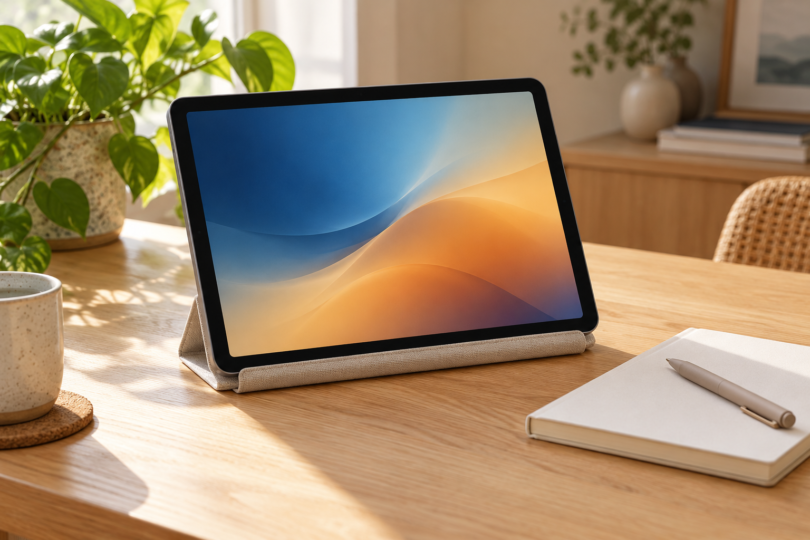

The best tablet for your mom is the one that fits the apps and activities she actually enjoys. In this two-model shortlist, the Apple iPad with A16 is our pick for someone who wants an iPad, FaceTime and optional Apple Pencil support. The Samsung Galaxy Tab A11+ is our pick for an Android user who values expandable storage and built-in speakers for entertainment. Start with her preferences, including screen size, rather than assumptions about age or technical confidence.
We compared manufacturer specifications and exact retailer configurations. We have not conducted hands-on speed, display, battery-life or accessibility testing. “Best” here means a practical fit for the stated use, not a measured winner across every tablet.
Best tablets for mom by preference
| Exact pick | Best use | Useful features | Main limitation |
|---|---|---|---|
| Apple iPad A16, 128GB Wi-Fi, Pink | Someone who specifically wants iPad apps and FaceTime | 11-inch-class display; landscape Center Stage camera; optional Apple Pencil support | The selected model is Wi-Fi only; Pencil and keyboard cost extra |
| Samsung Galaxy Tab A11+, 6GB RAM/128GB, Gray | Android entertainment and a removable media library | 11-inch display; quad speakers; microSD expansion up to 2TB | Not compatible with S Pen; microSD card is separate |
Apple iPad A16: best for iPad apps and FaceTime
Apple’s A16 iPad has a Liquid Retina display marketed as 11 inches, a landscape 12MP Center Stage front camera and Touch ID in the top button. Those are useful reasons to consider it for video calls, browsing and everyday app use. Choose it because she wants the iPad experience and the apps she uses are available for it.
Why choose it: The model supports Apple Pencil (USB-C) and the first-generation Apple Pencil, although the latter needs a USB-C to Apple Pencil Adapter for pairing and charging. That gives someone interested in handwritten notes or drawing an accessory route to consider. Check the A16 iPad specifications before choosing a Pencil or keyboard.
Where it falls short: The selected 128GB Wi-Fi model is not the cellular edition. Apple Pencil and keyboard accessories are sold separately, so include them in the budget only if she wants them. Do not buy a keyboard or case merely because it says “iPad”; confirm support for this exact model.
The linked configuration is one Pink iPad A16 with 128GB storage and Wi-Fi, model MD4E4LL/A, without the AppleCare+ add-on. The listed box includes a USB-C charging cable and 20W USB-C power adapter. Pink identifies this exact retailer selection; choose a different color only after checking the storage and connectivity again.

Apple iPad A16 — 128GB Wi-Fi, Pink, Without AppleCare+
As an Amazon Associate we earn from qualifying purchases.
Samsung Galaxy Tab A11+: best for expandable storage
The Galaxy Tab A11+ combines an 11-inch display with four speakers and a microSD slot. Samsung supports removable storage up to 2TB, a useful option for someone who wants room for photos, videos and files. Our selected configuration has 6GB of RAM and 128GB of built-in storage.
Why choose it: This is the more flexible storage choice of the two configurations for a person who prefers to manage media on a removable card. The quad-speaker layout also makes it worth considering for entertainment without headphones. These are feature-based reasons to shortlist it, not a claim that we measured better sound or performance.
Where it falls short: Samsung lists the A11+ as incompatible with S Pen. It would therefore be the wrong choice if her priority is Samsung’s S Pen handwriting or drawing experience. A microSD card is sold separately; confirm app compatibility and any required accessories before buying.
The linked choice is one Gray Galaxy Tab A11+, model SM-X230NZANXAR, with 6GB RAM and 128GB storage. It is the Tab A11+ selection, not a different tablet in the retailer’s comparison grid. Samsung’s product page lists a USB Type-C data cable, ejection pin and quick-start guide in the box; check what charging equipment you need before checkout.

What to check before giving a tablet
Start with three real tasks. Ask which apps she wants, whether she plans to read or watch video for long stretches, and whether she wants a keyboard or pen. Verify her must-have apps in the relevant app store before choosing the device. An app available on a phone may have different tablet features or a separate subscription.
Let her judge the physical fit. If possible, try a display model or use a retailer with a suitable return policy. Check the on-screen text at her preferred settings, the weight in hand, and how a stand positions the screen. These checks are more useful than assuming one device is universally easy to use.
Compare the complete gift. Include any case, stand, pen, keyboard, charging adapter, memory card or app subscription she actually needs. Confirm the exact storage, connectivity, color and protection-plan selection at checkout; retailer pages can combine several configurations.
Frequently asked questions
Which tablet should I buy my mom?
Choose the iPad A16 if she wants iPad apps, FaceTime or a compatible Apple Pencil. Choose the Galaxy Tab A11+ if she prefers Android and removable storage. Ask about her main uses and preferences before deciding.
Is 128GB enough storage?
It depends on what she keeps locally. Review the space used on her current device and allow room for future downloads. Both selected models have 128GB; the A11+ also supports a separately purchased microSD card up to 2TB for additional storage.
Do these tablets include a pen?
The selected iPad does not include Apple Pencil; compatible models are sold separately. Samsung lists the Galaxy Tab A11+ as not compatible with S Pen.
Should I choose Wi-Fi or cellular?
Decide whether she needs internet away from a Wi-Fi network, then compare the exact cellular model and service costs if needed. The iPad configuration linked here is Wi-Fi only; do not assume a tablet listing includes mobile data service.
Is there a tablet that is automatically easiest for every mom?
No single preference fits everyone. Familiar apps, comfortable screen settings, the way the tablet is held and the setup she wants all matter. Have her try the controls and display when possible.