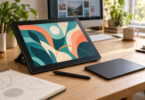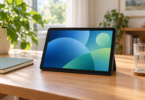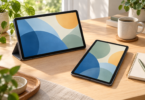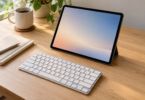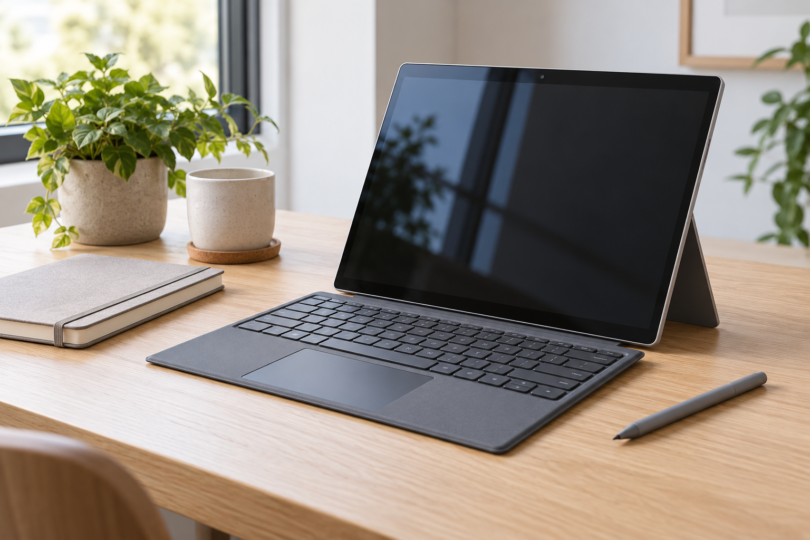

For a true 12-inch Windows tablet, compare the Surface Pro 12-inch 1st Edition with the 12-inch 2nd Edition. Our selected configurations both have 16GB of memory and 256GB of storage. The first is worth considering when its complete package costs meaningfully less; the second is the stronger feature choice here if a brighter screen matters. Both use Snapdragon processors, so check your apps and accessories before buying.
Buying timing matters: Microsoft listed the 2nd Edition for pre-order when we checked. Its announced launch is October 13. Check the current delivery estimate on the exact configuration before relying on it for a trip or work deadline.
This is a specification-based comparison of two distinct generations, not a hands-on performance or battery test. The shortlist requires a 12-inch display and Windows; a tablet-shaped accessory, an Android tablet or a screen just under 13 inches does not meet that exact brief.
Best 12-inch Windows tablets at a glance
| Selected configuration | Best reason to consider it | Display | Main compromise |
|---|---|---|---|
| Surface Pro 12-inch 1st Edition, Platinum, 16GB/256GB; EP2-33670 | Same compact Windows format if the full setup is substantially cheaper | 12-inch LCD, 2196 × 1464; up to 90Hz; 400-nit stated maximum typical brightness | Older X Plus generation; keyboard, pen and wall charger extra |
| Surface Pro 12-inch 2nd Edition, Platinum, 16GB/256GB UFS | Brighter display and newer X2 Plus generation | 12-inch LCD, 2196 × 1464; 90Hz; 500-nit stated brightness | Pre-order at our check; keyboard, pen and wall charger extra |
Microsoft measures these displays diagonally as standard rectangles; rounded corners reduce the actual viewable area. These are 12-inch screens, not devices chosen because one case dimension happens to be about 12 inches.
Surface Pro 12-inch 1st Edition: best when the complete setup costs less
The exact first-generation option here is EP2-33670 in Platinum, with 16GB RAM and 256GB UFS storage. It has the eight-core Snapdragon X Plus processor and runs Windows 11 Home. Its 3:2 screen is a practical shape for a document beside a browser, although a compact panel still gives you less physical workspace than a large laptop.
Its appeal is the combination of a built-in kickstand, a 12-inch touch display and full Windows in a tablet format. Microsoft specifies up to 90Hz, with 60Hz as the default. This model can make sense for browser work, documents and notes when you have verified your software and find a worthwhile saving over the newer generation.
The tradeoff is an older processor generation and the lower stated display brightness: 400 nits versus 500 nits on the 2nd Edition. That is a manufacturer specification comparison, not our measurement of outdoor readability. We would not pay nearly the same total for the older tablet merely because a listing uses the familiar Surface Pro name.
The selected listing is for one device with a USB-C charging cable and documents. It explicitly excludes a charger. The 12-inch keyboard and Slim Pen are separate accessories. A “frequently bought together” panel or a photo of a keyboard is not the package list for this ASIN.

Surface Pro 12-inch 1st Edition, 16GB/256GB, Platinum
As an Amazon Associate we earn from qualifying purchases.
Surface Pro 12-inch 2nd Edition: best for the brighter screen
Our second-generation selection is the Platinum, 16GB RAM, 256GB UFS consumer model with the six-core Snapdragon X2 Plus. It also runs Windows 11 Home. The main visible upgrade for this comparison is the 500-nit display specification, while retaining the 12-inch size and 2196 × 1464 resolution.
Choose this generation if you want the brighter panel and the newer platform, especially when the complete price is close to an older model. Microsoft also offers a 24GB memory option in this generation, paired with 512GB storage in the captured store choices. That can be worth comparing if you know your workload needs more memory; it is a different configuration from the one in our table.
The six-core and eight-core labels do not establish a speed ranking across these different processor generations. We have not benchmarked either tablet. The newer processor also does not remove Windows-on-Arm compatibility limits, so buying the 2nd Edition is not a workaround for an unsupported device driver or game.
The standard box contains the tablet, USB-C charging cable and documents. Microsoft lists the keyboard, Slim Pen and power supply separately. At our check the selected tablet was a pre-order, so confirm the release and delivery details and review optional add-ons before paying.
Compare the 12-inch 2nd Edition at Microsoft. Match Platinum, 16GB RAM and 256GB UFS in the order summary. The store can change its default selection, and an optional keyboard or protection plan changes the final total.
Arm versus x86: check the software you actually use
Both selected tablets run Windows on Arm. Microsoft documents native Arm versions of Word, Excel, PowerPoint, Outlook, OneNote and other common apps. Windows 11 on Arm can also emulate x86 and x64 desktop applications, but a familiar Windows logo is not a guarantee that every older program behaves exactly as it does on an Intel or AMD PC.
Drivers are the crucial exception: Windows app emulation does not emulate drivers. Check the manufacturer’s Arm64 support for a printer, scanner, audio interface, specialist USB device or security tool you depend on. Microsoft also warns that some games relying on incompatible anti-cheat drivers will not work. Verify the exact app version, plug-ins and hardware before ordering.
If an essential tool requires an x86-only driver, do not buy either selected Surface on the assumption that extra RAM will solve it. Look for a Windows device with the architecture your supplier supports, then check its actual display size. It is better to relax a size preference deliberately than discover that a compact tablet cannot do your essential job.
Compare the full package, not just the tablet price
For substantial typing, budget for the Surface Pro 12-inch Keyboard and check the exact compatibility label. Microsoft lists a dedicated 12-inch keyboard for these tablets. A listing for a 13-inch Surface keyboard is not an interchangeable size option in this comparison. If pen input matters, price the compatible Slim Pen separately too.
Both standard packages include a USB-C cable but no wall charger. Add a compatible power supply if you do not already have one. Also count any hub, monitor cable or other accessory your workflow requires; the tablets’ two USB-C/USB 3.2 ports are not a promise that every dock or peripheral works.
Windows 11 Home is included in these consumer configurations. A preloaded Microsoft 365 app or trial does not provide a permanent Office license: budget for the appropriate license or subscription if you need it. If your workplace requires Windows 11 Pro, check the business configuration or upgrade requirements before buying the Home model.
Both table choices have 256GB of advertised storage. Windows, installed apps and updates use some of that capacity, so it is not all available for your files. Compare a 512GB configuration if you expect to keep large folders locally, and verify the selected memory and storage together rather than relying on a family-level headline.
For either generation, compare the same memory, storage, color, condition and included accessories. Check who sells and ships the tablet, the return window and the delivery estimate. A refurbished bundle and a new device-only offer may both be reasonable purchases, but their prices do not represent the same package.
Frequently asked questions
Which 12-inch Windows tablet should I choose?
Choose the Surface Pro 12-inch 2nd Edition for its brighter stated screen and newer platform if its delivery timing and full price suit you. Compare the 1st Edition 16GB/256GB model when it offers a meaningful complete-package saving. For either one, software and peripheral compatibility comes first.
Does Surface Pro 12 mean the same thing as a 12-inch Surface Pro?
Do not shop by the number alone. Our selections explicitly say “12-inch” and identify the 1st or 2nd Edition. Microsoft also sells Surface Pro models with 13-inch displays. Check the diagonal screen size, processor and generation in the exact specification.
Will the keyboard, pen and charger be included?
They are separate from the standard tablet packages compared here. The boxes include a USB-C charging cable, but a cable is not a wall charger. Buy a bundle only after checking its own contents and the exact keyboard compatibility.
Can it run ordinary desktop Windows software?
Windows 11 on Arm supports native Arm apps and emulation for x86 and x64 apps. Driver-dependent software and hardware still need suitable Arm64 support, and some anti-cheat systems remain a limitation. Ask the publisher about the exact application and accessories you plan to use.