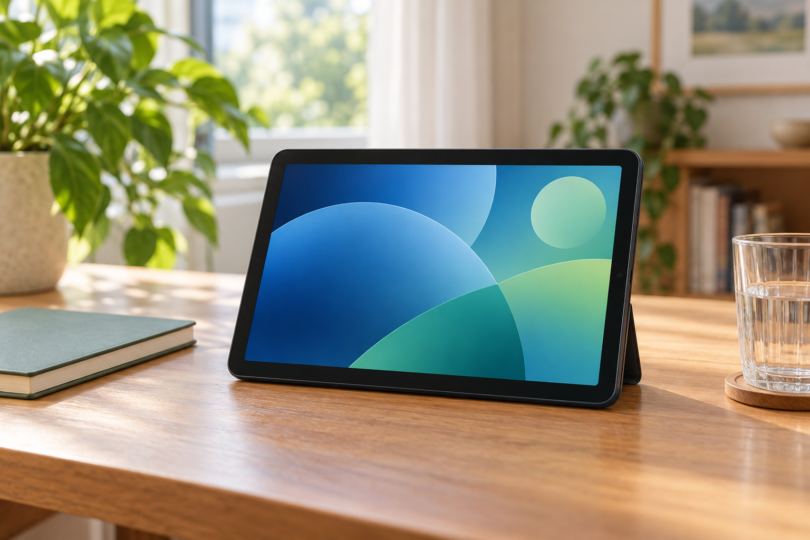

For a new Android tablet under $100 before tax and shipping, the onn 7-inch Core, 64GB, Navy is our practical pick from this comparison. Its exact Walmart.com offer was $87 when checked. We verified one available choice at that threshold; the other two models below are unavailable or lack a current price, so they are comparisons rather than live deals.
Prices and stock can change with your location, seller and selected color. Our check used Walmart’s US listing context; confirm the final total for your address. If $100 is your entire budget, leave room for tax, delivery and any charger or case you need. These recommendations compare documented features and exact offers, without hands-on performance testing.
Quick comparison: one buyable option and two alternatives
| Exact model compared | Observed item price | Status at the check | Our buying advice |
|---|---|---|---|
| onn 7-inch Core, Navy, 4GB/64GB, TBBLU36020962 | $87 from Walmart.com | New; available in the checked listing | Best fit here for a small everyday tablet |
| onn 10.1-inch, Lavender, 3GB/32GB, TBLVD100135925 | $99 from Walmart.com | Out of stock | Consider only if it returns below your budget |
| onn 8-inch, Indigo, 3GB/32GB, TBIND100135923 | No current selected price | Out of stock; budget qualification unverified | Do not treat an old price as a current offer |
1. onn 7-inch Core: the verified under-$100 pick
Choose the Navy 64GB Core model TBBLU36020962 if a small tablet suits your reading, web browsing and casual app use. The listing specifies Android 16, 4GB RAM and a 7-inch 1024 × 600 LCD. It is a Wi-Fi device, with no cellular connection. The selected package is one tablet, not a keyboard bundle.
Pros: More listed memory and storage than the older models below, plus a compact screen. Cons: Its lower display resolution and small working area are compromises for detailed PDFs or long typing sessions. Those specifications make it a basic-use candidate; they do not establish demanding-game performance or video quality in a particular streaming app.
The listed box contains the tablet, USB-C-to-USB charging cable, memory-card ejection pin and quick-start guide. A wall power adapter is not listed, so confirm the charging requirements and budget for a suitable adapter if you do not already have one. Avoid assuming a charger or case from another onn generation fits.
Check the exact Navy 64GB onn 7-inch Core at Walmart. Verify model TBBLU36020962 and seller Walmart.com before paying; the $87 observation applies to that offer.
2. onn 10.1-inch: a larger-screen option to watch
The Lavender 32GB onn 10.1-inch, TBLVD100135925, was listed at $99 by Walmart.com but was out of stock. It has Android 14, 3GB RAM, expandable storage and a 1280 × 800 IPS LCD. It earns a comparison slot for its larger screen, not as an available purchase recommendation.
Pros: More room for a recipe or a page of text, with an AC adapter and USB-C cable in the listed package. Cons: Less RAM and storage than the Core, and no purchasable offer at the time checked. A $99 item price also leaves almost no room for tax within a strict $100 total.
Check the Lavender 10.1-inch model’s availability. If it returns, compare the current seller, price and update information before buying. A different color, refurbished listing or marketplace bundle is a separate offer.
3. onn 8-inch: compare the hardware, recheck the price
The Indigo onn 8-inch, TBIND100135923, has a 1280 × 800 LCD, Android 14, 3GB RAM and 32GB storage with memory-card expansion. Its in-between size may appeal if the Core feels too small and a 10.1-inch tablet too large. The exact listing was out of stock and supplied no current selected price.
Pros: A larger, higher-resolution screen than the Core while remaining smaller than the 10.1-inch model. Cons: Less RAM and storage than the Core, plus an unverified current budget fit. Do not use a cached search price, another color’s price or an old review to decide that this version is under $100.
View the exact Indigo 8-inch listing. It belongs on your comparison list only if a real offer returns at a suitable total price and with support terms you accept.
What matters more than a long list of cheap tablets
Check Google Play certification and your essential apps
Google says Play Protect certification and the Play Protect app-scanning feature are separate things. Certification means a device has passed Android compatibility testing and is eligible to include licensed Google apps. After setup, open Play Store, tap your profile, then Settings and About to check certification. A listing that merely says “Play Protect” does not prove the status of the unit you receive.
Before buying, list the apps you actually need: your library service, streaming subscriptions, video-calling tool or school portal. Check each publisher’s current device requirements. During the return period, test those tasks with the tablet’s normal supported software. Do not assume an app icon in a product image guarantees every feature, download option or subscription tier works.
Ask about updates, not just the Android version
Android 16 on a specification sheet is useful information, but it is not a promise of years of future updates. Google says schedules vary by device and manufacturer. Ask the seller or manufacturer for the exact model’s security-support policy; in Settings, check both the Android version and security-update status. No fixed remaining support period was established for these models.
Compare the complete package and realistic workload
For a low-cost tablet, prioritize the few jobs it must do well. If you mainly read short articles, compact size may win. If you study scanned textbooks, first see whether the text is comfortable at the screen size you are considering. For large games, demanding multitasking or a laptop replacement, it may be better to save for a device that you can test against those requirements.
Check the final checkout amount, charger, case and any memory card separately. Read the exact seller’s return terms and device condition. “New,” “open box” and “refurbished” should not be compared as if they were the same offer. Keep evidence of the model, seller and included accessories so you can check the delivered package.
Why Fire tablets are not interchangeable with these Android choices
Amazon’s Fire OS shares Android foundations, but Amazon documents an important difference: it uses Amazon services and the Amazon Appstore rather than Google’s app-store setup. If you specifically need the ordinary Google Play workflow, check a Fire tablet’s supported app availability separately. We have not substituted a Fire model into this shortlist or assumed that unofficial app installation solves compatibility.
Frequently asked questions
Which model here can I actually buy for under $100?
Only the exact onn 7-inch Core Navy 64GB offer was verified available below $100 in this comparison. The observed item price was $87 before tax and shipping. Recheck it for your location; the two older models were not available offers.
Is the $99 10.1-inch model a better buy?
It may suit someone who needs more screen space, but it was out of stock. Its 3GB RAM and 32GB storage are lower than the Core’s listed 4GB and 64GB. Compare again if stock returns, including tax and the current support position.
Can I use these without a mobile data plan?
The recommended Core uses Wi-Fi and does not support a cellular network. Connect it to suitable Wi-Fi for online tasks. Check your apps’ offline options before relying on it away from a connection; offline access is an app-by-app question.
Does a newer Android version guarantee longer support?
No. Google says update schedules vary by device and manufacturer. Ask for the exact model’s support policy and check the security-update status rather than inferring an end date from the Android version alone.
Should I choose an unknown brand to get a larger screen?
Screen size alone is a poor reason to buy. Verify the seller, returns, actual installed RAM, Google Play certification and update policy first. If those basics cannot be established, a low advertised price is not enough to make the purchase a good fit.