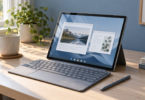

Our first choice for a compact reading tablet is the iPad mini (A17 Pro), 128GB Wi-Fi. Choose the Fire HD 10, 13th generation, 3GB RAM/32GB storage if Kindle and Libby are your main reading routes. For a larger Android screen and Google Play Books documents, compare the Galaxy Tab A11+, 128GB Wi-Fi. These recommendations reflect their documented features and app access, rather than a measured reading-comfort ranking.
We compared manufacturer specifications and the reading services’ own instructions. We have not timed page turns, measured battery life or tested these tablets side by side.
The three-tablet shortlist
| Exact tablet | Screen and selected storage | Best reason to choose it | Main tradeoff |
|---|---|---|---|
| iPad mini (A17 Pro), Wi-Fi | 8.3-inch IPS LCD; 128GB | Compact format for novels and several reading apps | Smaller page view for dense PDFs |
| Fire HD 10, 13th generation, 3GB RAM | 10.1-inch 1920 × 1200 IPS; 32GB | Kindle plus an explicitly supported Libby Fire app route | Check each extra app in the Amazon Appstore |
| Galaxy Tab A11+, SM-X230NZAIXAR, Wi-Fi | 11-inch TFT LCD; 128GB with 6GB RAM | Larger page view and Android document-reading route | S Pen is not supported |
The screen sizes above are diagonal measurements, not usable page dimensions. A larger display is the more sensible starting point for magazines, comics and fixed-layout PDFs; a smaller tablet is the option to try when handheld size matters more. Open a representative file before deciding.
1. iPad mini: our compact pick for mixed reading apps
The A17 Pro iPad mini has an 8.3-inch, 2266 × 1488 IPS display at 326ppi. The Wi-Fi model weighs 293g. Our selected version is 128GB in Space Gray; the higher storage and cellular variants are separate buying decisions.
Its strength for reading is the compact format combined with several documented routes: Kindle has an iPad app, Libby supports Apple’s mobile platform, and Apple Books can open, save and mark up PDFs. If your books come from several services, start by checking their iPad apps and your account access.
The compromise is page area. We would choose the larger tablets below for frequent full-page diagrams or multi-column documents, subject to trying the file at a readable size. Apple’s “up to 10 hours” figure concerns web browsing over Wi-Fi or video, so it should not be read as our measured ebook battery result.
Select the documented 128GB Wi-Fi configuration through Apple’s iPad mini buying page, and use the A17 Pro specifications to distinguish it from older iPad mini generations.
2. Fire HD 10: a focused choice for Kindle and Libby
The configuration compared here is the 13th-generation Fire HD 10 with 3GB RAM and 32GB storage. Amazon’s developer specifications give it a 10.1-inch 1920 × 1200 IPS display, Fire OS 8 and microSD support up to 1TB. Verify that exact generation and memory specification when ordering; “Fire HD 10” alone is not a complete configuration.
Kindle comes preinstalled on Fire tablets. More usefully for library readers, Libby specifically lists the 2023 Fire HD 10 as compatible and says to install Libby from the Amazon Appstore. That provides a documented way to borrow and read within Libby on this model.
The app check matters more than the word Android in a specification sheet. Use the service’s Fire instructions and its Amazon Appstore listing; a Google Play download link alone does not establish the Fire route. If your must-have reading or annotation service offers only another platform, choose a tablet it expressly supports.
Check the official Fire HD 10 generation and specification table and its Amazon retail link. For this comparison, retain the 3GB/32GB configuration rather than silently substituting another memory option.
3. Galaxy Tab A11+: our larger Android option
The selected US version is Galaxy Tab A11+, SM-X230NZAIXAR, with 128GB storage, 6GB RAM, Wi-Fi and a Gray finish. Samsung’s comparison table identifies an 11-inch TFT LCD; the manufacturer lists microSD expansion up to 2TB. This is the Wi-Fi tablet, not the 5G or Kids Edition.
The 11-inch screen is the reason we would shortlist it for illustrated reading at a table or on a stand. For documents, Google Play Books documents a PDF and EPUB upload route on Android. Kindle also offers an Android app, while Libby documents its Google Play route. Confirm the actual apps on the device before moving your reading routine.
Samsung marks the A11+ as not compatible with S Pen. Do not choose it expecting the pen features of a Galaxy Tab S model. The larger screen also makes it a different handheld proposition from the 8.3-inch mini; try the size with a case before buying for long reading sessions.
Use the Galaxy Tab A11+128GB Wi-Fi configuration and confirm SM-X230NZAIXAR at checkout. A listing using only “Galaxy Tab A” is not specific enough.
Decide how your books will reach the screen
- Kindle purchases: Amazon documents apps for iPad, Android and Fire. Sign in to the account holding your library and check the titles you actually need.
- Library loans: check that your library participates in Libby and that the desired title is offered. Libby’s Kindle delivery option covers most eligible books from US libraries; it is not a promise that every loan in every country can go to a Kindle.
- PDFs: Apple documents opening and marking up PDFs in Books on iPad. Google documents PDF and EPUB uploads in Play Books on Android. Test your own layout, zoom and annotation needs; a supported format does not establish that every protected or complex document will work as you expect.
- Before travel, download a sample book or document in the intended app, disconnect from the network and check that you can reopen it. Repeat with an audiobook if listening is part of your plan.
When a dedicated e-reader makes more sense
A dedicated Kindle e-reader and a Fire tablet are different device categories. For example, Amazon documents an electronic-ink display on the 12th-generation Paperwhite; the tablets compared here use LCD screens. Consider a dedicated e-reader if your priority is a device centered on books, and a tablet if you want the documented reading-app and color-page options above. This is a workflow choice, not a claim that one screen prevents eyestrain.
The library workflow differs too. Libby’s Kindle instructions send eligible US loans through Amazon, whereas its Fire instructions describe installing and reading in Libby itself. Check that distinction before buying a device for library use.
Frequently asked questions
Which tablet would you choose mainly for novels?
We would start with the iPad mini A17 Pro if compact size and several reading apps matter. Its 8.3-inch display and 293g Wi-Fi weight are the documented reasons for that pick. Try the size in your hands; we have not measured reading comfort.
Is a Fire tablet the same thing as a Kindle e-reader?
No. The Fire HD 10 here is a multipurpose LCD tablet running Fire OS. A dedicated Kindle such as the documented Paperwhite uses electronic ink and a different library workflow. The Kindle app on Fire does not make the hardware a Paperwhite.
Can I read library books without buying a Kindle?
Yes, where your library and titles support Libby. Libby documents Apple, Android and compatible Fire app routes. The separate option to deliver eligible books to a Kindle is limited to US libraries.
Which choice is better for PDFs?
Start with the larger Galaxy Tab A11+ for its 11-inch screen and documented Android Play Books route, or choose iPad mini if compact size and Apple Books PDF markup matter more. Test a real document before deciding; screen size alone does not verify file handling.
Do I need a cellular model for reading?
The shortlisted configurations use Wi-Fi. Decide whether you need to download away from Wi-Fi or can prepare the required books ahead of time. Check offline access in the actual app before a trip; a cellular upgrade is not a requirement stated by the reading workflows here.