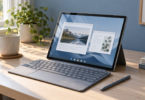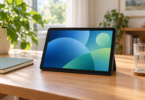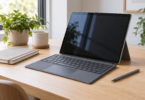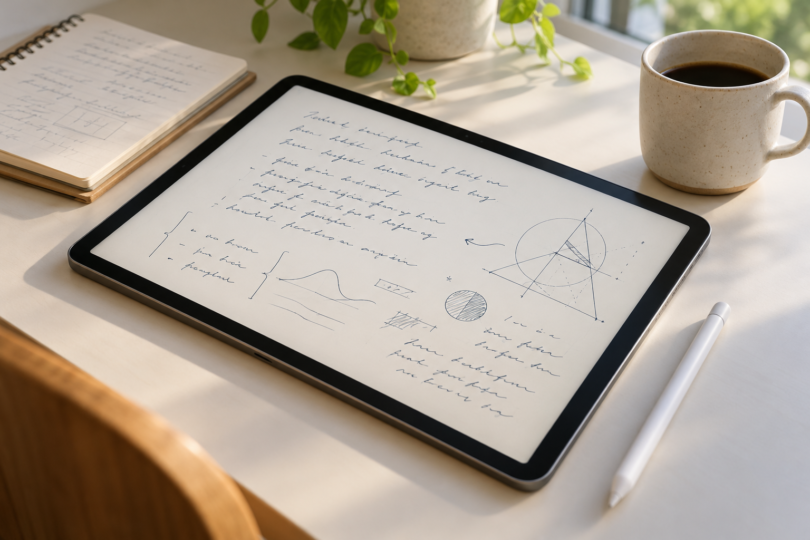

The best tablet for handwriting is a combination of the screen, the correct pen and an app that can return your notes in a useful format. Our three picks cover different needs: Galaxy Tab S11 for Android with a pen included, iPad Air 11-inch M4 for an iPad app workflow, and Supernote Manta for a dedicated electronic notebook.
These choices are based on documented features and compatibility. They are not a measured comparison of pen latency or a claim that one surface will feel best to every writer.
Compare the handwriting tablets
| Recommended configuration | Why choose it? | Pen arrangement | Main limitation |
|---|---|---|---|
| Samsung Galaxy Tab S11, 256GB, Wi-Fi, Gray; SM-X730NZAEXAR | General Android tablet with Samsung Notes | S Pen included | Note conversion and export depend on the app and feature used |
| Apple iPad Air 11-inch M4, 256GB, Wi-Fi, Space Gray | Notes alongside other iPad apps | Apple Pencil Pro or USB-C Pencil bought separately | Different Pencil models have different features |
| Supernote Manta A5 X2, 32GB | Dedicated notebook with handwriting recognition | Choose and budget for a compatible pen separately | No frontlight; specialized software |
1. Samsung Galaxy Tab S11: best Android choice with an included pen
The selected U.S. model is SM-X730NZAEXAR: 12GB memory, 256GB storage, Gray, Wi-Fi. Its 11-inch Dynamic AMOLED 2X display works with the supplied S Pen. The keyboard and other optional accessories are separate. Samsung’s package and compatibility information also identifies the redesigned S Pen supplied with the Tab S11 series; verify any replacement pen’s compatibility with the exact tablet.
Check this Galaxy Tab S11 configuration at Samsung.
Samsung Notes is the main reason to consider this combination. Samsung documents handwriting-to-text tools and a workflow for importing, annotating and exporting PDFs. That is useful when the same device needs to handle class handouts, meeting notes and ordinary Android apps. The manufacturer’s Notes guide warns that some tools depend on device and app version. Adding writing over a PDF also does not make the PDF’s underlying text editable.
Choose it if: you want Android and prefer to have the tablet’s intended pen in the box. Think twice if: your essential notebook app or workplace export process is available only on another platform.
Before moving your notebooks over, create a page in Samsung Notes, export it and check the result on the computer or service where you will keep it. A PDF is useful for sharing, but keeping the editable notebook as well gives you a better starting point for later changes. Check which cloud features need an account or connection; do not treat optional AI tools as prerequisites for ordinary handwriting.
2. iPad Air 11-inch M4: best for an iPad-based notebook workflow
The configuration here is 256GB, Wi-Fi, Space Gray, MH354LL/A. Apple’s specifications confirm a fully laminated 2360-by-1640 display and support for both Apple Pencil Pro and Apple Pencil (USB-C). The tablet listing below includes neither Pencil, so compare the combined cost before ordering.
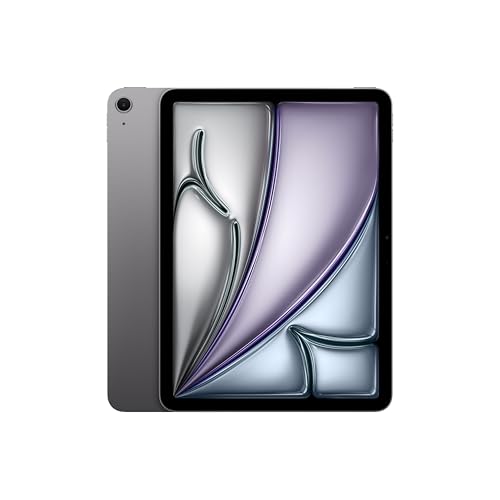
Apple iPad Air 11-inch M4, 256GB, Wi-Fi, Space Gray
As an Amazon Associate we earn from qualifying purchases.
The pen decision deserves attention. According to Apple’s Pencil comparison, Pencil Pro has pressure sensitivity, magnetic pairing and charging, and additional controls including squeeze and double-tap. The USB-C Pencil supports tilt and palm rejection but does not have pressure sensitivity; it pairs and charges through USB-C. Either can serve ordinary notes, while Pencil Pro is the more capable choice if your writing also involves pressure-responsive drawing.
Apple Notes supports handwritten notes and drawings. Start there if you do not yet know which paid notebook features you need. If you later choose another app, verify its handwriting recognition, backup, export and subscription terms on iPad specifically. A familiar app name on two platforms does not prove feature parity.
Choose it if: you already work comfortably in iPad apps and want your handwritten notes on the same general-purpose device. Consider a dedicated notebook instead if: an app-rich tablet makes it harder for you to stay with the page.
Do not buy an older Pencil simply because its name sounds close. Compatibility is tied to both the Pencil model and the iPad generation. A keyboard case also does not establish pen compatibility. For this Air, use the two Pencil models explicitly listed above.
3. Supernote Manta: best dedicated electronic notebook
Recommended device: Manta A5 X2 with 32GB storage. Its official product page lists a 10.7-inch, 1920-by-2560 E Ink screen, palm rejection, 4GB RAM and expandable microSD storage. It has no frontlight, so include the lighting in your usual writing space in the decision. The listed device package does not include a pen or folio; select compatible accessories separately.
Compare Manta and pen options at Supernote.
The main appeal is a notebook-centered workflow rather than a broad tablet app collection. Manta runs Chauvet, a specialized system based on Android 11. That version label is not a promise that it works like a standard Google Play tablet. Evaluate the maker’s supported tools instead of assuming that an app from your phone will be available.
Supernote’s recognition documentation distinguishes real-time recognition notes from standard notes. Real-time notes can recognize handwriting in the background; only correctly recognized text is searchable. You choose the recognition language when creating that type of note and cannot change it afterward. Both recognized text and standard notes have TXT or DOCX export routes, with recognition applied as appropriate.
Choose it if: organizing handwritten notebooks and turning selected notes into text is the core job. Skip it if: you need a built-in reading light or a conventional multimedia tablet. Its screen material and pen system should be tried if possible; the manufacturer naming a writing surface is not evidence that you will prefer its feel.
What matters more than a handwriting score
Test your normal grip and page position
Write a paragraph at your usual size, rest your hand naturally, move the page and erase a word. Try the same sequence while the tablet lies flat and while it is supported. Palm rejection is a feature to check in your chosen app, not a promise that every hand position will behave identically.
Decide what the finished note must become
Keeping the original pen strokes, searching handwritten words and converting those words into editable text are separate needs. Make a small sample containing names, abbreviations, numbers and a diagram. Inspect the exported result. Correct recognized text before using it for something important, and do not expect a text export to preserve every element of a drawn page.
Budget for the full writing setup
Include the required pen, cover, replacement parts, charging accessories and any paid app features. A stylus-shaped mouse, a passive touchscreen pointer and a tablet’s supported writing pen are different products. Buying the cheapest accessory with “handwriting” in its title can leave you without the functionality you expected.
Plan how to keep your notes
Choose a regular export or backup process and try opening a saved copy away from the tablet. Keep editable notebook files when practical, alongside a widely readable export. For work or study documents, confirm your organization’s rules before using a cloud sync service.
Frequently asked questions
Which tablet is the easiest complete handwriting purchase?
The selected Galaxy Tab S11 includes its intended S Pen. The iPad needs a separately purchased compatible Pencil, and the Manta device package requires you to choose a compatible pen. Compare the complete cart, not just the tablet headline.
Can these tablets turn handwriting into text?
They offer relevant software workflows, but the details depend on the app, language and note type. Supernote documents specific recognition modes; Samsung Notes offers conversion tools. On an iPad, check the exact feature in the app you intend to use. None of this guarantees error-free transcription.
Do I need pressure sensitivity for notes?
Not necessarily. It matters most if you want stroke width or a drawing brush to respond to pressure. Apple’s USB-C Pencil omits that feature, while Pencil Pro includes it. Choose based on the writing and drawing you will actually do.
Is a dedicated E Ink notebook better than an iPad or Galaxy tablet?
It may fit a focused notebook routine better. A general tablet is the more relevant choice when the same device needs to handle your wider app workflow. For Manta specifically, the lack of a frontlight is a practical difference to consider before buying.