
If you want a tablet around 12 inches, start with the software you need. The Samsung Galaxy Tab S10+ offers a 12.4-inch Android tablet experience with an included S Pen. The Microsoft Surface Pro 12-inch, 1st Edition is a Windows 2-in-1 for people who need compatible desktop applications. Their similar screen sizes hide a much bigger difference in how you work.
This comparison covers the Galaxy Tab S10+ introduced in 2024 and the 2025 first-edition Surface Pro 12-inch, in the exact configurations below. Check the generation carefully when shopping: other Surface models and Galaxy Tab S10 variants have different specifications. Recommendations here are based on documented features and practical fit, with no claimed hands-on testing or benchmark results.
The short answer
- Choose Galaxy Tab S10+ for Android apps, media and pen notes: 12.4-inch Dynamic AMOLED 2X display, 12GB RAM, 256GB storage and S Pen in the selected package.
- Choose Surface Pro 12-inch for a Windows workflow: 12-inch LCD, Snapdragon X Plus with eight CPU cores, 16GB RAM and 256GB UFS storage in the selected package.
- Check the complete setup cost: a keyboard, protective case, charger or pen can change the comparison substantially. Do not assume a product photograph includes every accessory shown elsewhere in the listing.
Samsung Galaxy Tab S10+: the Android and included-pen option
The selected US model is SM-X820NZAAXAR, with Wi-Fi, 256GB storage and Moonstone Gray finish. Samsung’s documentation specifies a 12.4-inch Dynamic AMOLED 2X display with a 120Hz refresh rate, a MediaTek Dimensity 9300+ processor and 12GB RAM. Its microSD support extends to cards up to 1.5TB, sold separately. These hardware details appear in Samsung’s tablet specification sheet.

Samsung Galaxy Tab S10+ SM-X820NZAAXAR, 12.4-Inch Wi-Fi 256GB Moonstone Gray, One Tablet with S Pen
As an Amazon Associate we earn from qualifying purchases.
The S Pen is included, which simplifies the purchase if handwritten notes, document annotation or drawing are priorities. The 2800 × 1752 screen provides room for documents and entertainment; how much work fits comfortably still depends on your chosen app and text size. Consider a stand or keyboard case if most of your use will be at a desk.
Samsung DeX supplies a desktop-style interface, including supported external-display use, but the operating system remains Android. It does not turn Android applications into Windows desktop programs. Samsung’s documentation also notes that some apps may not run in DeX or may require additional licenses. Check your actual workflow rather than treating the interface’s appearance as a compatibility guarantee.
Important package detail: the exact Samsung US model page identifies the Wi-Fi configuration and explains that a charger plug is separate from the included USB-C cable. A 5G version or a keyboard bundle is a different purchase. Do not import those features from another selection’s description.
Surface Pro 12-inch, 1st Edition: the Windows option
The selected Surface is the 2025 Platinum model with 16GB RAM and 256GB storage. Microsoft specifies a 12-inch, 2196 × 1464 PixelSense LCD with a 3:2 aspect ratio and refresh rate up to 90Hz. Its Snapdragon X Plus is the eight-core version. The first-edition specifications identify the storage as UFS, even though some retailer bundles loosely call it an SSD.

The built-in kickstand is useful when moving between a touchscreen and a desk setup. For extended typing, budget for the compatible Surface Pro 12-inch Keyboard. The selected listing is the device configuration, rather than a keyboard-and-pen bundle; the keyboard and Surface Slim Pen are separate purchases.
Microsoft documents two USB-C/USB 3.2 ports and rear storage and charging for the separately sold Slim Pen. Its first-edition support page recommends a USB-C Power Delivery charger providing at least 27W. The standard device purchase configuration does not include a power supply. Account for that before comparing total prices.
The compatibility check matters: this is a Windows-on-Arm computer. Microsoft says most Windows applications can run, using native Arm versions or emulation, but drivers must support the platform. Some games, specialist peripherals and applications with driver dependencies have limitations. Verify your essential software and hardware against Microsoft’s Windows Arm FAQ and the relevant vendor’s guidance before buying.
A similar diagonal does not mean the same workspace
Screen diagonal is only one measurement. Surface’s 3:2 shape and Samsung’s wider proportions organize a document or landscape video differently. If you mainly read long PDFs, compare how a full page looks at your preferred text size. If you annotate a document beside a reference window, see whether the two apps can share the screen in the way you need.
The panel types also differ: Samsung uses AMOLED, while this Surface uses LCD. Higher refresh-rate specifications describe supported display behavior, not a promise that every app or game runs at that frame rate. Do not choose from one specification alone; text legibility, reflections, interface scaling and your usual viewing position all affect the experience.
Choose from your real apps, files and accessories
Make a short checklist of the tasks that would make the purchase worthwhile. Name the exact applications, file types and accessories: a particular note-taking app, a workbook with macros, a USB scanner, an external monitor or a game with anti-cheat software. Then check each requirement on the appropriate platform.
An Android version of an application may have a different feature set from its Windows version. Conversely, a Windows desktop interface may be less convenient for a touch-first task than a purpose-built tablet app. Ask whether you need the software itself, a compatible web version or simply the ability to view its exported documents.
For storage, distinguish capacity from usable free space. System files and installed applications consume part of the advertised total. Samsung’s microSD option can help with supported file-storage uses, but it does not increase RAM. Do not assume an external card or drive can substitute for the performance or installation requirements of a particular application.
Check the generation and final package
Before checkout, confirm screen size, processor, memory, storage, connection type and condition on the selected product. The 12.4-inch Tab S10+ should not be confused with the 13.1-inch Tab S10 FE+ or 14.6-inch Ultra. The Surface here is the first-edition 2025 device. Do not assume its specifications apply to every 12-inch Surface configuration.
Prefer the Samsung if its Android apps and included pen fit your daily use. Prefer the Surface if your essential Windows applications and peripherals are confirmed compatible. Either decision should survive a final check of the accessory bundle and total cost; the right 12-inch-class tablet is the one that completes your tasks without an unexpected software or hardware gap.
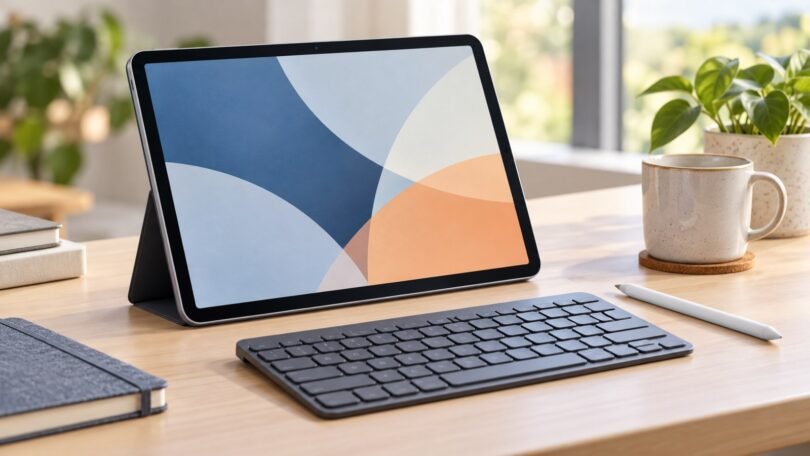
Image note: AI-generated editorial illustration; not a photograph of the named product.