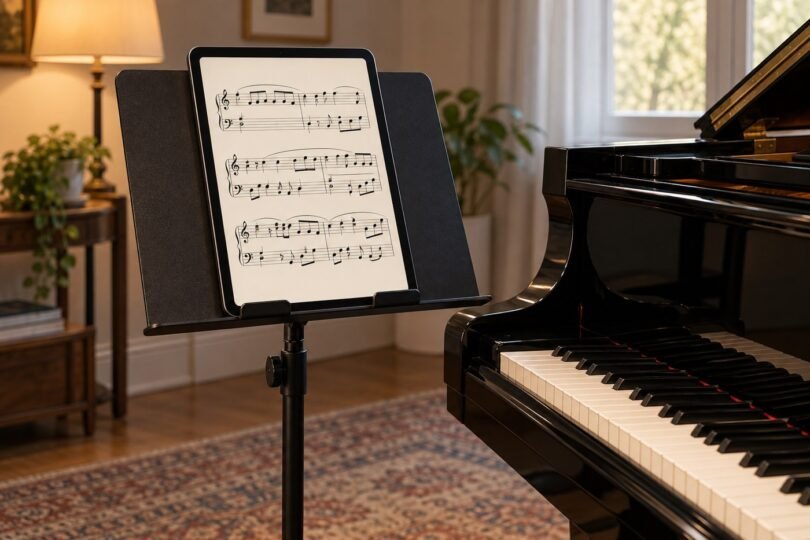

For reading full-page music scores, start with the app you want to use and the size of notation you can comfortably read from your playing position. A large screen usually matters more than a faster processor. The 13-inch iPad Air with M3 is a useful option for musicians choosing forScore; the 13.1-inch Samsung Galaxy Tab S10 FE+ is an Android alternative for MobileSheets, with an S Pen included.
These are specific 2025-generation tablets to compare, rather than a claim that you need the newest device. A newer model or a smaller tablet may be better value at the time you buy. The goal is a reliable, readable score setup, including the app, mounting arrangement and page-turning method.
Choose the score app first
forScore: choose an iPad. The current forScore App Store listing requires iPadOS 18 or later, and the developer’s current user guide agrees. forScore does not have an Android or Windows version. Check the live app requirements before purchasing an older used iPad, particularly if it can no longer receive operating-system updates.
MobileSheets: the developer offers versions for Android, Apple platforms and Windows. Its Android purchase guidance currently specifies Android 7.0 or later and recommends Google Play where available. App purchases and licensing are separate from the tablet, so do not assume a purchase on one platform transfers to another.
Before replacing a tablet you already own, try a representative score in the app you intend to use. Include a densely printed page, handwritten markings and a repeat that requires jumping backward. That short practical check can reveal whether your problem is screen size, page layout or unfamiliar software.
Two large-screen tablets worth comparing
Apple iPad Air 13-inch with M3: for a large forScore setup
Apple iPad Air 13-inch M3, Wi-Fi 128GB Space Gray, 1 Tablet
As an Amazon Associate we earn from qualifying purchases.
This card is the Wi-Fi, 128GB, Space Gray model MCNH4LL/A, without an AppleCare+ bundle. Apple’s specifications list a 2732-by-2048 display, antireflective coating and 600-nit brightness. The marketed 13-inch screen measures 12.9 inches diagonally as a rectangle, with slightly less usable area at its rounded corners.
The relatively broad portrait shape makes this a sensible starting point for a full page of piano, chamber or ensemble music. That is a layout-based recommendation, not a promise that every edition will be readable at the same distance. Bring your own PDF to the comparison, especially if your scores have small staff sizes or generous page margins.
Apple lists support for Apple Pencil Pro and Apple Pencil (USB-C), both sold separately. Check that exact compatibility before reusing a Pencil from another iPad. The M3 generation launched with iPadOS 18, meeting the currently listed forScore operating-system requirement. Keep the tablet and app updated as their requirements change.
Main trade-off: budget for the stylus, protective case and a stand or holder that accepts the tablet with that case fitted. If a newer 13-inch iPad Air costs about the same, compare the full packages before choosing this generation. You do not need extra storage or a cellular subscription merely to read locally stored PDFs.
Samsung Galaxy Tab S10 FE+: for Android and an included pen
This selection is the 13.1-inch, 128GB, Gray Wi-Fi model SM-X620NZAAXAR, not the smaller 10.9-inch S10 FE. Samsung’s model page specifies a 2880-by-1800 display and S Pen support; the S Pen is included. Samsung’s launch specifications identify Android 15, comfortably above MobileSheets’ current Android minimum.
It is a practical choice if you want a large Android score reader with pen annotation without separately selecting a stylus. The screen is more elongated than the iPad Air’s. Diagonal measurements alone therefore do not establish which tablet displays your particular portrait score at the largest size.
Main trade-off: this is not a route to forScore. Choose it because MobileSheets or another verified Android app fits your workflow. Also check that the listing is the intended Wi-Fi model, capacity and region, rather than a similarly named international bundle or the smaller FE. A keyboard cover is not necessary for reading notation and should not crowd out the budget for a secure holder.
How big should a score-reading tablet be?
Around 13 inches is a useful starting point when you want an entire printed page visible at once. An 11-inch tablet is easier to carry and may be sufficient for lead sheets, larger print or close viewing. Smaller screens can work, but requiring frequent zooming and panning during a piece defeats much of the convenience.
Compare the actual score area, not only the diagonal. Wide margins, app controls, aspect ratio and page orientation all consume space. Cropping unused margins can make notation larger without changing the file’s content. Half-page turns or landscape viewing can help on a smaller tablet, but they create more transitions to rehearse.
Do not assume landscape mode gives you two full-size pages. Two portrait pages displayed side by side on one tablet will each be substantially smaller. If you need a near-paper-size spread, inspect a real two-page view or consider a two-device arrangement supported by your app.
Page turns are part of the purchase
A touch gesture may be enough for rehearsal. For a performance, check how you will advance pages without interrupting the music. A compatible Bluetooth pedal is one option, but compatibility is a relationship between the pedal’s mode, the operating system and the app, not simply the presence of Bluetooth.
forScore explains its accessory shortcuts and connection methods, including keyboard-style input and devices that connect within the app. MobileSheets also supports hands-free page turning, along with setlists and alternative display modes. Use the relevant app instructions to map forward, backward and any repeat-navigation commands.
Rehearse the entire piece with the chosen page-turning method. Check awkward transitions, repeat signs and the first turn after the device has been idle. If your feet are already occupied with an instrument’s pedals, make sure the extra control is physically usable before buying it.
Glare, mounting and battery matter on a music stand
Check the screen under the lighting you will actually use. A glossy tablet that looks clear on a desk can reflect a window or stage light directly over the staff. Changing the stand angle may help more than increasing brightness. A matte protector changes the viewing surface, so judge its effect on notation clarity before committing to one.
Measure the tablet’s body and case against the holder’s clamping range. Screen-size labels alone do not establish a secure fit. Keep buttons and the charging port accessible, and use a stable stand rated for the complete setup. A large tablet balanced on a narrow lip is a poor bargain.
Manufacturer battery figures are not performance-duration guarantees. Screen brightness, wireless accessories and other activity change battery use. Test a rehearsal-length session at your normal settings, charge before playing and have a suitable backup plan for essential music.
Storage, offline access and a rehearsal checklist
The 128GB variants here are reasonable starting points for a dedicated score library, but your own files should drive the decision. Large scanned collections, audio tracks and videos consume more storage than compact notation PDFs. Leave space for operating-system updates and library backups rather than filling the device to its limit.
Import or download every required score before arriving. Test that the entire set opens without an internet connection, while keeping Bluetooth enabled if your page turner requires it. Cloud storage is helpful for transfer and backup, but a cloud icon is not proof that a score is saved locally.
- Confirm the correct editions, complete pages and readable annotations.
- Arrange the setlist and test every page turn and repeat jump.
- Choose screen-lock, auto-lock and notification settings appropriate for the performance.
- Check charge levels on both the tablet and any wireless controller.
- Keep an independent copy of important scores and know how to reach it.
Bottom line: compare the 13-inch iPad Air M3 if forScore is your priority, or the 13.1-inch Galaxy Tab S10 FE+ if you prefer an Android workflow with an included pen. Make the final choice after seeing your own music at your normal playing distance. Readability and dependable page turns are worth more than unused headline specifications.
Image note: AI-generated editorial illustration; not a photograph of the named product or a compatibility/installation diagram.