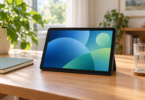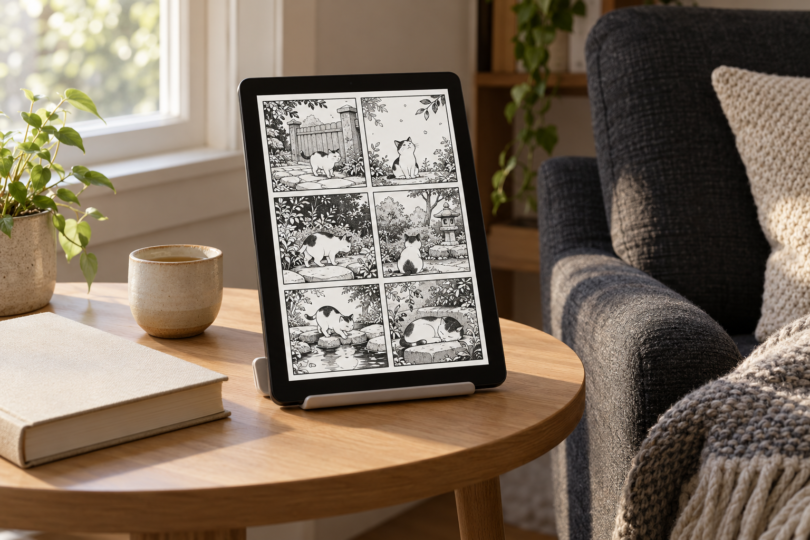

The Apple iPad A16 is our pick of these two tablets for manga readers who prioritize a higher-resolution screen and use iPad apps. Choose the Samsung Galaxy Tab A11+ if you prefer Android and want a microSD slot for compatible files. Both are 11-inch-class tablets; the more important first check is whether your manga library is available through an app or service you can use.
This comparison uses manufacturer specifications, the exact configurations linked below, and publishers’ app documentation. The recommendations reflect those features and limitations; we have not performed hands-on reading, battery, or display tests.
Two tablets worth comparing for manga
| Tablet and selected configuration | Display | Storage | Choose it for | Main tradeoff |
|---|---|---|---|---|
| Apple iPad A16, 128GB Wi-Fi, Silver; MD3Y4LL/A | 11-inch class; 10.86-inch rectangular measurement; 2360 × 1640 pixels | 128GB internal | iPad reading apps and the higher pixel resolution of this pair | Check your existing purchases and the required iPadOS version before changing platforms |
| Samsung Galaxy Tab A11+, 6GB RAM/128GB Wi-Fi, Gray; SM-X230NZANXAR | 11-inch rectangular measurement; 1920 × 1200 pixels; up to 90Hz | 128GB internal; microSD support up to 2TB, card sold separately | Android reading apps and expandable space for supported files | Lower pixel resolution than the iPad; do not assume every app can put downloads on a card |
Apple iPad A16: our pick for a higher-resolution display
The iPad’s 2360 × 1640 IPS display has more pixels than the Tab A11+ display. Its screen is also a little squarer: the pixel dimensions give a landscape aspect ratio of about 1.44:1, compared with Samsung’s 16:10. Those are useful differences to consider for page artwork, although the manga’s layout, image quality, and the reader app’s margins determine what you actually see. Apple’s nominal 11-inch display measures 10.86 inches as a rectangle; rounded corners reduce the viewable area.
The linked configuration is the Silver, 128GB Wi-Fi model, MD3Y4LL/A. It suits readers who want to keep using iPad versions of their reading apps. Shonen Jump’s current App Store listing requires iPadOS 17 or later, while BookWalker requires iPadOS 15.6 or later. Check the current app listing in your region, especially if you are comparing this model with an older used iPad.

Apple iPad A16, 128GB Wi-Fi, Silver, MD3Y4LL/A
As an Amazon Associate we earn from qualifying purchases.
Samsung Galaxy Tab A11+: our pick for Android and expandable storage
The Galaxy Tab A11+ combines an 11-inch, 1920 × 1200 TFT LCD with a refresh rate of up to 90Hz. Its 16:10 screen is relatively tall and narrow when held upright. We would choose it for its Android software and storage flexibility; the refresh-rate specification alone does not establish how quickly a particular manga app will load or turn pages.
The linked Gray Wi-Fi model, SM-X230NZANXAR, has 6GB of RAM and 128GB of internal storage. Samsung also documents a separate 8GB/256GB configuration, so check the selected option before ordering. The tablet supports microSD cards up to 2TB, sold separately. A card provides a place for compatible files, but confirm your reader app’s storage settings before budgeting around moving its downloaded library there.
Samsung specifies Android 16 for the Tab A11+. Shonen Jump has an official Google Play listing, and BookWalker’s Android help lists Android 7 or later. App availability still needs checking in your country and Google Play account. The tablet package lists a data cable, ejection pin, and quick-start guide; Samsung’s charger and the microSD card are separate purchases.

Check your manga library before choosing the hardware
Shonen Jump: chapters, membership, and purchased volumes
Shonen Jump is available through its official iOS and Android apps. Free chapters, the paid membership’s chapter library, and individually purchased volumes are different ways to access manga. VIZ directs new membership subscriptions through the app and lets signed-in members read on its website too. Check that the series and chapters you want are included, and keep track of the VIZ account used for your purchases.
The app listings document offline downloads and landscape two-page spreads. Download the chapters or volumes you plan to read while connected, then check that they open without a connection before a trip. This is a feature of the reading service, not something a larger tablet or more storage can add to an unsupported app. See the official VIZ app links and account and regional-access guidance.
BookWalker: downloads and protected purchases
BookWalker’s updated feature roadmap and current iPad app description confirm downloads for offline reading. Update the app and download your books before relying on it away from Wi-Fi. Use the publisher’s updated feature page to check current download and library-management options before you switch devices.
For reading purchases outside BookWalker’s own app, BookWalker documents LCP protection. A downloaded .lcpl file is a license, not an unprotected copy of the book. A compatible reader verifies it and downloads the encrypted book; support depends on the app, device, and firmware. Do not buy a tablet or e-reader assuming that ordinary EPUB support guarantees access to those purchases.
Before switching platforms, sign in to your existing reading service and check the exact books you own, the available app, and its download controls. For legally obtained personal files, check the format and right-to-left reading options in your chosen reader. Keep a copy of those files elsewhere; a tablet’s advertised capacity is not a backup plan.
How to choose a screen size and storage capacity
Use a dense page from a manga you actually read when comparing screens. Try a single page in portrait, a two-page spread in landscape where the app supports it, and zooming into small lettering. Two pages divide the available screen between them, so an 11-inch label alone does not tell you whether a spread will suit you. The aspect ratios above are calculated from the published pixel dimensions, not from a reading test.
Start with the number of volumes you want available offline at once. Download a representative selection in your preferred app and check how much storage it uses, then leave room for the operating system, app updates, and other files. Both linked models have 128GB of advertised internal capacity, and some of that space is occupied by software. There is no reliable universal “volumes per gigabyte” figure for every manga library.
Compare the complete purchase: tablet, a case or stand if you want one, any separately needed charger, and your books or subscriptions. Try holding a similarly sized device before buying if weight or grip is important to you. Neither a screen specification nor a product photo establishes how comfortable it will feel during your own reading sessions.
Frequently asked questions
Which of these tablets is better for manga?
Pick the iPad A16 for iPad apps and the higher-resolution display. Pick the Galaxy Tab A11+ for Android and microSD expansion. Your existing purchases, app availability, and preferred page view should decide between them.
Can I read manga without Wi-Fi?
Yes, when your reading service supports downloads and you have downloaded the content first. Shonen Jump and the current BookWalker app document offline reading. Check the actual downloaded books before travelling, and keep any required account access or subscription current.
Is 128GB enough for manga?
It depends on your downloads and other apps. Measure the space used by a sample of your own library, then plan for the collection you want to keep locally. The Tab A11+ supports a separate microSD card, but app downloads are not automatically guaranteed to use it.
Should I buy an e-reader instead?
Consider one only after confirming the exact store, file protection, and app access you need. BookWalker explicitly says LCP compatibility varies by device and software. If you rely on a particular app, verify support for that app on the exact e-reader before buying.
Will my purchased manga transfer to a new tablet?
Check the service that sold it. VIZ says purchases made through a VIZ account are available in that account’s library and its apps; purchases from other stores use their respective platforms. BookWalker separately documents LCP-compatible access. Changing hardware does not by itself make a purchased book an unrestricted file.