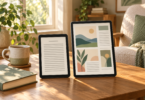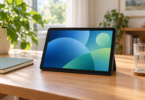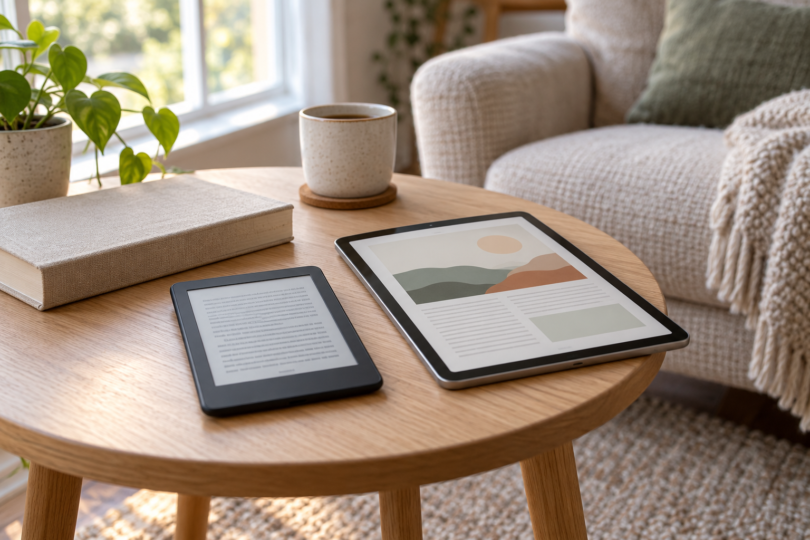

For novels, start with a dedicated e-reader. For illustrated books, several reading apps and everyday browsing, a compact tablet is more versatile. The best tablet for reading books depends first on where your books come from, then on the screen you want to hold.
Three reading devices worth comparing
| Device and selected configuration | Best fit | Main tradeoff |
|---|---|---|
| Kindle Paperwhite, 16GB, Graphite, lockscreen ads, without Kindle Unlimited | Novels from the Kindle store on a 7-inch monochrome screen | A focused reading device; this selection includes lockscreen ads |
| Kobo Clara BW, 16GB, Black | A small e-reader for EPUBs and supported library borrowing | The 6-inch monochrome screen is cramped for full-page documents |
| iPad mini (A17 Pro), 128GB, Wi-Fi, Space Gray | Color reading and switching between reading apps | Heavier than the Clara BW; its 8.3-inch screen is still small for large PDFs |
1. Kindle Paperwhite: for an existing Kindle library
Choose the standard Kindle Paperwhite with 16GB in Graphite if you mainly want to read Kindle books on a dedicated device. Its 7-inch glare-free screen and adjustable warm light suit text-focused reading in different lighting. This is the standard model, not the 32GB Signature Edition.

Kindle Paperwhite, 16GB, Graphite, lockscreen ads, without Kindle Unlimited
As an Amazon Associate we earn from qualifying purchases.
The linked configuration has lockscreen ads and no Kindle Unlimited subscription. Books and any optional subscription are separate choices. If you want the ad-free version, select that explicitly and recheck the order summary. Covers and the page-turn remote are separate accessories; check the device generation before buying a case.
Library readers should check their own catalog first. Libby can send many eligible ebooks to a Kindle through the “Read With Kindle” option, but that route is available through U.S. libraries only. It does not mean every library title has a Kindle edition. See Libby’s Kindle instructions before choosing a device around borrowing.
2. Kobo Clara BW: for a small, focused reader
The Kobo Clara BW, 16GB, Black is a practical choice when you want a smaller dedicated reader. Kobo lists a 6-inch E Ink Carta 1300 touchscreen, adjustable front-light brightness and color temperature, and a weight of 174g. That makes it substantially lighter than the 293g Wi-Fi iPad mini before adding either device’s case.

Clara BW supports EPUB and PDF files, and OverDrive identifies it as a model that can borrow supported library ebooks directly. Check the OverDrive setup instructions and your library’s participation before buying. Format support alone does not establish that a book from another shop will open: the file, account and access restrictions still matter.
Pick it for text, not color illustrations or handwritten notes. The screen is black and white, and this model does not support Kobo Stylus. It has an IPX8 rating, which Kobo specifies as up to 60 minutes in 2 metres of water; that is a defined test rating, not permission to treat it as an underwater reader. Large fixed-layout pages will also need more zooming on a 6-inch screen.
3. iPad mini: for color books and several reading apps
The iPad mini (A17 Pro), 128GB, Wi-Fi, Space Gray is the general-purpose tablet in this shortlist. Its 8.3-inch-class color LCD has a 2266 × 1488 resolution and an antireflective coating. Choose it when switching between Kindle, Kobo and library reading matters more than having a device dedicated to books.

Amazon’s Kindle and Rakuten Kobo both provide iPad apps, while Libby offers a tablet app and browser reading. Keep iPadOS and the apps current, and confirm that your specific books and library service are supported. You can also use the mini for web browsing and other apps, but notifications and other activities can interrupt a reading session.
At 293g for the Wi-Fi model, it is less appealing than the Clara BW if low handheld weight is the priority. The LCD remains a different reading experience from a monochrome e-reader even with its antireflective coating. Color comics benefit from the display, but an entire textbook page or dense PDF can still look small. Try a representative page at a comfortable text size before choosing a compact tablet for study.
How to choose for the books you actually read
- Start with your book sources. Confirm your usual shop, library and file formats before comparing storage.
- Separate novels from page layouts. Adjustable text in an ebook is easier to fit to a small screen than a scanned or fixed-layout page. For large PDFs, consider a larger-screen device after trying a sample.
- Check the full configuration. Storage, ads, Wi-Fi versus cellular, included accessories and any subscription trial can change the offer.
- Account for the case. A cover adds weight and must fit the exact model. A stand may be useful for longer desk-reading sessions.
- Check the delivery details. A product listing does not establish when your selected version will arrive. Confirm the current condition, seller and delivery estimate before ordering.
Choose Paperwhite if most of your reading is already in Kindle. Choose Clara BW if small size and supported EPUB or library reading are the priority. Choose iPad mini if color content and access to several apps justify the extra weight. If you already have a tablet that opens your books comfortably, try it with reading settings adjusted before buying another device.
Frequently asked questions
Is a tablet or an e-reader better for reading books?
A dedicated e-reader is a strong fit for text-focused reading. A general-purpose tablet is more useful for color content, several reading apps and browsing. Choose around your books and preferred screen, rather than assuming one type is best for everyone.
Can I read library books on these devices?
Yes, where the library, title and service are compatible. Libby’s Kindle delivery is for U.S. libraries and eligible titles. Kobo Clara BW supports direct borrowing through supported OverDrive libraries. On iPad mini, use a compatible library app or browser service.
Which device is best for comics and PDFs?
Among these three, iPad mini is the most flexible choice for color content and reading apps. Its 8.3-inch-class screen is still small for dense full-page PDFs. Try a sample document; a larger screen may be a better fit if you need to see a whole page at once.
Does the selected Kindle Paperwhite include Kindle Unlimited?
No. The linked 16GB Graphite configuration is without Kindle Unlimited and has lockscreen ads. Check the option selector and order summary if you want a different ads or subscription configuration.
Can I write notes with a stylus on all three?
No. Kobo Clara BW does not support Kobo Stylus, and the standard Paperwhite here is not a handwriting model. iPad mini supports Apple Pencil Pro and Apple Pencil (USB-C), sold separately; what you can annotate depends on the app and document.