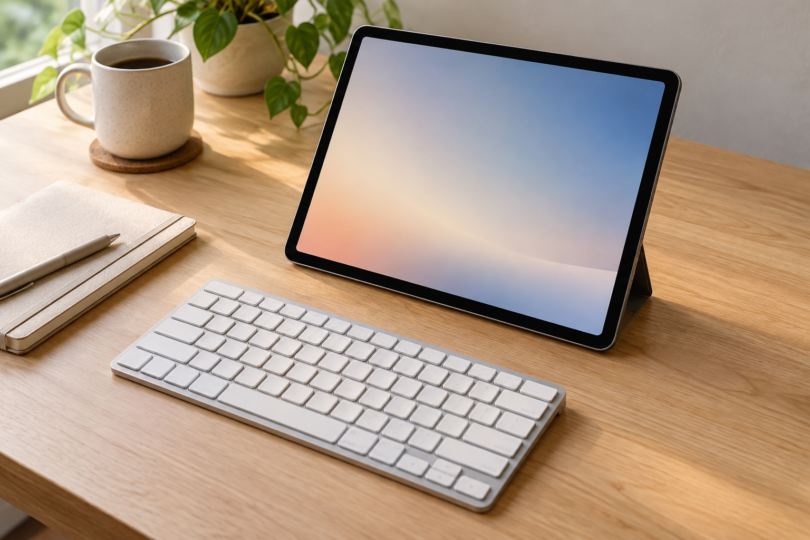

For a tablet you use with a separate stand, the Logitech Pebble Keys 2 K380s is the most straightforward starting point here. Choose Keys-To-Go 2 Universal when a thinner, lighter keyboard with its own key cover matters more. For an iPad setup that needs illuminated keys and USB-C recharging, consider Satechi’s Apple-oriented Slim X1.
The recommendations below compare documented compatibility, size and power arrangements. They do not imply hands-on typing or battery tests. Check your tablet’s operating-system version and the exact keyboard layout before buying; a wireless keyboard that needs a USB receiver is a different proposition from direct Bluetooth pairing.
Best Bluetooth keyboards for tablets at a glance
| Keyboard and selected version | Tablet compatibility | Size | Power | Cover and main tradeoff |
|---|---|---|---|---|
| Logitech Pebble Keys 2 K380s; 920-011775, Tonal Graphite, US QWERTY | Bluetooth LE; iPadOS 14+, Android 9+, Windows 10/11+, ChromeOS | 279 × 124 × 16 mm; 415 g | Two AAA batteries; maker rates up to 36 months, depending on use | Keyboard-only pack; no tablet case or stand listed |
| Logitech Keys-To-Go 2 Universal; 920-012867, Graphite, US QWERTY | Bluetooth LE; iPadOS 17+, Android 12+, Windows 10+, ChromeOS | 250 × 105 × 4.35–8.97 mm; 222 g | Two replaceable coin cells; up to 3 years at 2 hours of typing/day, varying by use | Built-in key cover; no tablet case or stand in the standard box |
| Satechi Slim X1; ST-BTSX1M, Space Gray, US English QWERTY | Bluetooth; iPad/iOS support, with Apple-oriented shortcuts; check exact model list | 11.14 × 4.5-inch footprint | USB-C rechargeable; included charging cable | No tablet case or stand listed; best fit for an Apple setup |
1. Logitech Pebble Keys 2 K380s: best for everyday mixed-device use
The K380s offers three Bluetooth pairing slots and separate Easy-Switch buttons. Its US QWERTY version has dual Mac/Windows modifier labels, making it useful when you move between a compatible tablet and a computer. Logitech lists iPadOS 14 or later and Android 9 or later, alongside Windows, macOS, ChromeOS and Linux. See the exact Tonal Graphite version.
Pros: three-device switching and replaceable AAA batteries suit a shared tablet-and-computer desk. Cons: it weighs 415 g, and the standard box lists the keyboard, batteries and documents rather than a tablet stand or case. Optional Logi Options+ customization is unavailable on iPadOS and Android.

Logitech Pebble Keys 2 K380s, US QWERTY, Tonal Graphite
As an Amazon Associate we earn from qualifying purchases.
2. Logitech Keys-To-Go 2 Universal: best for lighter travel
At 222 g, Keys-To-Go 2 is lighter than the K380s in this comparison. Its folding cover protects the keys while packed away; it is not a fitted tablet case. Select the Universal US QWERTY model 920-012867 if you want the documented Windows and Android support as well as Apple compatibility. Its minimum versions are newer than the K380s: iPadOS 17 and Android 12.
Pros: slim dimensions, a built-in key cover and switching among three paired devices. Cons: the two coin-cell batteries are replaceable rather than USB rechargeable. Logitech’s up-to-three-year estimate assumes two hours of continuous typing per day and varies with use. Plan separately for supporting the tablet. See the Universal model specifications.

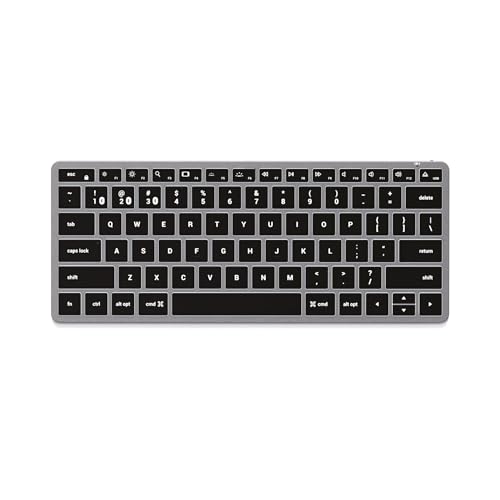
3. Satechi Slim X1: best for an iPad setup with backlit keys
The Slim X1 pairs with up to three Bluetooth devices and has ten white-backlight brightness levels. Its compact US English QWERTY layout uses Apple-oriented function keys. Satechi lists iPads including the 10th and 11th generations, mini 6 and 7, and several Air and Pro models. Check the manufacturer’s model list for your tablet; the documentation does not give a minimum iPadOS version.
Pros: adjustable lighting, USB-C recharging and an optional wired mode. Cons: its shortcut layout is based on iOS and macOS, so do not assume every key behaves identically on another platform. The standard package includes a charging cable and rubber risers, but no tablet stand or case. Satechi gives a charging time of about two to three hours.
What to check before buying
All three selections pair directly over Bluetooth. The K380s also supports a Logi Bolt USB receiver, sold separately; you do not need it for the tablet’s Bluetooth connection. Satechi’s USB-C port supports charging and a wired mode activated with Fn + Eject while connected. Check the tablet’s wired-input support and port before relying on that alternative.
Match the listed OS version, language layout and product number, especially when a retailer offers several versions on one page. Consider where the tablet will stand and whether the complete setup fits your bag. These are separate keyboards, so their compact dimensions do not establish compatibility with a particular fitted tablet case.
Frequently asked questions
Will any Bluetooth keyboard work with every tablet?
No. Use the maker’s requirements for the exact keyboard and your tablet’s OS version. Even within this shortlist, K380s lists older minimum iPadOS and Android versions than Keys-To-Go 2 Universal. Satechi’s shortcut layout is Apple-oriented.
Do I need a USB dongle?
Not for these keyboards’ direct Bluetooth connection. A USB receiver is a separate connection method; the K380s supports Logi Bolt but does not include that receiver in the keyboard-only pack.
Do they come with a tablet case or stand?
None is listed in the standard box contents for these exact keyboards. Keys-To-Go 2 has its own built-in keyboard cover, which protects the keys rather than holding or enclosing the tablet. Check any retailer bundle separately.
Which one is rechargeable?
The Satechi Slim X1 recharges over USB-C. K380s uses two AAA batteries, while Keys-To-Go 2 uses two replaceable coin cells. Manufacturer battery estimates are not a promise of the runtime you will get.
Can I switch the same keyboard between my tablet and computer?
Yes, each selected model supports three paired Bluetooth devices, provided each device meets that keyboard’s compatibility requirements. Switching slots changes which device receives your typing; it does not send the same keystrokes to all three at once.