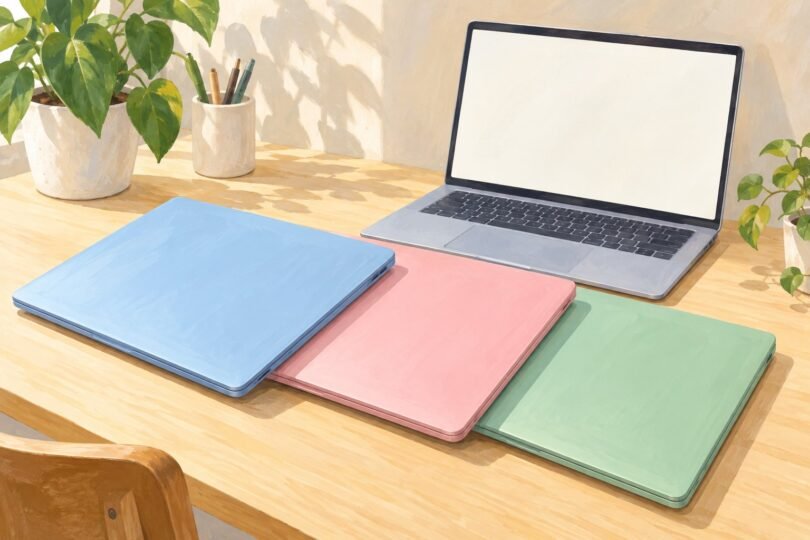

If you want a colorful laptop, start with the color of the actual chassis and then check the exact configuration. A bright wallpaper or an optional case does not tell you what the laptop will look like when closed. The models below have colored bodies: Apple’s MacBook Air in Sky Blue, Microsoft’s Surface Laptop 7 in Dune, and the 13-inch Surface Laptop in Violet.
There is no single best choice for everyone. The MacBook suits someone who wants macOS and a pale-blue finish. The Dune Surface offers a warmer-colored Windows option with a touchscreen. Violet is worth a closer look if purple is the main attraction. The comparison uses manufacturer specifications and exact configurations, rather than hands-on performance rankings.
Apple MacBook Air M5 in Sky Blue
The 2026 13-inch MacBook Air has a Sky Blue finish, a 13.6-inch 2560-by-1664 Liquid Retina display, and a compact clamshell design. The specific configuration below is MDHJ4LL/A: M5 with a 10-core CPU and 10-core GPU, 16GB unified memory, and a 1TB SSD. Apple’s model list confirms that part number and color combination.
Its connections include two Thunderbolt 4 USB-C ports, MagSafe charging, and a headphone jack. A 12MP Center Stage camera supports video calls, and the laptop supports up to two external displays. See the M5 MacBook Air specifications for the display and connection limits.
Why consider it: the blue is part of the laptop’s finish, and the 1TB configuration provides more internal space than smaller-capacity versions. It is a sensible shortlist candidate for someone whose required applications already work on macOS.
What to check: there is no built-in USB-A or HDMI port, and the screen is not touch-enabled. Budget for the connections your desk needs. Sky Blue is a light metallic shade; view several product photographs or a display unit if you are expecting a saturated blue.
Apple MacBook Air 13-inch M5 MDHJ4LL/A, Sky Blue, 16GB RAM and 1TB SSD, 1 Laptop
As an Amazon Associate we earn from qualifying purchases.
Microsoft Surface Laptop 7 in Dune
The 2024 Surface Laptop 7th Edition, model ZGM-00026, is the 13.8-inch Dune configuration with a 10-core Snapdragon X Plus processor, 16GB RAM, and a 512GB SSD. Dune gives the aluminum body a warm, muted appearance for buyers who want something different from black or silver.
Microsoft’s 7th Edition fact sheet lists a 2304-by-1536 touchscreen with a 3:2 aspect ratio and a dynamic refresh rate up to 120Hz. Ports include two USB-C/USB4 connections, USB-A, a headphone jack, and Surface Connect. The 13.8-inch model weighs approximately 2.96 pounds.
Why consider it: the touchscreen and taller display shape may be useful for documents, browsing, and everyday Windows work. Built-in USB-A can also save an adapter for some existing accessories.
What to check: this is the Snapdragon version of an older Surface generation. Verify the processor, edition, memory, storage, and color together. The related X Elite version is a different configuration, and newer Surface models should be compared separately rather than assumed to have identical hardware.
Want purple? Look at the 13-inch Surface Laptop in Violet
Microsoft’s 13-inch Surface Laptop 1st Edition in Violet is another genuine colored-body option. The configuration to compare is the 2025 model with an eight-core Snapdragon X Plus, 16GB RAM, and 512GB storage. Confirm those details on the selected offer because Microsoft’s similarly named 13-inch editions are separate products.
The manufacturer’s fact sheet lists a 13-inch 1920-by-1280 touchscreen, a refresh rate up to 60Hz, and an approximate 2.7-pound weight. It identifies the storage as UFS. This is a different display and storage arrangement from the 13.8-inch Surface Laptop 7, even when a retail title describes both simply as a Surface Laptop.
Why consider it: Violet is the most direct choice here if you want a purple finish in a small Windows laptop. What to check: whether its specific screen, storage, ports, and application compatibility meet your needs. Compare the exact laptop at Microsoft’s linked configuration page; a generic Surface listing may show another color or generation.
Choose the operating system before the finish
Make a short list of applications you cannot replace: work software, school exam tools, specialist design programs, games, and utilities for equipment you already own. Check their supported operating systems and processors. A laptop can be attractive and capable while still being the wrong platform for one essential task.
The Surface configurations discussed here run Windows on Arm. Microsoft says many everyday Windows applications work natively or through emulation, but hardware drivers and some software need specific Arm support. Check printers, audio interfaces, VPN software, and games with anti-cheat systems before buying. Microsoft’s Windows Arm FAQ explains these limitations; its Surface compatibility guide gives additional guidance for applications and peripherals.
For the MacBook, check the publisher’s macOS requirements and any plug-ins your workflow needs. Owning an iPhone does not by itself establish that every work or school application will fit a Mac. If you need Windows-only software, settle that question before choosing the blue finish.
Compare equal configurations
Color options are often tied to a particular processor, memory amount, or storage capacity. A search result can show a low starting price beside a photograph of a color that costs more in the configuration you want. Recheck the selected specifications after changing the color selector.
- Memory: decide how much your normal workload needs before comparing offers. Heavy multitasking and specialist applications may need more than a basic browsing setup.
- Storage: include local photos, videos, games, and offline work. The 1TB MacBook and 512GB Surface listed here do not have equal storage capacities.
- Processor: distinguish M4 from M5, Snapdragon X Plus from X Elite, and first-generation chips from X2 models. A familiar product name can hide a different machine.
- Condition: compare new, refurbished, renewed, and used offers separately. Check the seller, warranty terms, battery information where provided, and return conditions.
- Included equipment: confirm the charger and cable for that offer, especially with used devices, regional imports, or bundles.
Make sure the color works in real life
Look at the lid, keyboard deck, palm rest, and underside, rather than judging one front-facing image. Product photography, room lighting, and your current screen can change how a finish appears. If matching a particular blue or purple matters, seeing a physical sample is more useful than relying on a color name.
Think about where you will use the laptop, too. A pale finish might suit your desk while a more saturated color is easier to spot in a shared workspace. Neither makes the computer faster. It is reasonable to choose a favorite finish when the practical requirements and total cost are otherwise suitable.
Keep exterior color separate from display quality. A colorful body tells you nothing about screen brightness, color accuracy, resolution, or reflectiveness. If you edit photographs or design work for print, research the display for that exact configuration and your workflow.
Check the everyday details before ordering
Try the keyboard layout and trackpad if you can. Confirm whether you need a touchscreen, an external monitor, an SD-card reader, or a direct wired network connection. Count the adapters those requirements would add to your bag and desk.
Manufacturer battery-life figures come from specific test conditions. Video playback, web browsing, video meetings, and demanding creative work are different workloads, so do not compare headline hours as if they were the same test. Read the conditions and keep a practical charging plan.
Bottom line: shortlist the Sky Blue M5 MacBook Air for macOS, the Dune Surface Laptop 7 for a warmer Windows finish and its 13.8-inch touchscreen, or the Violet 13-inch Surface when purple and compact size matter most. Verify the exact model and software fit before letting the color make the final decision.
Image note: AI-generated generic editorial illustration; not a photograph of a named or tested product.