The Samsung Notebook 9 13.3 is an older ultraportable laptop family with several substantially different versions. If you already own one, or are considering a used machine, the full model number matters more than a listing that simply says “Notebook 9.” The processor, battery, storage and connections changed between generations.
Our recommendation: treat this as a model-identification and used-buying guide. Before spending money, confirm the exact configuration, battery condition and supported operating-system plan. A low price does not make an aging laptop a dependable everyday purchase if those basics are unresolved.
Start with the complete model number
Ask for a clear photograph of the label on the actual computer, plus a screenshot showing its processor, installed memory and storage. Keep the entire model code, including the letters and numbers after the hyphen. A seller may have replaced the original SSD, and similar-looking Samsung notebooks can have different factory specifications.
Three generations are particularly relevant to the 13.3-inch search: the 2016 Notebook 9, the refreshed models announced in December 2016 for the following generation, and the 2018 Notebook 9. Samsung’s January 2016 announcement describes sixth-generation Intel hardware; its December 2016 fact sheet describes seventh-generation hardware. Combining those specifications produces an inaccurate listing.
Samsung Notebook 9 13.3 configurations worth distinguishing
The examples below identify specific configurations, rather than every regional variant. Memory and storage describe the original configuration; verify what is installed in a used unit.
| Model | Processor | Original memory and storage | Original Windows edition |
|---|---|---|---|
| NP900X3L-K06US, 2016 | Core i5-6200U | 8GB RAM; 256GB SATA SSD | Windows 10 Home |
| NP900X3N-K02US, 2017 business model | Core i5-7200U | 8GB RAM; 128GB SSD | Windows 10 Pro |
| NP900X3N-K03US, 2017 business model | Core i7-7500U | 8GB RAM; 256GB SSD | Windows 10 Pro |
| NP900X3T-K03US, 2018 business model | Core i7-8550U | 8GB onboard DDR4; 256GB SSD | Windows 10 Pro |
The 2016 configuration is documented in B&H’s NP900X3L-K06US catalog entry. Samsung’s July 2017 business catalog identifies the two NP900X3N configurations, while its 2018 business data sheet identifies the NP900X3T-K03US.
Consumer versions also exist. For example, Samsung’s 2018 U.S. launch announcement lists 13.3-inch NP900X3T-K01 and NP900X3T-K02 configurations with eighth-generation Core i5 and Core i7 processors respectively, both with 8GB memory and 256GB storage. Those labels should not be used interchangeably with the K03US business SKU.
What changed between generations
- 2016: Samsung’s launch specification lists a 13.3-inch Full HD display, a 30Wh battery and approximately 1.85-pound weight. The connections include two USB 3.0 ports, micro-HDMI, mini-Ethernet, mini-VGA and an SD-family card reader. Do not assume this version has USB-C because a later Notebook 9 does.
- 2017: the two business configurations above retain a 30Wh battery and are listed at approximately 1.8 pounds. Samsung’s generation fact sheet adds USB-C and lists HDMI and microSD. Its storage specification for the 13.3-inch model is SATA, distinct from the PCIe storage listed for the 15-inch model.
- 2018: the NP900X3T-K03US data sheet specifies a much larger 75Wh battery, 13.3-inch 1920-by-1080 display, eighth-generation Core i7 and approximately 2.2-pound weight. Battery capacity is an original design specification, not a prediction of how long a surviving machine will run today.
These differences also affect accessories. A sleeve, replacement battery, display adapter or charger advertised for a “Samsung 13-inch laptop” needs a more precise compatibility check.
Notebook 9, Notebook 9 Pro and Notebook 9 Pen are different products
Check the complete product name as well as the code. Samsung’s 2018 launch material presents the Notebook 9 Pen separately from the regular Notebook 9: the Pen model has a convertible design, a touch display and an included S Pen. Those features should not be transferred to a regular Notebook 9 listing.
Likewise, do not treat a Notebook 9 Pro, an older Series 9 or ATIV Book 9, or a Galaxy Book as a specification match merely because the name contains a familiar number or the chassis looks similar. If touch input, a folding hinge or pen support is essential, ask the seller to demonstrate that feature on the exact unit. An accessory compatibility list covering several Samsung families is not evidence that their computers share the same hardware.
Windows support is a key buying check
Standard Windows 10 support ended on October 14, 2025. The laptop does not stop working because that date has passed, but an ordinary unsupported installation should not be treated as an up-to-date system. Microsoft explains the distinction in its Windows 10 end-of-support guidance.
As of October 5, 2026, Microsoft’s U.S. consumer Extended Security Updates page lists coverage through October 12, 2027 for eligible enrolled PCs. ESU supplies qualifying security updates; it does not restore general technical support or add new features. Check the current prerequisites and the machine’s enrollment status in Windows Update. Commercial use has separate rules, so a laptop originally sold with Windows 10 Pro does not automatically qualify for the consumer program in every use case.
Windows 11 compatibility also varies. The sixth- and seventh-generation mobile processors in the first three table entries are outside the supported processor generations on Microsoft’s Windows 11 Intel processor list. The eighth-generation Core i7 in the 2018 example is in a listed processor family, but that alone does not establish that the complete laptop is ready to upgrade.
Ask for a fresh PC Health Check result from the actual computer. Microsoft’s full requirements also include TPM 2.0, UEFI firmware with Secure Boot capability, and other hardware and driver requirements. Confirm that your important applications and peripherals work before relying on the machine.
A seller’s screenshot showing Windows 11 already running is insufficient proof of eligibility. Microsoft cautions that installations on unsupported hardware are unsupported and are not guaranteed updates. Do not pay extra for an installation that bypassed compatibility checks.
What to check before buying a used Notebook 9
Battery condition and physical damage
Request a recent battery-capacity report and ask whether the battery has been replaced. Review the reported full-charge capacity against its design capacity, alongside actual unplugged behavior. A charge indicator reading 100% does not show how much capacity remains. Microsoft’s battery-care guidance explains battery aging and how to generate a detailed report.
Ask the seller to disconnect the charger during a demonstration and show that the laptop stays on. Look for unexpected shutdowns, charging interruptions and a battery percentage that drops abruptly. Request clear photographs of the underside, palm rest, trackpad and hinge area. A bulging enclosure or lifted trackpad warrants inspection for a swollen battery; stop using a machine with battery swelling and arrange qualified service. Do not press the case flat or puncture the battery.
Screen, keyboard and connections
Have the seller show a bright and a dark screen, type across the keyboard, use the trackpad and move the hinge through its normal range. Check for flicker, damaged pixels, loose hinges and keys that fail to register. Test Wi-Fi, webcam, microphone and speakers if the laptop will be used for calls.
Test the connections you actually need. On older models, a small display or Ethernet connector may require an adapter that is no longer included. A USB-C socket does not by itself establish Thunderbolt compatibility, a particular external-display mode or support for every dock. Samsung’s 2018 launch table distinguishes the 13.3-inch model’s USB-C connection from the 15-inch model’s Thunderbolt 3 connection, so avoid copying docking claims across screen sizes.
Installed storage, memory and charger
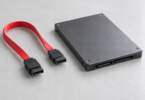
Check the installed SSD capacity and available space rather than relying on an original box. Ask about any storage replacement and request a drive-health report if available. For an upgrade, verify the exact storage interface and physical fit before buying a drive. In particular, Samsung’s 2017 13.3-inch specification lists SATA storage; an M.2-shaped SSD should not be assumed compatible solely from its shape.
Onboard memory should be treated as a purchase-time limit. The 2018 NP900X3T-K03US is specifically documented with 8GB onboard, so do not buy it on the assumption that adding a memory module will solve a demanding workload. Try your normal combination of browser tabs, documents and calling software during a return window.
Confirm the included adapter’s part number, electrical ratings and connector against the exact laptop’s documentation. Where USB-C charging is supported, the charger and cable still need to meet the model’s requirements. A phone charger being able to connect is not enough reason to assume it will sustain the laptop under load.
Ownership, setup and return terms
Before paying, establish that the seller can remove personal accounts and any organization management, and that there is no unknown firmware password. Ask for the return period, battery coverage and condition description in writing. “Refurbished” is useful only when the seller explains what was inspected or replaced and what remedy is available if the machine arrives with a fault.
After purchase, back up anything you need and use an appropriate clean setup or recovery process before entering personal accounts. Confirm activation, updates and the intended operating-system support path. A cosmetic inspection cannot establish that the existing software installation is trustworthy.
Should you keep one or buy one now?
For an existing owner: keeping a working machine can be reasonable if it meets your workload, the battery is safe and you have a supported software plan. Get a repair quote before assuming that a weak battery means the whole laptop needs replacing. Compare that quote with the device’s other limitations, including fixed memory and any operating-system restrictions.
For a used buyer: the 2018 generation is a more sensible starting point than the earlier configurations when Windows 11 is important, but require device-level eligibility evidence. Compare the complete cost of the laptop, battery service, charger and any adapters with a newer supported refurbished computer. If the seller cannot establish condition or provide a useful return window, pass on that listing.
The Notebook 9’s appeal was its portable design. That can still be useful, but the best decision now rests on a specific machine’s condition and support status. Identify the full model code first, verify the features you need, and buy only when the evidence and total cost make sense.
Image note: AI-generated editorial illustration; not a photograph of the named product.