
A budget tablet with a keyboard needs to fit both your spending limit and the software you use. The TCL NXTPAPER 11 Plus with its matching Bluetooth keyboard is an Android option to price carefully: its tablet page advertises a keyboard gift, while the same keyboard also has a separate paid listing. The Lenovo Chromebook Duet Gen 9, 8GB/128GB is a keyboard-included alternative for browser-based work, but its final selling price needs checking before you can judge its value.
These are two different buying routes. A tablet pictured beside a keyboard is not necessarily a bundle, and a keyboard does not turn Android or ChromeOS into Windows. The comparison below uses specific US configurations and identifies the accessories that change the total.
Compare the exact tablet and keyboard packages
| Setup | Memory, storage and software | Keyboard and extras | Budget check |
|---|---|---|---|
| TCL NXTPAPER 11 Plus, tablet-only SKU 9469X2-EAOFUS11-V, plus keyboard KB9469X-2AOFUS11 | 8GB RAM, 256GB storage; Android 15; US Wi-Fi model | The base tablet package has no keyboard, but the linked offer advertises a free keyboard gift. Verify the gift in your basket. USB-C cable included; no wall charger. | Advertised $249.99 tablet checkout price with a keyboard-gift promotion. Confirm both apply. Without the gift, the separately listed keyboard adds $59.99. |
| Lenovo Chromebook Duet Gen 9, 83HH0001US, Luna Grey | 8GB RAM, 128GB eMMC; ChromeOS; US configuration | Folio keyboard and stand included; this configuration includes Lenovo USI Pen 2. Confirm the seller’s charger contents. | Price-check option. No verified current new-unit total is quoted here; include any missing charger and tax before comparing. |
All amounts are US dollars, before tax, any shipping and a charger if you need one. TCL’s $249.99 tablet figure is an advertised checkout discount from its $279.99 regular displayed price. Its tablet page also advertises a free Bluetooth keyboard. Count that as a $249.99 tablet-and-keyboard item subtotal only if the basket shows both the discount and the keyboard at no additional charge. Promotions can change independently.
1. TCL NXTPAPER 11 Plus plus Bluetooth keyboard: the Android route
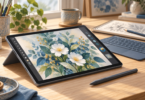
Match these parts: the US NXTPAPER 11 Plus base tablet listing, SKU 9469X2-EAOFUS11-V, and the matching KB9469X-2AOFUS11 Bluetooth keyboard. Start at the tablet offer and check whether its advertised keyboard gift appears in your basket; do not pay for a second keyboard by mistake. The standalone keyboard listing explicitly contains the keyboard only and is compatible with NXTPAPER 11 Plus only. It does not include the tablet shown in its photograph.
The tablet has 8GB of RAM, 256GB of internal storage and a MediaTek Helio G100 processor. Its 11.45-inch IPS LCD has a 2200 × 1440 resolution and a 120Hz refresh rate. The NXTPAPER surface is designed to reduce glare; this remains an LCD Android tablet, so do not buy it expecting an e-ink reader.
Choose this route if the Android versions of your note-taking, reading, email and document apps do what you need. The matching keyboard provides physical keys in a fitted case. It connects over Bluetooth, and the pictured keyboard has no touchpad, so plan to use the touchscreen or a separate pointing device if your work calls for one.
What the total does and does not include
The linked tablet-only package includes the tablet and USB-C cable, but no wall charger. A stylus and flip case are not part of this tablet-only offer. If you already own a suitable charger, that can keep the purchase smaller; otherwise add a compatible charger to the cost before deciding. TCL lists 33W charging support, which is not the same thing as providing a 33W charger.
If the keyboard gift is absent, the keyboard’s separate $59.99 listing gives you a fallback calculation: $249.99 + $59.99 = $309.98 while the tablet discount applies. With neither the gift nor the tablet discount, $279.99 + $59.99 = $339.98, assuming the keyboard price stays the same. These are parts subtotals, not guaranteed checkout totals.
There is also a NXTPAPER 11 Plus Set, SKU 9469X2, that includes the tablet, stylus and flip case. Its standard contents still exclude the Bluetooth keyboard and wall charger. At its advertised $279.99 checkout price, adding the separate $59.99 keyboard makes a $339.98 parts subtotal. Do not transfer the base tablet’s keyboard-gift promotion to the set without checking that offer’s own basket.
The set’s regular displayed price is $369.99, so a promotional set price should not become your permanent budget assumption. Choose the set only if you want those extras and have checked the final basket. A flip case and a keyboard case are different accessories.
Where this setup has limits
TCL lists no SD-card support for this US NXTPAPER 11 Plus configuration. Its 256GB capacity therefore deserves more attention if you keep large files locally, and the operating system uses part of that space. This is also the 11 Plus, not NXTPAPER 11 Gen 2, TAB A1 Plus or NXTPAPER 14. Similar names do not establish keyboard compatibility.
Check the TCL NXTPAPER 11 Plus tablet-only offer and the separate NXTPAPER 11 Plus Bluetooth keyboard.
2. Lenovo Chromebook Duet Gen 9: the keyboard-included route
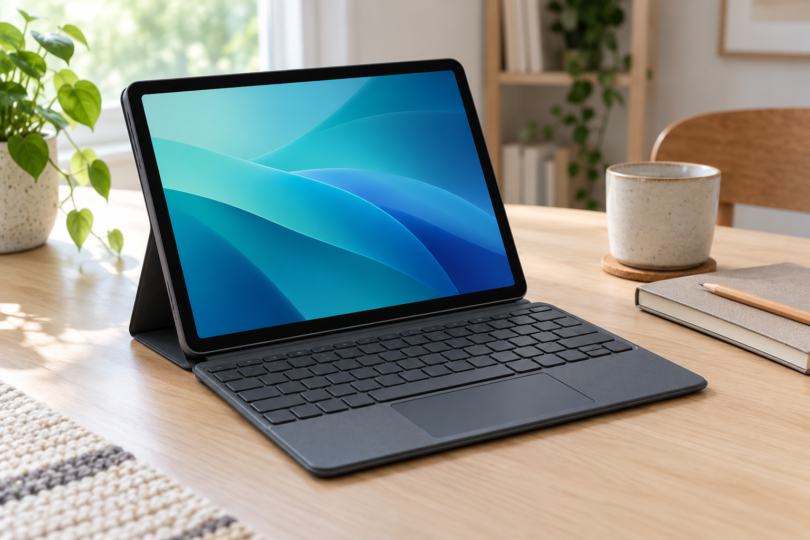
Compare: 83HH0001US, 8GB RAM, 128GB eMMC, Luna Grey, US English keyboard. This is the MediaTek Kompanio 838 version of the Chromebook Duet, with a 10.95-inch 1920 × 1200 IPS touchscreen. The detachable folio keyboard includes a touchpad and connects through the tablet’s pogo pins.

Lenovo Chromebook Duet Gen 9 83HH0001US, 8GB/128GB, Keyboard and USI Pen 2
As an Amazon Associate we earn from qualifying purchases.
The package identity matters here. The selected configuration lists a folio case, keyboard and Lenovo USI Pen 2. Lenovo’s general Duet specifications also describe the folio stand and keyboard as bundled accessories. Check the seller’s exact charger contents and US plug before ordering, particularly if you choose an open-box or used offer.
The reason to compare the Duet is its ChromeOS workflow: a desktop-style browser, a physical keyboard and a touchpad in a detachable format. For someone who writes in browser-based apps, that is a different proposition from buying an Android tablet and adding keys. It is a fit recommendation, not a claim that the Duet is the fastest or cheapest option.
Judge the offer, not an old sale price
The current listing can require a cart step to reveal the selling price, so this guide does not quote a new-unit price for the Duet. Set a total spending limit first, then compare the actual offer against the TCL setup and an ordinary laptop that can run your required apps. An included keyboard is useful, but it does not automatically make the overall package inexpensive.
Keep the part number visible when shopping. The 83HH0014US listing is a different 4GB/64GB configuration whose package explicitly excludes the digital pen. Do not combine its price with the 8GB/128GB model’s specifications or accessories. Likewise, an older Duet 3 or Duet 5 is a different device even though the family names overlap.
What to check before choosing ChromeOS
The 8GB memory and 128GB storage are fixed in this configuration. Lenovo’s specifications list no memory upgrade slots and no card reader, so a seller’s added SD card does not increase the built-in storage. The keyboard is not backlit. A desk or table is also worth trying before relying on a detachable stand-and-keyboard arrangement for long sessions on your lap.
For Microsoft Office work, confirm that the web versions cover your requirements. Microsoft’s Chromebook guidance says you cannot install the Windows or Mac desktop versions of Microsoft 365 on a Chromebook. A keyboard does not remove that limitation.
Check Lenovo’s exact 83HH0001US configuration.
Four checks that keep a tablet purchase within budget
- List the software first. Check your actual work, school or personal apps, including offline access, file formats and any required desktop features. Neither Android nor ChromeOS guarantees compatibility with a Windows-only program.
- Add the complete setup. Count the tablet, keyboard, stand or case, charger, taxes and delivery. Include a pen only if you need one. A keyboard-only listing with a tablet in the picture is not a low-cost tablet bundle.
- Read the selected configuration. Match the model number, region, RAM, storage and keyboard layout. Keep physical RAM separate from advertised virtual-memory expansion, and built-in storage separate from an external card or drive.
- Check support and condition. Look up the exact model’s update policy and seller warranty. New, refurbished and used offers can differ in battery condition, accessories, return terms and support; a family product photo does not settle those details.
Which route makes more sense?
Start with the TCL base tablet offer and its matching Bluetooth keyboard if you want Android and do not need a stylus. The advertised $249.99 checkout price plus keyboard gift is worth checking, provided both appear correctly in your basket. If the gift is unavailable, use the separate-keyboard calculation and include charger and checkout costs. Compare the set only if you also want its pen and flip case.
The 8GB/128GB Lenovo Chromebook Duet Gen 9 is worth considering for browser-based writing with an included touchpad keyboard and pen, provided the current complete price fits your limit. If you need full desktop software or spend most of your time typing, compare a conventional laptop before spending extra to turn a tablet into your main computer.